

Python+PIL实现支付宝AR红包

发布时间:2026-10-13| 3人浏览过
本文介绍利用Python和PIL库处理支付宝AR红包图片的方法。通过图像锐化、基于特定RGB值的黑条检测与行替换,以及高斯模糊处理,提升复杂背景尤其是人脸图像的识别成功率。
本文分享利用Python结合PIL库处理支付宝AR红包的具体代码实现,供读者参考学习。
整体处理思路如下:
1、首先对原始图片进行锐化处理; 2、设定(r_h, g_h, b_h)为支付宝遮罩黑条的RGB参考值,以该值为中心,查找半径为Diff_radius范围内的所有像素色值;
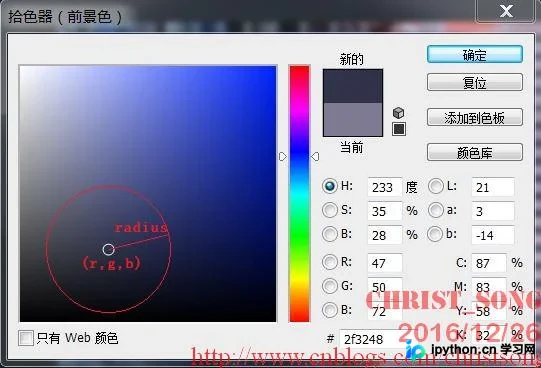
3、统计每一行中符合步骤2条件的像素点数量,若该数量超过预设临界值(例如图片宽度的一半),则将该行替换为上一行非遮罩区域的数据; 4、对处理后的图片应用高斯滤镜。
以下是具体的Python代码实现:
from PIL import Image,ImageFilter

Diff_radius = 500
diff_min = 1
r_h, g_h, b_h = 43, 55, 66

image = Image.open('test.png')
image_width = image.size[0]
image_height = image.size[1]
rgb_im = image.convert('RGB')

img_sharpen = image.filter(ImageFilter.SHARPEN)

img_new = Image.new('RGBA', image.size, (255,255,255,255))
img_copy = img_sharpen.crop((0,0,image_width,image_height))
img_new.paste(img_copy, (0,0,image_width,image_height))

y_tmp = 0

for y in range(image_height):
  y_is_black = 0
  current_line_flag_acc = 0
  for x in range(image_width):
    r, g, b = rgb_im.getpixel((x, y))
    if ((r_h-r)**2 + (g_h-g)**2 + (b_h-b)**2) < Diff_radius :
      current_line_flag_acc = current_line_flag_acc + 1
      if (x == image_width - 1) and (current_line_flag_acc > diff_min) :
        y_is_black = 1
        img1 = img_new.crop((0,y_tmp-2,image_width,y_tmp-1))
        img_new.paste(img1, (0,y,image_width,y+1))
        # print('y_tmp:%d -> y:%d'%(y_tmp,y))
    elif (x == image_width - 1) and not y_is_black:
      y_tmp = y
# img_save = img_new.filter(ImageFilter.GaussianBlur(radius=1.5))
img_new.save('test_1.png')
print("done!")
针对不同图片,可能需要调整第3、4、5行中的相关参数。
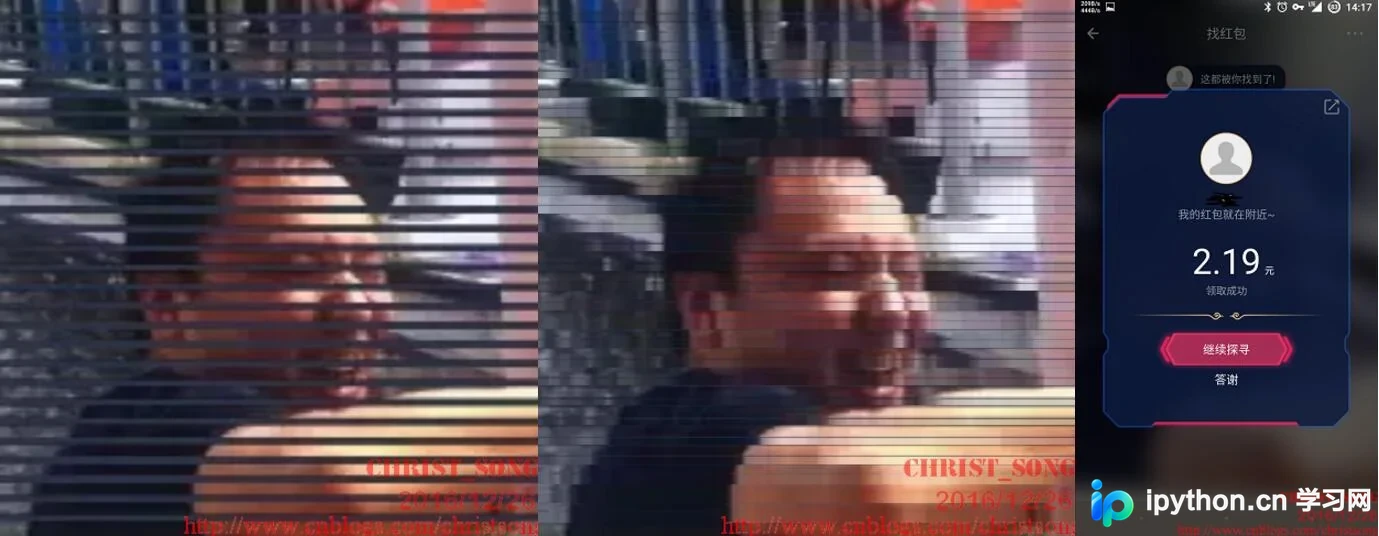
经多组照片测试,发现提供的线索图片越复杂,该方法处理后的识别成功率越高,尤其是对人脸图像,经过简单处理后基本均可成功识别。
识别成功的案例:

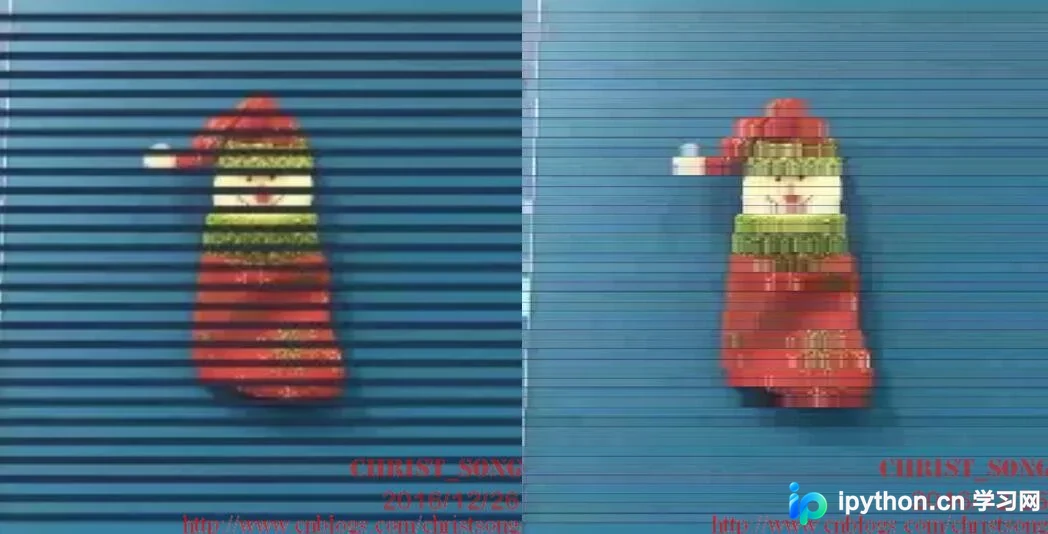
识别失败的案例:
以上内容仅供学习研究,起到抛砖引玉的作用,请勿用于其他用途。笔者仅为Python和PIL的初学者。
以上就是本文的全部内容,希望对大家的学习有所帮助,也欢迎大家多多支持本站。
免责声明:本文内容仅供参考,不代表本站观点。转载或引用请注明出处。









