

pyenv环境下Python matplotlib报错及tkinter缺失的解决方案

本文针对在pyenv管理的Python环境中使用matplotlib时遇到的框架报错及tkinter模块缺失问题进行解析。通过替换Matplotlib后端为Qt5Agg并安装PyQt5,成功解决了MacOS下因非框架安装导致的GUI渲染失败问题,提供了具体的终端命令操作指南。
首先描述遇到的具体障碍:在使用matplotlib进行绘图学习时,执行plot.show()命令始终无法成功,系统持续抛出异常错误。
RuntimeError: Python is not installed as a framework. The Mac OS X backend will not be able to function correctly if Python is not installed as a framework. See the Python documentation for more information on installing Python as a framework on Mac OS X. Please either reinstall Python as a framework, or try one of the other backends. If you are using (Ana)Conda please install python.app and replace the use of 'python' with 'pythonw'. See 'Working with Matplotlib on OSX' in the Matplotlib FAQ for more information.
该错误的核心含义在于当前使用的Python并非以系统框架形式存在。由于采用了pyenv工具来管理Python版本,导致当前环境是一个独立的Python运行空间,而非系统级框架集成。
尝试多种常规修复手段均未见效。
查阅网络资料后,发现两种常见的解决方案:
方案一:在代码中添加以下两行设置:
>>> import matplotlib
>>> matplotlib.use('TkAgg')
##在import matplotlib下的模块,如pyplot等之前添加上面2句
>>> import matplotlib.pyplot as plt
方案二:修改matplotlib的配置文件:
echo "backend: TkAgg" >> ~/.matplotlib/matplotlibrc
然而,上述两种方法均未能解决我的实际问题,随后引发了第二个错误提示:
No module named '_tkinter'
系统提示找不到tkinter模块。网络上多数解决方案仅适用于Linux系统,令人疑惑为何MacOS用户鲜少遇到此特定组合的问题。根本原因在于,通过pyenv独立安装的Python环境中默认不包含tkinter模块。尝试直接安装tkinter包时,系统反馈未找到该包。
pip3 install tkinter
Collecting tkinter
Could not find a version that satisfies the requirement tkinter (from versions: )
No matching distribution found for tkinter
对此产生疑问:tkinter究竟是什么?查阅Python官方文档:https://docs.python.org/3/library/tkinter.html 后获得解释:
The tkinter package (“Tk interface”) is the standard Python interface to the Tk GUI toolkit. Both Tk and tkinter are available on most Unix platforms, as well as on Windows systems. (Tk itself is not part of Python; it is maintained at ActiveState.) Running python -m tkinter from the command line should open a window demonstrating a simple Tk interface, letting you know that tkinter is properly installed on your system, and also showing what version of Tcl/Tk is installed, so you can read the Tcl/Tk documentation specific to that version.
简而言之,tkinter是Python用于构建GUI(图形用户界面)的标准库,提供各类标准GUI接口项,旨在辅助高级应用程序的快速开发。
那么,如何在pyenv环境中安装tkinter包?目前尚不清楚具体操作路径,这成为了新的待解问题。
采用替代策略。
既然tkinter这一GUI库存在兼容性问题,更换其他GUI库是否可行?实验结果证实了这一思路的正确性,更换GUI库后问题得以解决。具体操作步骤如下:当出现“Python is not installed as a framework...”错误时,在终端执行以下命令:
echo "backend : Qt5Agg" > ~/.matplotlib/matplotlibrc
若系统提示未安装PyQt,则需执行:
brew install pyqt
随后再次执行:
pip install PyQt5
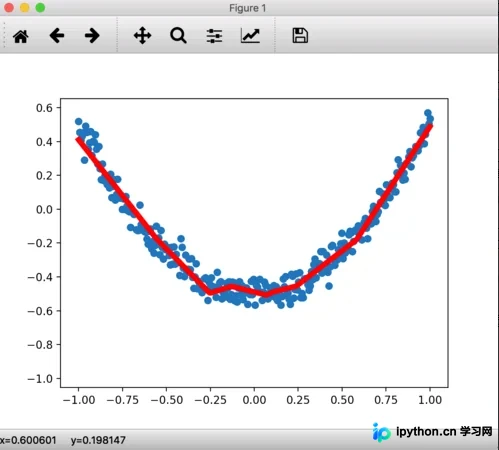
完成上述配置后,重新运行代码即可正常显示图像。
以上为本文的全部内容,希望能为读者的学习提供有益参考,也欢迎大家继续支持本站。
免责声明:本文内容仅供参考,不代表本站观点。转载或引用请注明出处。









