

Python使用Numpy和Matplotlib绘制3D魔方

本文介绍如何利用Python的Numpy库处理三维数组,结合Matplotlib的voxels函数绘制3D魔方。通过体素上采样与顶点坐标控制,实现魔方块间的间隙效果及六面不同颜色的渲染,支持生成任意尺寸的魔方模型。
技术探索系列:利用Numpy与Matplotlib构建3D魔方模型
前言
NumPy是Python科学计算的核心基础库。作为Python语言的一部分,它提供了高效的多维数组对象、衍生对象(如掩码数组和矩阵)以及用于数组快速操作的各类例程,涵盖数学运算、逻辑处理、形状变换、排序、选择、输入输出、离散傅里叶变换、基础线性代数、统计分析及随机模拟等功能。 GitHub仓库 官方文档
近期项目中涉及码垛规划需求,Numpy的三维数组功能在此场景下表现优异。受此启发,作者观察到桌面上的魔方,遂尝试使用Numpy绘制一个魔方模型。
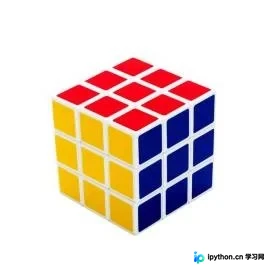
实施步骤
本方案选用Matplotlib作为可视化渲染工具。 Matplotlib GitHub Matplotlib 官方文档
构建体素基础
制作魔方的核心在于调用Matplotlib中的voxels函数。
voxels([x, y, z, ]/, filled, facecolors=None, edgecolors=None, **kwargs)
绘制一组填充体素
所有体素在坐标轴上绘制为1x1x1立方体,filled[0, 0, 0]的lower corner位于原点。被遮挡的面不再绘制。
以标准的3x3x3魔方为例进行演示:
import matplotlib.pyplot as plt
import numpy as np
# 准备一组体素坐标
n_voxels = np.ones((3, 3, 3), dtype=bool)
# 绘制
ax = plt.figure().add_subplot(projection='3d')
ax.voxels(n_voxels)
plt.show()
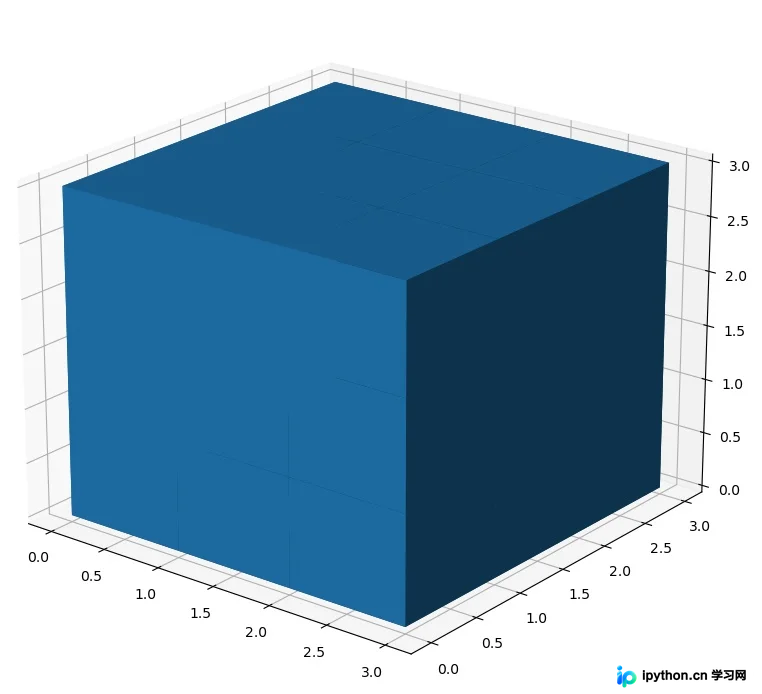
初始生成的3x3x3个体素紧密相连,缺乏间隙,视觉效果不够理想。
优化间隙效果
为实现体素间的视觉间隙,可对3x3x3的体素矩阵进行上采样处理,构建5x5x5的体素空间。具体做法是在每个维度上,使位于两个原始体素中间的体素保持隐藏状态,从而形成间隙。
size = np.array(n_voxels.shape) * 2
filled_2 = np.zeros(size - 1, dtype=n_voxels.dtype)
filled_2[::2, ::2, ::2] = n_voxels


ax = plt.figure().add_subplot(projection='3d')
ax.voxels(filled_2)
plt.show()
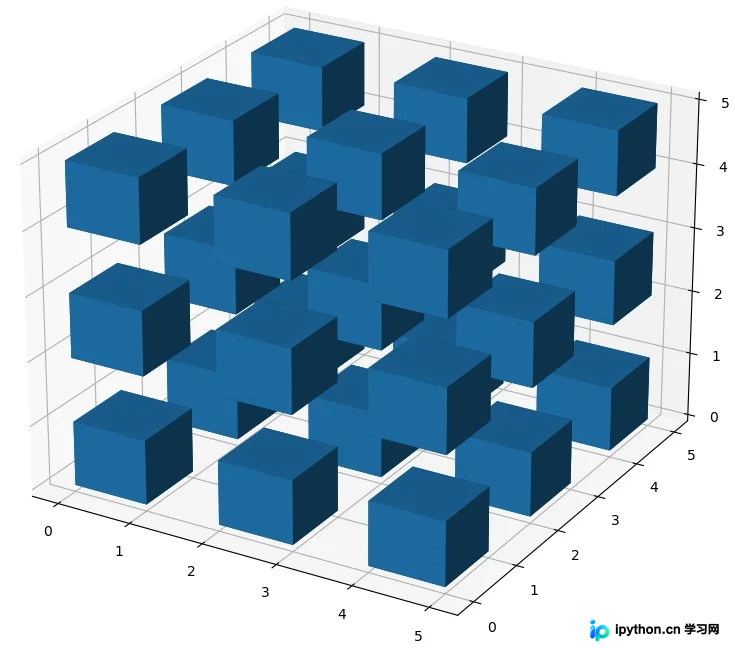
此时产生的间隙过大,可通过voxels函数的可选参数[x, y, z]来精确控制每个voxel的顶点位置,进而调整间隙的大小。
# 缩小间隙
# 构建voxels顶点控制网格
# x, y, z均为6x6x6的矩阵,为voxels的网格
# //2是为了,把索引范围从[0 1 2 3 4 5]转换为[0 0 1 1 2 2],这样x,y,z范围就回到了0~3
x, y, z = np.indices(np.array(filled_2.shape) + 1).astype(float) // 2

x[1::2, :, :] += 0.95
y[:, 1::2, :] += 0.95
z[:, :, 1::2] += 0.95
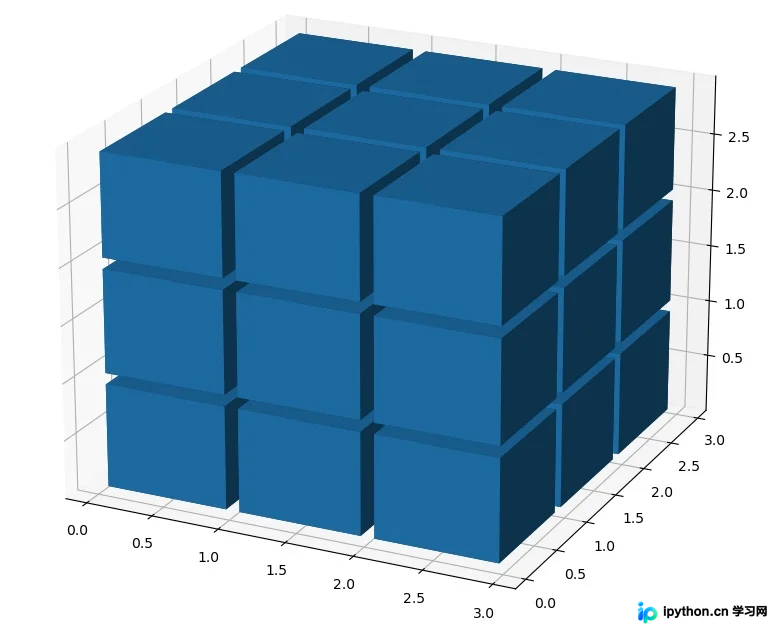
间隙调整后,接下来需为魔方的六个面赋予相应的颜色。
多色面渲染方案
由于函数仅支持为整个体素指定单一颜色,无法直接对单个体素的不同面指定不同颜色。因此,实现六面异色的策略是将3x3x3矩阵扩展为5x5x5,并将最外层体素的厚度减小,使其近似于平面,从而分别赋予颜色。
import matplotlib.pyplot as plt
import numpy as np

# 准备一些坐标
n_voxels = np.ones((5, 5, 5), dtype=bool)

# 生成间隙
size = np.array(n_voxels.shape) * 2
filled_2 = np.zeros(size - 1, dtype=n_voxels.dtype)
filled_2[::2, ::2, ::2] = n_voxels

# 缩小间隙
# 构建voxels顶点控制网格
# x, y, z均为6x6x8的矩阵,为voxels的网格,3x3x4个小方块,共有6x6x8个顶点。
# 这里//2是精髓,把索引范围从[0 1 2 3 4 5]转换为[0 0 1 1 2 2],这样就可以单独设立每个方块的顶点范围
x, y, z = np.indices(np.array(filled_2.shape) + 1).astype(float) //2  # 3x6x6x8,其中x,y,z均为6x6x8

x[1::2, :, :] += 0.95
y[:, 1::2, :] += 0.95
z[:, :, 1::2] += 0.95
# 修改最外面的体素的厚度,作为六个面来使用
x[0, :, :] += 0.94
y[:, 0, :] += 0.94
z[:, :, 0] += 0.94

x[-1, :, :] -= 0.94
y[:, -1, :] -= 0.94
z[:, :, -1] -= 0.94
# 去除边角料
filled_2[0, 0, :] = 0
filled_2[0, -1, :] = 0
filled_2[-1, 0, :] = 0
filled_2[-1, -1, :] = 0

filled_2[:, 0, 0] = 0
filled_2[:, 0, -1] = 0
filled_2[:, -1, 0] = 0
filled_2[:, -1, -1] = 0

filled_2[0, :, 0] = 0
filled_2[0, :, -1] = 0
filled_2[-1, :, 0] = 0
filled_2[-1, :, -1] = 0
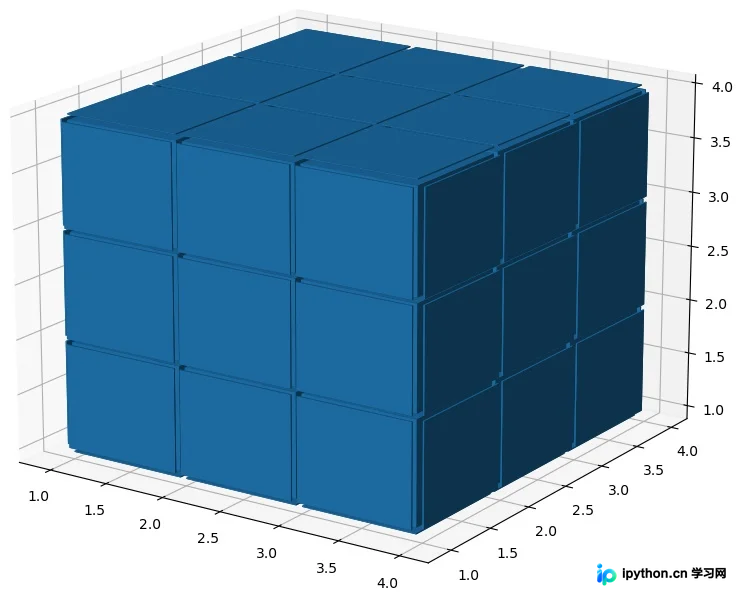
随后执行六面颜色的具体赋值操作。
六个方向定义:上(up)、下(down)、左(left)、右(right)、前(front)、后(back)。 六种颜色定义:黄色(yellow)、白色(white)、橙色(orange)、红色(red)、蓝色(blue)、绿色(green)。 初始魔方配色方案为:上黄、下白、左橙、右红、前蓝、后绿。
颜色参考来源:https://www.5tu.cn/colors/yansebiao.html
# 给魔方六个面赋予不同的颜色
colors = np.array(['#ffd400', "#fffffb", "#f47920", "#d71345", "#145b7d", "#45b97c"])
facecolors = np.full(filled_2.shape, '#77787b')  # 设一个灰色的基调
facecolors[:, :, -1] = colors[0]
facecolors[:, :, 0] = colors[1]
facecolors[:, 0, :] = colors[2]
facecolors[:, -1, :] = colors[3]
facecolors[0, :, :] = colors[4]
facecolors[-1, :, :] = colors[5]
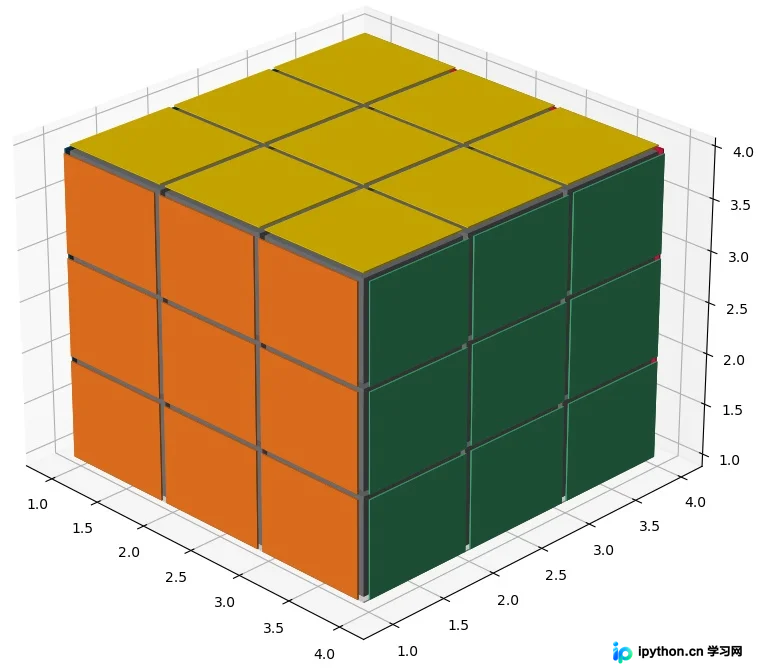
完整代码实现
完整代码示例如下:
# -*- coding: utf-8 -*-
# @Time : DATE:2021/8/29
# @Author : yan
# @Email : 1792659158@qq.com
# @File : blogDemo.py

import matplotlib.pyplot as plt
import numpy as np


def generate_rubik_cube(nx, ny, nz):
    """
    根据输入生成指定尺寸的魔方
    :param nx:
    :param ny:
    :param nz:
    :return:
    """
    # 准备一些坐标
    n_voxels = np.ones((nx + 2, ny + 2, nz + 2), dtype=bool)

    # 生成间隙
    size = np.array(n_voxels.shape) * 2
    filled_2 = np.zeros(size - 1, dtype=n_voxels.dtype)
    filled_2[::2, ::2, ::2] = n_voxels

    # 缩小间隙
    # 构建voxels顶点控制网格
    # x, y, z均为6x6x8的矩阵,为voxels的网格,3x3x4个小方块,共有6x6x8个顶点。
    # 这里//2是精髓,把索引范围从[0 1 2 3 4 5]转换为[0 0 1 1 2 2],这样就可以单独设立每个方块的顶点范围
    x, y, z = np.indices(np.array(filled_2.shape) + 1).astype(float) // 2  # 3x6x6x8,其中x,y,z均为6x6x8

    x[1::2, :, :] += 0.95
    y[:, 1::2, :] += 0.95
    z[:, :, 1::2] += 0.95

    # 修改最外面的面
    x[0, :, :] += 0.94
    y[:, 0, :] += 0.94
    z[:, :, 0] += 0.94

    x[-1, :, :] -= 0.94
    y[:, -1, :] -= 0.94
    z[:, :, -1] -= 0.94

    # 去除边角料
    filled_2[0, 0, :] = 0
    filled_2[0, -1, :] = 0
    filled_2[-1, 0, :] = 0
    filled_2[-1, -1, :] = 0

    filled_2[:, 0, 0] = 0
    filled_2[:, 0, -1] = 0
    filled_2[:, -1, 0] = 0
    filled_2[:, -1, -1] = 0

    filled_2[0, :, 0] = 0
    filled_2[0, :, -1] = 0
    filled_2[-1, :, 0] = 0
    filled_2[-1, :, -1] = 0

    # 给魔方六个面赋予不同的颜色
    colors = np.array(['#ffd400', "#fffffb", "#f47920", "#d71345", "#145b7d", "#45b97c"])
    facecolors = np.full(filled_2.shape, '#77787b')  # 设一个灰色的基调
    # facecolors = np.zeros(filled_2.shape, dtype='U7')
    facecolors[:, :, -1] = colors[0]	# 上黄
    facecolors[:, :, 0] = colors[1]	    # 下白
    facecolors[:, 0, :] = colors[2]  	# 左橙
    facecolors[:, -1, :] = colors[3]	# 右红
    facecolors[0, :, :] = colors[4]	    # 前蓝
    facecolors[-1, :, :] = colors[5]	# 后绿

    ax = plt.figure().add_subplot(projection='3d')
    ax.voxels(x, y, z, filled_2, facecolors=facecolors)
    plt.show()


if __name__ == '__main__':
    generate_rubik_cube(3, 3, 3)
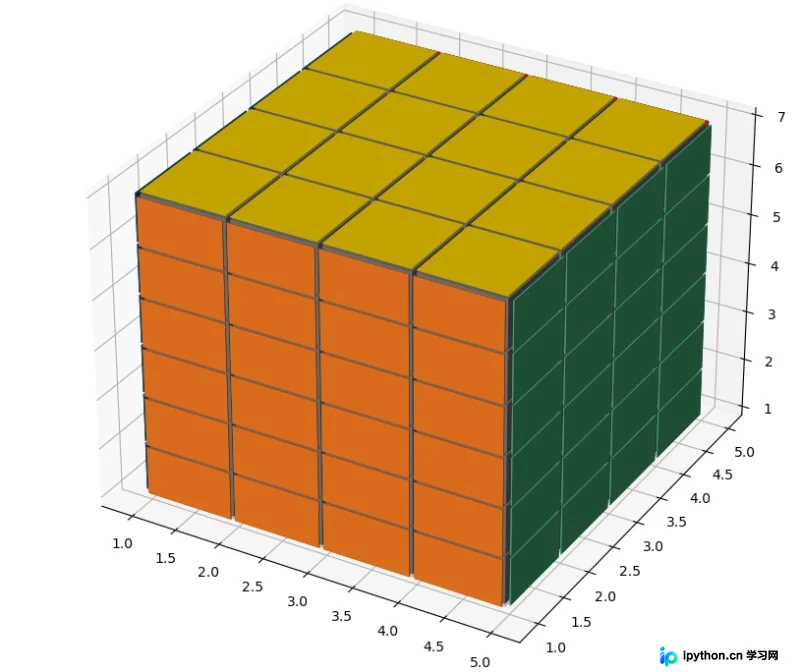
该代码支持根据输入参数生成不同尺寸的魔方,例如4x4x4尺寸:
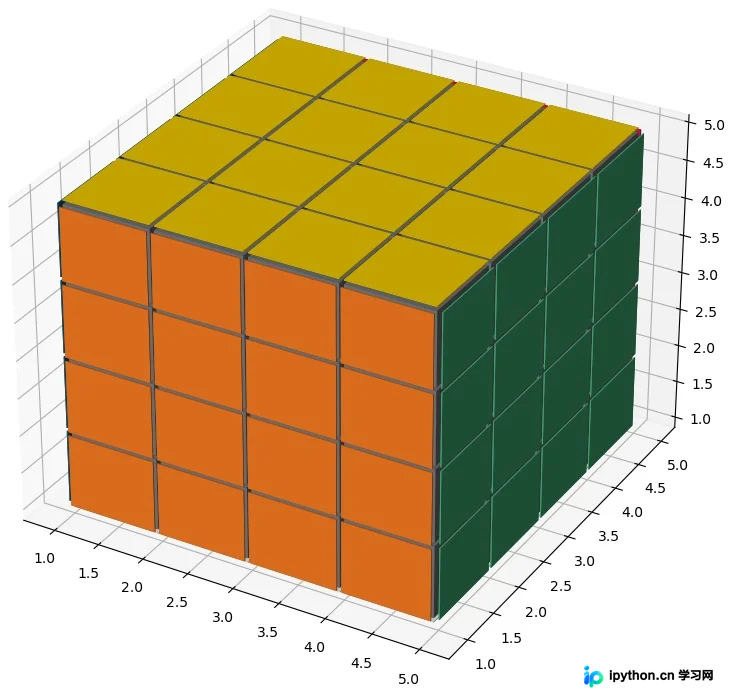
以及6x6x6尺寸:
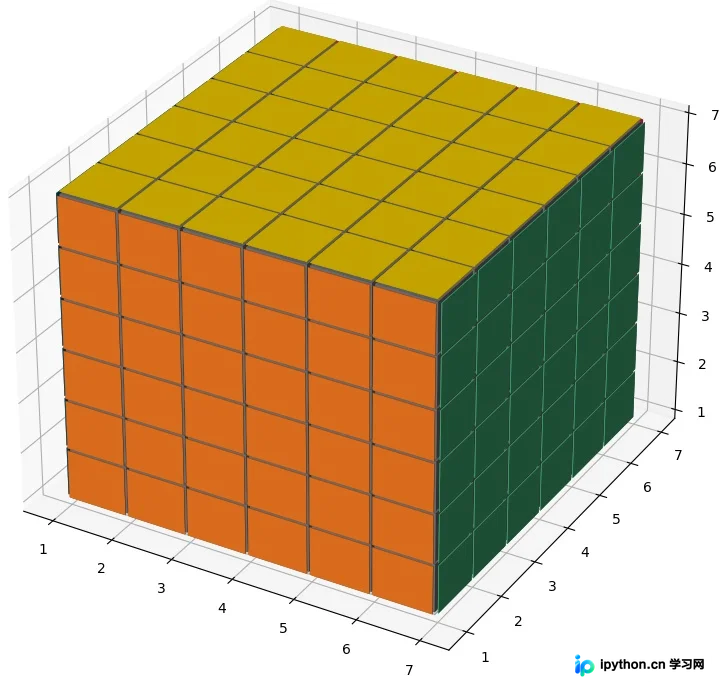
甚至支持非立方体比例如4x4x6,尽管这已超出常规魔方的定义范畴。
本文介绍了利用Python Numpy和Matplotlib绘制魔方的方法,更多相关内容请参考本站过往文章或继续浏览后续内容,感谢支持。
免责声明:本文内容仅供参考,不代表本站观点。转载或引用请注明出处。









