

解决Python matplotlib subplots子图标题重叠问题

本文针对Python使用matplotlib绘制subplots时出现的子图标题与上方图像重叠问题,提供了两种有效的解决方案。第一种方法是在plt.show()前调用plt.tight_layout()自动调整子图间距;第二种方法是通过设置subplots的figsize参数增大画布高度来避免重叠。文章包含具体代码示例及效果对比,帮助开发者快速修复绘图布局问题。
先上图
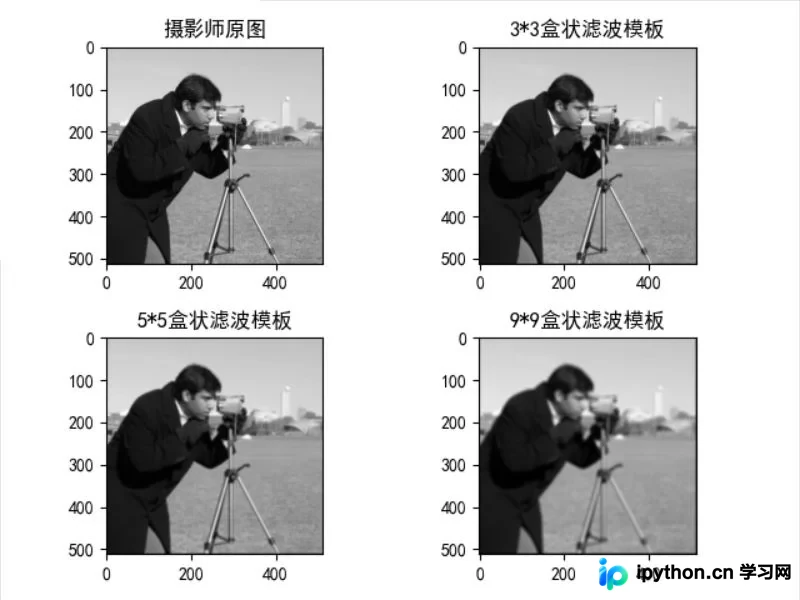
遇到的问题
在使用plt.subplots(2,2)进行绘图时,经常遇到子图的标题与上方图像发生重叠的情况,这会影响整体的视觉效果和观感:
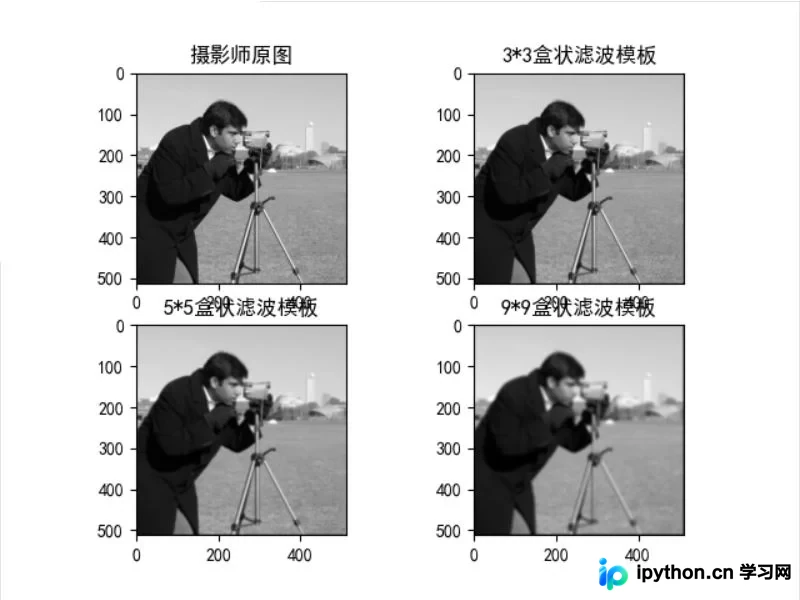
源代码:
import numpy as np
from scipy import signal
from skimage import data
from matplotlib import pyplot as plt

# 定义二维灰度图像的空间滤波函数
def correl2d(img, window):
	# 使用滤波器实现图像的空间相关
	# mode = 'same'表示输出尺寸等于输入尺寸
	# boundary = 'fill'表示滤波前,用常量值填充原始图像的边缘,默认常量值为0
	s = signal.correlate2d(img, window, mode='same', boundary='fill')
	return s.astype(np.uint8)
# img为原始图像
img = data.camera()
# 3*3盒状滤波模板
window_1 = np.ones((3, 3))/(3 ** 2)
# 5*5盒状滤波模板
window_2 = np.ones((5, 5))/(5 ** 2)
# 9*9盒状滤波模板
window_3 = np.ones((9, 9))/(9 ** 2)
# 生成滤波结果
new_img_1 = correl2d(img, window_1)
new_img_2 = correl2d(img, window_2)
new_img_3 = correl2d(img, window_3)
# 显示图像
plt.rcParams['font.sans-serif'] = ['SimHei'] # 中文
fig, axs = plt.subplots(2, 2)
axs[0, 0].imshow(img, cmap='gray')
axs[0, 0].set_title("摄影师原图")
axs[0, 1].imshow(new_img_1, cmap='gray')
axs[0, 1].set_title("3*3盒状滤波模板")
axs[1, 0].imshow(new_img_2, cmap='gray')
axs[1, 0].set_title("5*5盒状滤波模板")
axs[1, 1].imshow(new_img_3, cmap='gray')
axs[1, 1].set_title("9*9盒状滤波模板")
plt.show()
解决方法
方法1:在plt.show() 之前添加一句:
plt.tight_layout()函数原型:
matplotlib.pyplot.tight_layout(*, pad=1.08, h_pad=None, w_pad=None, rect=None)
作用:调整subplots子图见的间距
Adjust the padding between and around subplots.
参数:
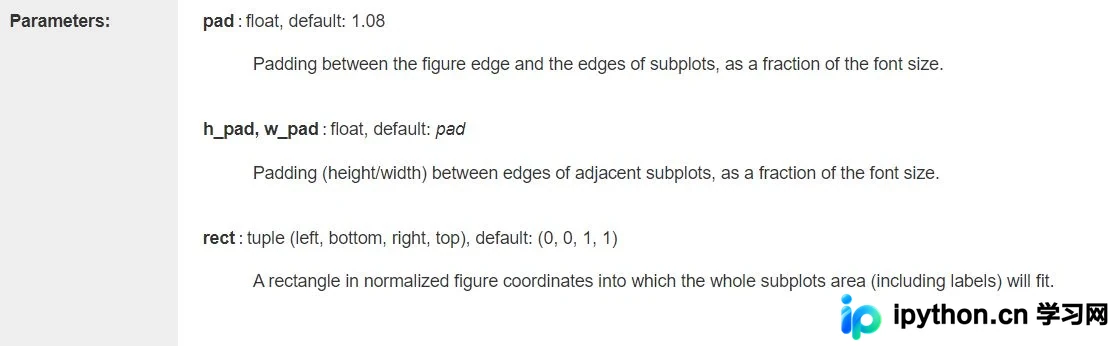
参考官方文档:https://matplotlib.org/stable/api/_as_gen/matplotlib.pyplot.tight_layout.html#matplotlib.pyplot.tight_layout
部分代码:
# 显示图像
plt.rcParams['font.sans-serif'] = ['SimHei'] # 中文
fig, axs = plt.subplots(2, 2)
axs[0, 0].imshow(img, cmap='gray')
axs[0, 0].set_title("摄影师原图")
axs[0, 1].imshow(new_img_1, cmap='gray')
axs[0, 1].set_title("3*3盒状滤波模板")
axs[1, 0].imshow(new_img_2, cmap='gray')
axs[1, 0].set_title("5*5盒状滤波模板")
axs[1, 1].imshow(new_img_3, cmap='gray')
axs[1, 1].set_title("9*9盒状滤波模板")
plt.tight_layout()
plt.show()
方法1测试结果:
方法2:在subplots中设置figsize
fig, axs = plt.subplots(2, 2,figsize=(6, 15))
# 显示图像
plt.rcParams['font.sans-serif'] = ['SimHei'] # 中文
# 设置figsize,防止图片重叠
fig, axs = plt.subplots(2, 2,figsize=(6, 15))
axs[0, 0].imshow(img, cmap='gray')
axs[0, 0].set_title("摄影师原图")
axs[0, 1].imshow(new_img_1, cmap='gray')
axs[0, 1].set_title("3*3盒状滤波模板")
axs[1, 0].imshow(new_img_2, cmap='gray')
axs[1, 0].set_title("5*5盒状滤波模板")
axs[1, 1].imshow(new_img_3, cmap='gray')
axs[1, 1].set_title("9*9盒状滤波模板")
方法2测试结果:
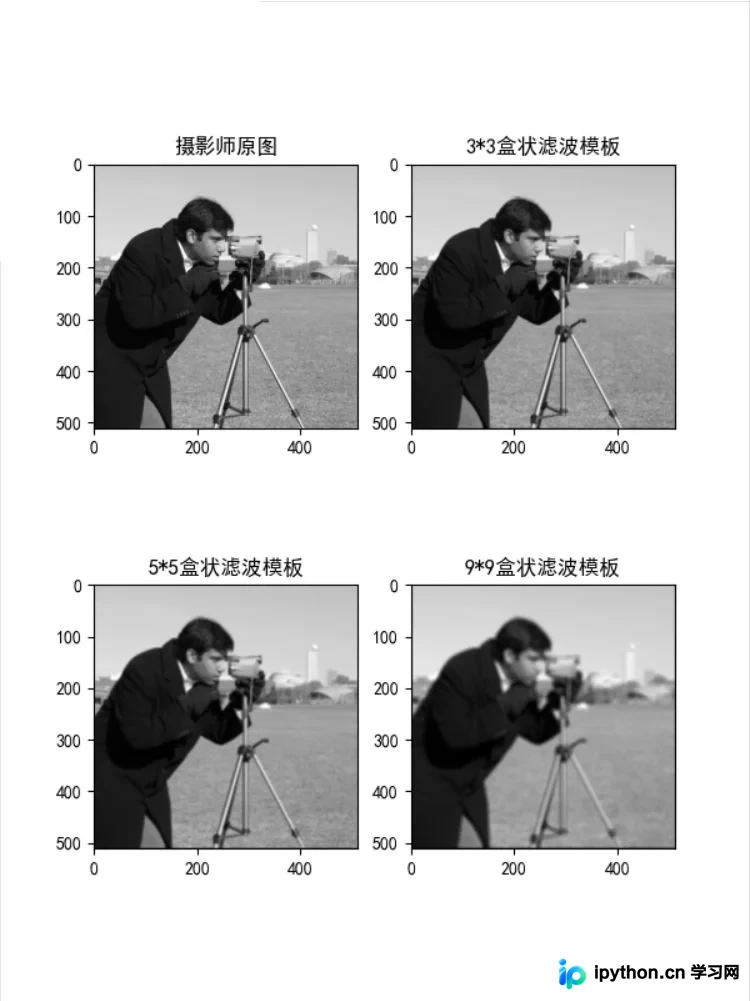
参考
[1]https://blog.csdn.net/txh3093/article/details/106401484
到此这篇关于python绘图使用subplots出现标题重叠的解决方法的文章就介绍到这了,更多相关python使用subplots绘图标题重叠内容请搜索本站以前的文章或继续浏览下面的相关文章希望大家以后多多支持本站!
免责声明:本文内容仅供参考,不代表本站观点。转载或引用请注明出处。









