

Python基于SIFT与RANSAC实现图像拼接实战

发布时间:2026-10-13| 6人浏览过
本文详细介绍使用Python和OpenCV实现图像拼接的完整流程。通过SIFT算法提取图像特征点,利用最近邻匹配结合RANSAC算法剔除误匹配点并计算单应性矩阵,最终完成图像的无缝拼接。文中包含关键代码解析及注意事项,适用于计算机视觉初学者及开发者参考。
Python图像拼接实现概述
本文分享一个使用Python实现图像拼接的具体代码示例,供读者参考学习。
图像预处理与特征匹配流程
首先准备待拼接的原始图像素材。
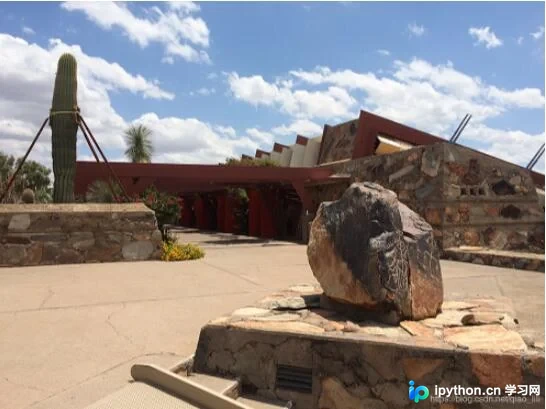
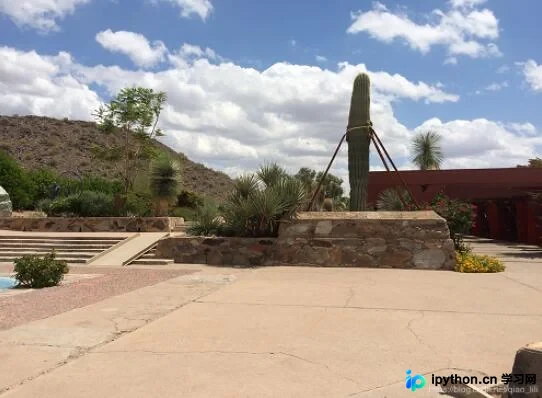
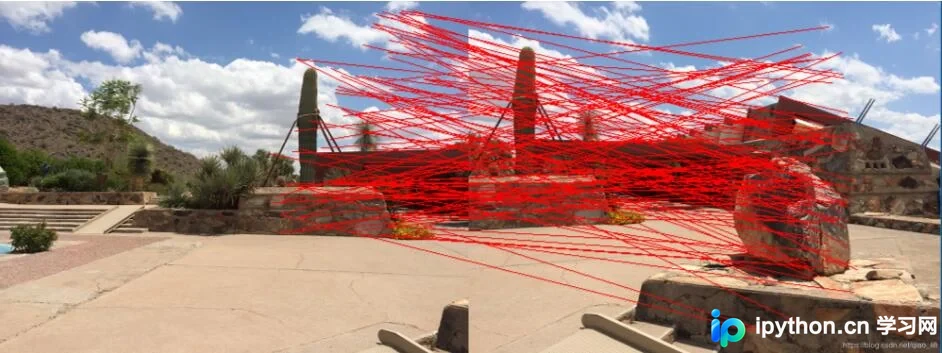
接下来展示基于SIFT特征点提取以及RANSAC(随机抽样一致)算法进行特征点匹配的结果。
随后呈现经过几何变换后的最终图像拼接效果。
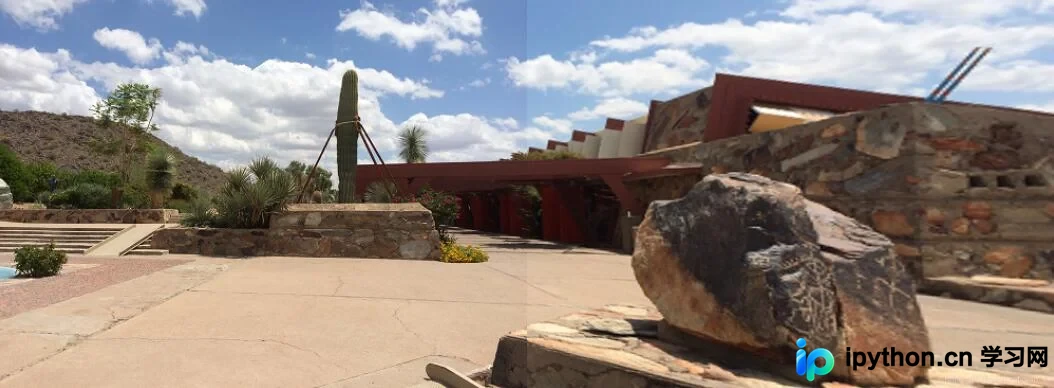
核心代码实现与注意事项
以下是完整的代码实现及相关注意事项说明。
import cv2
import numpy as np


def cv_show(name, image):
 cv2.imshow(name, image)
 cv2.waitKey(0)
 cv2.destroyAllWindows()


def detectAndCompute(image):
 image = cv2.cvtColor(image, cv2.COLOR_BGR2GRAY)
 sift = cv2.xfeatures2d.SIFT_create()
 (kps, features) = sift.detectAndCompute(image, None)
 kps = np.float32([kp.pt for kp in kps]) # 得到的点需要进一步转换才能使用
 return (kps, features)


def matchKeyPoints(kpsA, kpsB, featuresA, featuresB, ratio = 0.75, reprojThresh = 4.0):
 # ratio是最近邻匹配的推荐阈值
 # reprojThresh是随机取样一致性的推荐阈值
 matcher = cv2.BFMatcher()
 rawMatches = matcher.knnMatch(featuresA, featuresB, 2)
 matches = []
 for m in rawMatches:
  if len(m) == 2 and m[0].distance < ratio * m[1].distance:
   matches.append((m[0].queryIdx, m[0].trainIdx))
 kpsA = np.float32([kpsA[m[0]] for m in matches]) # 使用np.float32转化列表
 kpsB = np.float32([kpsB[m[1]] for m in matches])
 (M, status) = cv2.findHomography(kpsA, kpsB, cv2.RANSAC, reprojThresh)
 return (M, matches, status) # 并不是所有的点都有匹配解,它们的状态存在status中


def stich(imgA, imgB, M):
 result = cv2.warpPerspective(imgA, M, (imgA.shape[1] + imgB.shape[1], imgA.shape[0]))
 result[0:imageA.shape[0], 0:imageB.shape[1]] = imageB
 cv_show('result', result)


def drawMatches(imgA, imgB, kpsA, kpsB, matches, status):
 (hA, wA) = imgA.shape[0:2]
 (hB, wB) = imgB.shape[0:2]
 # 注意这里的3通道和uint8类型
 drawImg = np.zeros((max(hA, hB), wA + wB, 3), 'uint8')
 drawImg[0:hB, 0:wB] = imageB
 drawImg[0:hA, wB:] = imageA
 for ((queryIdx, trainIdx),s) in zip(matches, status):
  if s == 1:
   # 注意将float32 --> int
   pt1 = (int(kpsB[trainIdx][0]), int(kpsB[trainIdx][1]))
   pt2 = (int(kpsA[trainIdx][0]) + wB, int(kpsA[trainIdx][1]))
   cv2.line(drawImg, pt1, pt2, (0, 0, 255))
 cv_show("drawImg", drawImg)


# 读取图像
imageA = cv2.imread('./right_01.png')
cv_show("imageA", imageA)
imageB = cv2.imread('./left_01.png')
cv_show("imageB", imageB)
# 计算SIFT特征点和特征向量
(kpsA, featuresA) = detectAndCompute(imageA)
(kpsB, featuresB) = detectAndCompute(imageB)
# 基于最近邻和随机取样一致性得到一个单应性矩阵
(M, matches, status) = matchKeyPoints(kpsA, kpsB, featuresA, featuresB)
# 绘制匹配结果
drawMatches(imageA, imageB, kpsA, kpsB, matches, status)
# 拼接
stich(imageA, imageB, M)
以上内容即为本文的全部介绍,希望能为各位的学习提供一定帮助,同时也欢迎大家继续支持本站获取更多技术资源。
免责声明:本文内容仅供参考,不代表本站观点。转载或引用请注明出处。









