

Python Pygame 实现笑脸乒乓球游戏教程

发布时间:2026-10-13| 4人浏览过
本文介绍如何使用 Python 和 Pygame 库开发一个笑脸乒乓球小游戏。详细解析了游戏初始化、球拍控制、碰撞检测及计分逻辑,并提供完整代码实现与优化建议,帮助开发者快速掌握基础游戏开发流程。
Python Pygame 实现笑脸乒乓球游戏教程
本文将使用 Python 语言和 Pygame 库来构建一个乒乓球小游戏,也可以称为弹珠球游戏。
笑脸乒乓球游戏功能介绍
笑脸乒乓球游戏功能介绍
该乒乓球游戏具备以下具体功能:
乒乓球从屏幕顶部落下,玩家通过鼠标移动球拍将其反弹回上方,成功反弹可获得得分。若未能接住球,玩家将失去一条命。游戏初始设定玩家拥有若干条命,例如 5 条。
游戏设计思路
游戏设计思路
依据上述游戏规则,我们需要执行以下步骤:
1、初始化游戏运行环境 2、绘制乒乓球和球拍等图形元素 3、设置乒乓球的运动轨迹,并监听鼠标事件以控制球拍移动 4、判断乒乓球是否被球拍接住 5、检测游戏是否结束,以及玩家是否选择重新开始。
代码实现
代码实现
import pygame
pygame.init()
screen_width=800
screen_height=600
screen=pygame.display.set_mode([screen_width,screen_height])
pygame.display.set_caption("笑脸乒乓球")
keepGoing=True
pic=pygame.image.load("CrazySmile.bmp")
colorkey = pic.get_at((0,0))
pic.set_colorkey(colorkey)
picx=0
picy=0
BLACK=(0,0,0)
WHITE=(255,255,255)
timer=pygame.time.Clock()
paddle_width=200
paddle_height=25
paddle_x=300
paddle_y=550

speedx=5
speedy=5
#图片的高度和宽度
pic_width=pic.get_width()
pic_height=pic.get_height()
#分数和命
points=0
lives=5
font=pygame.font.SysFont("Times",24)
pop = pygame.mixer.Sound("pop.wav")

while keepGoing:
 for event in pygame.event.get():
 if event.type==pygame.QUIT:
  keepGoing=False
 if event.type == pygame.KEYDOWN:
  if event.key == pygame.K_F1: # F1 = New Game
  points = 0
  lives = 5
  picx = 0
  picy = 0
  speedx = 5
  speedy = 5

 pop.play()
 picx += speedx
 picy += speedy
 if picx <= 0 or picx >= 700:
 speedx = -speedx * 1.1
 if picy <= 0:
 speedy = -speedy + 1
 if picy >= 500:
 lives -= 1
 speedy = -5
 speedx = 5
 picy = 499
 # if picx <= 0 or picx + pic_width > screen_width:
 # speedx = -speedx
 # if picy <= 0:
 # speedy = -speedy
 # if picy >= 500:
 # lives -= 1
 # speedy = -speedy
 screen.fill(BLACK)
 screen.blit(pic, (picx, picy))
 # 画出球拍
 paddle_x = pygame.mouse.get_pos()[0]
 paddle_x -= paddle_width / 2
 pygame.draw.rect(screen, WHITE, (paddle_x, paddle_y, paddle_width, paddle_height))
 #判断接住乒乓球
 if picy + pic_width > paddle_y and picy + pic_height < paddle_y + paddle_height and speedy > 0:
 if picx + pic_width / 2 > paddle_x and picx + pic_width / 2 < paddle_x + paddle_width:
  points += 1
  speedy = -speedy
 # 在屏幕上画出得分

 draw_string = "Lives: " + str(lives) + " Points: " + str(points)
 if lives<1:
 draw_string="Game Over. Your scores is "+str(points)
 draw_string+="press F1 to play again"
 text = font.render(draw_string, True, WHITE)
 text_rect = text.get_rect()
 text_rect.centerx = screen.get_rect().centerx
 text_rect.y = 10
 screen.blit(text, text_rect)
 pygame.display.update()
 timer.tick(60)

pygame.quit()
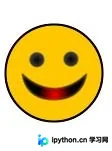
代码中使用的乒乓球图像如下所示。
总结
总结
1、通过上述代码,基本功能已实现。 2、游戏仍有诸多改进空间,例如改为键盘操控球拍,或添加背景音乐。其中添加音乐的方法涉及使用 模块加载声音文件。
pop = pygame.mixer.Sound("pop.wav")
pop.play()
以上就是本文的全部内容,希望对大家的学习有所帮助,也希望大家多多支持本站。
免责声明:本文内容仅供参考,不代表本站观点。转载或引用请注明出处。









