

C++多线程中互斥锁与条件变量的详解与实战

在C++并发编程中,互斥锁(std::mutex)用于保护共享资源避免竞态条件,而条件变量(std::condition_variable)则允许线程在特定条件下休眠并等待唤醒,从而实现复杂的线程协作。本文将通过实际代码演示这两者的实现原理与应用。
1. 为什么需要线程同步机制
在多线程环境中,多个线程可能会同时访问同一个全局变量或对象,这会导致不可预知的结果。例如:
初始代码示例:
int g_num = 0;
void print(int id)
{
	for (int i = 0; i < 5; i++)
	{
		++g_num;
		cout << "id = " << id << "==>|" << g_num << endl;
		std::this_thread::sleep_for(std::chrono::seconds(1));
	}
}
int main()
{
	thread tha(print, 0);
	thread thb(print, 1);
	tha.join();
	thb.join();
	return 0;
}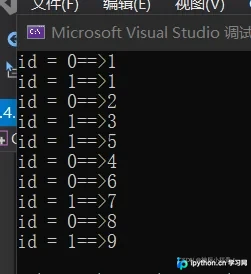
运行结果显示输出混乱且数值不正确,原因在于 --> 运算不是原子操作。为解决此问题,可先尝试使用原子类型:
atomic_int g_num = 0; //或者 std::atomic<int> g_num = 0;
void print(int id)
{
	for (int i = 0; i < 5; i++)
	{
		++g_num;
		cout << "id = " << id << "==>" << g_num << endl;
		std::this_thread::sleep_for(std::chrono::microseconds(500));
	}
}
int main()
{
	thread tha(print, 0);
	thread thb(print, 1);
	tha.join();
	thb.join();
	return 0;
}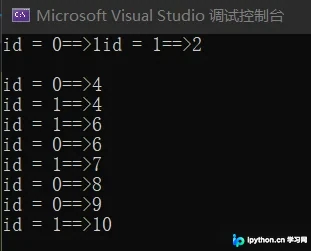
改为原子操作后虽然数据完整性得到保证,但打印结果依然可能出现乱序(如连打两个4、两个6)。接下来引入互斥锁(Mutex)来严格保护关键区域。
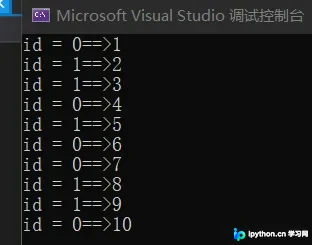
第1步:使用互斥锁进行基本同步
目的:确保在同一时刻只有一个线程能够修改共享资源。
int g_num = 0;
std::mutex mtx;  // 创建锁对象
void print(int id)
{
	for (int i = 0; i < 5; i++)
	{
		mtx.lock();  // 上锁
		++g_num;
		cout << "id = " << id << "==>" << g_num << endl;
		mtx.unlock(); // 解锁
		std::this_thread::sleep_for(std::chrono::microseconds(500));
	}
}
int main()
{
	thread tha(print, 0);
	thread thb(print, 1);
	tha.join();
	thb.join();
	return 0;
}
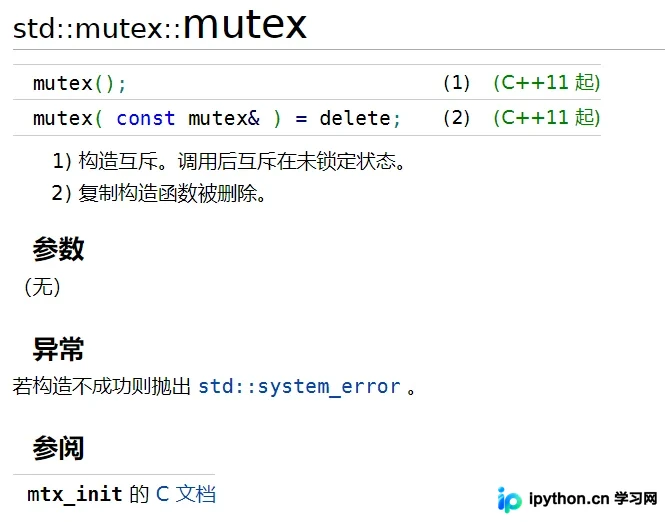
官方文档显示 std::mutex 构造函数是唯一的公开接口,拷贝构造被删除,因此它不能被复制传递。
第2步:使用 try_lock 提高灵活性
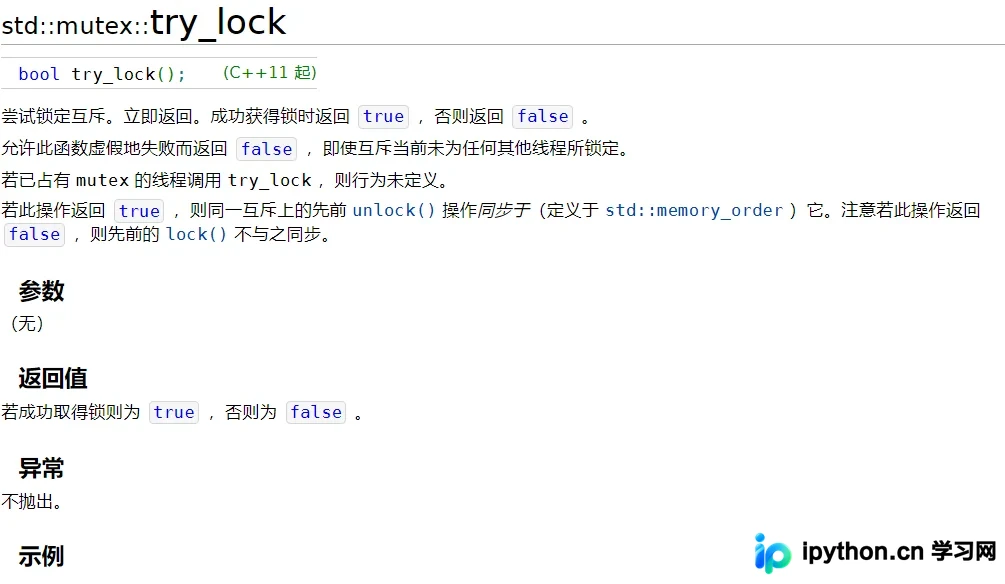
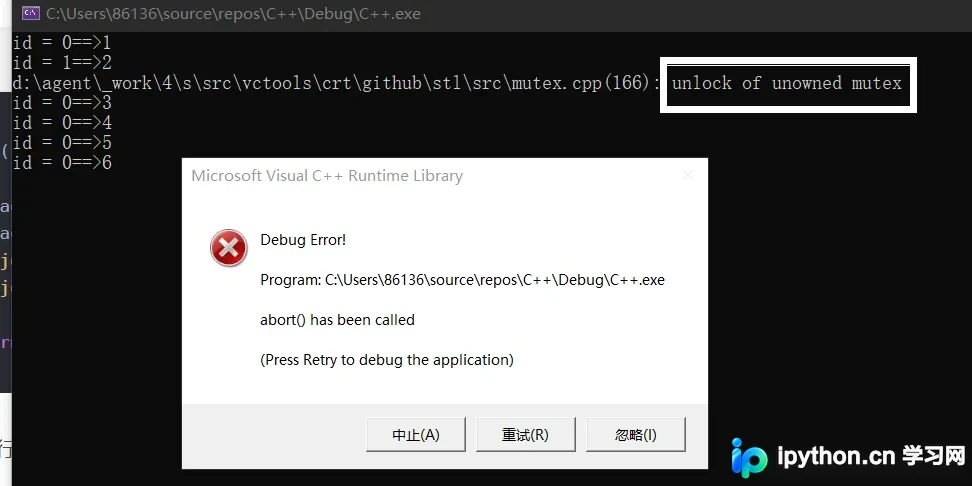
try_lock() 尝试获取锁,如果成功返回 true,失败则立即返回 false 而不阻塞当前线程。但如果未加循环判断直接使用,可能会导致解锁未上锁的互斥锁从而引发异常。
错误示范(无循环):
int g_num = 0;
std::mutex mtx;
void print(int id)
{
	for (int i = 0; i < 5; i++)
	{
		mtx.try_lock();
		++g_num;
		cout << "id = " << id << "==>" << g_num << endl;
		mtx.unlock();
		std::this_thread::sleep_for(std::chrono::microseconds(500));
	}
}
正确示范(配合 while 循环):
int g_num = 0;
std::mutex mtx;
void print(int id)
{
	for (int i = 0; i < 5; i++)
	{
		while (!mtx.try_lock())
		{
			cout << "try lock" << endl;
		}
		++g_num;
		cout << "id = " << id << "==>" << g_num << endl;
		mtx.unlock();
		std::this_thread::sleep_for(std::chrono::microseconds(500));
	}
}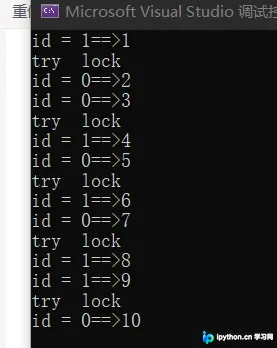
该方法虽有效,但频繁轮询会消耗大量 CPU 资源。
2. 进阶:结合互斥锁与条件变量实现多线程顺序协作
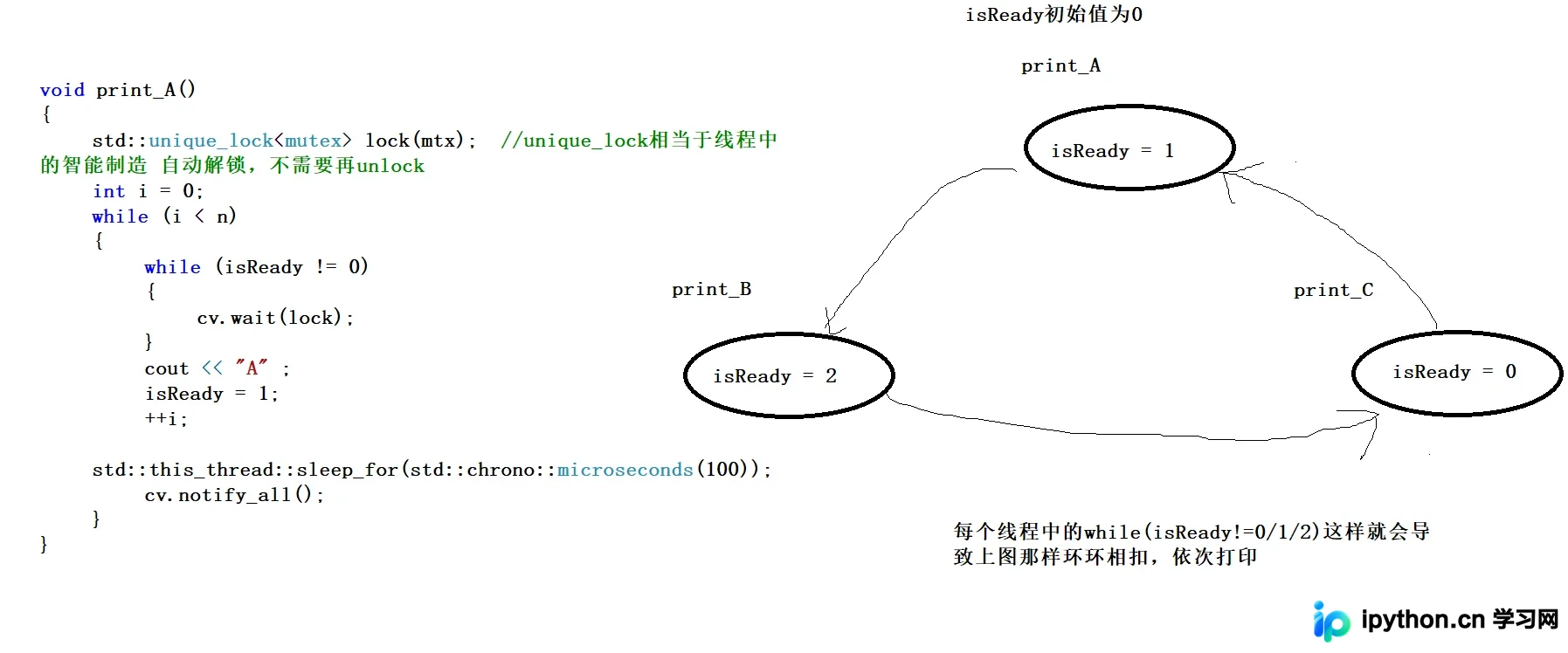
当我们需要让多个线程按特定顺序交替执行时(如 A 打印后 B 打印,B 打印后 C 打印),单纯靠互斥锁难以控制,此时需引入 std::condition_variable。
以下示例实现了三个线程交替打印字符 'A', 'B', 'C' 共 100 次:
std::mutex mtx;
std::condition_variable cv;
int isReady = 0;
const int n = 100;

void print_A() {
	std::unique_lock<mutex> lock(mtx);
	int i = 0;
	while (i < n) {
		while (isReady != 0)
			cv.wait(lock);
		cout << "A" ;
		isReady = 1;
		++i;
		std::this_thread::sleep_for(std::chrono::microseconds(100));
		cv.notify_all();
	}
}

void print_B() {
	std::unique_lock<mutex> lock(mtx);
	int i = 0;
	while (i < n) {
		while (isReady != 1)
			cv.wait(lock);
		cout << "B" ;
		isReady = 2;
		++i;
		std::this_thread::sleep_for(std::chrono::microseconds(100));
		cv.notify_all();
	}
}

void print_C() {
	std::unique_lock<mutex> lock(mtx);
	int i = 0;
	while (i < n) {
		while (isReady != 2)
			cv.wait(lock);
		cout << "C" ;
		isReady = 0;
		++i;
		std::this_thread::sleep_for(std::chrono::microseconds(100));
		cv.notify_all();
	}
}
int main() {
	thread tha(print_A);
	thread thb(print_B);
	thread thc(print_C);
	tha.join();
	thb.join();
	thc.join();
	return 0;
}
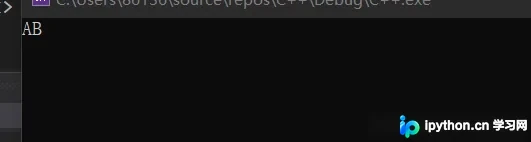
运行结果分析

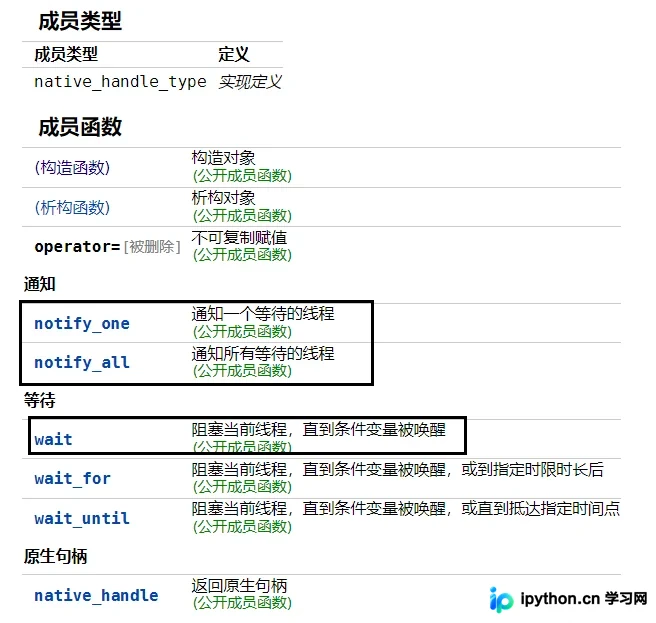
在上述代码中,cv.notify_all() 用于唤醒所有因 cv.wait(lock) 阻塞的线程。配合状态变量 isReady,各个线程检查自身状态决定是否继续运行。若改用 notify_one(),系统只会随机唤醒一个等待中的线程,可能导致死锁或长时间挂起。
3. 总结
互斥锁解决了多线程对共享资源的竞争问题,保证了数据的完整性;条件变量则提供了高效的线程通知与等待机制,使得编写复杂的多线程协作逻辑成为可能。两者结合是构建高性能并行应用的基础手段。
以上就是C++多线程互斥锁和条件变量的详细内容,更多关于C++并发编程的资料请关注本站其它相关文章!
免责声明:本文内容仅供参考,不代表本站观点。转载或引用请注明出处。









