

Python Matplotlib 使用 subplots_adjust 调整子图间距

发布时间:2026-10-15| 3人浏览过
本文介绍如何利用 Matplotlib 的 subplots_adjust 函数调整子图间的水平与垂直间距。通过设置 wspace 和 hspace 参数,可精确控制子图间的空白区域比例,优化图表布局。
具体实现方式如下所示:
plt.subplots_adjust(left=None,bottom=None,right=None,top=None,wspace=0.15,hspace=0.15)调整子图之间的间距
wspace=0.15,hspace=0.15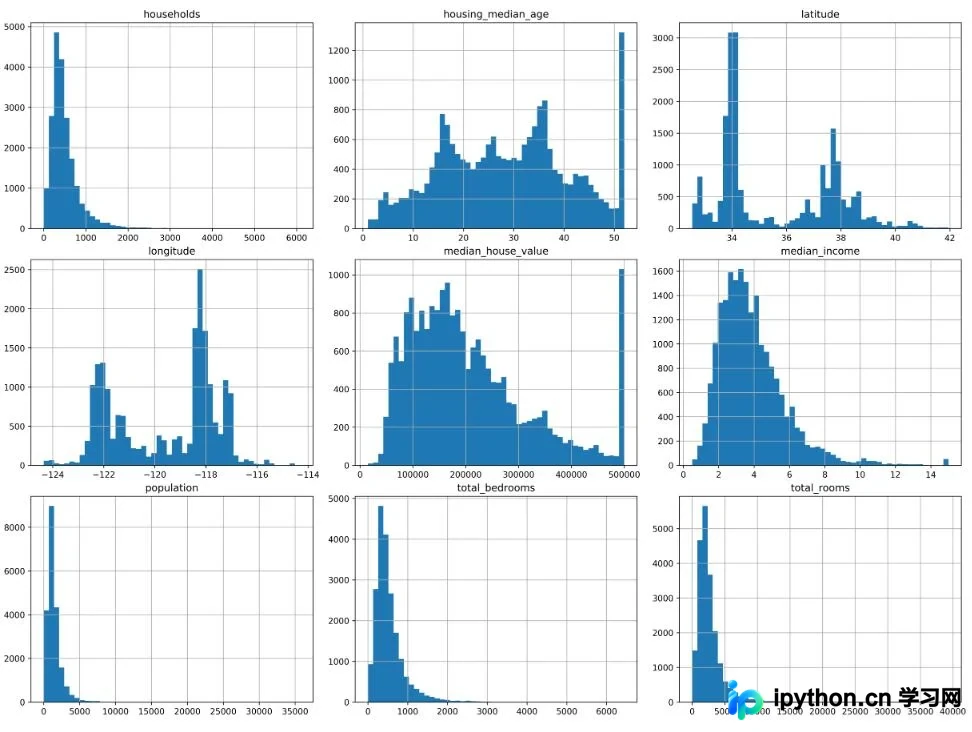
补充说明:Python 中如何调整 subplot 的间距
官方文档链接:https://matplotlib.org/api/_as_gen/matplotlib.pyplot.subplots_adjust.html
plt.subplots_adjust(left=None, bottom=None, right=None, top=None,
                wspace=None, hspace=None)
left  = 0.125  # the left side of the subplots of the figure
right = 0.9    # the right side of the subplots of the figure
bottom = 0.1   # the bottom of the subplots of the figure
top = 0.9      # the top of the subplots of the figure
wspace = 0.2   # the amount of width reserved for blank space between subplots,
               # expressed as a fraction of the average axis width
hspace = 0.2   # the amount of height reserved for white space between subplots,
               # expressed as a fraction of the average axis height
以上为个人经验总结,希望能给大家一个参考,也希望大家多多支持本站。
免责声明:本文内容仅供参考,不代表本站观点。转载或引用请注明出处。









