

Python实现简单的索引排序与搜索功能

发布时间:2026-10-14| 6人浏览过
本文介绍了如何使用Python实现简单的索引排序与搜索功能。通过具体的代码示例和运行结果,展示了从数据抓取到索引构建及搜索的全过程。代码中包含详细注释,帮助读者理解实现逻辑。
Python实现简单的索引排序与搜索功能
在近期的课程学习中,我掌握了索引排序与搜索的相关知识。为了分享学习心得,这里使用Python语言进行了具体实现,觉得这个过程颇具趣味,特此整理分享。
具体的实现代码展示如下:
import requests
import re

def News_Spider():#定义一个爬虫
    url = 'https://news.sina.com.cn/'#url地址,新浪新闻
    headers = {#请求头
        'User-Agent': 'Mozilla/5.0 (Windows NT 10.0; WOW64) AppleWebKit/537.36 (KHTML, like Gecko) Chrome/86.0.4240.198 Safari/537.36'
    }
    response = requests.get(url,headers,verify=False)#针对https,采用verify=False
    response.encoding='utf-8'#编码方式
    html = response.text#获取页面源代码
    #print(html)#打印源代码
    reg = 'target="_blank">(.*?)</a>'#设置规则
    content = re.findall(reg,html)#从页面源代码中筛选
    ls = []#定义一个空列表
    for c in content:
        if '<' in c:
            continue
        else:
            if len(c) > 6 and '客户端' not in c:
                #print(c)
                ls.append(c)
            else:
                continue
    docu_set = {}#定义一个字典
    for l in range(len(ls)):
        docu_set['d{}'.format(l+1)] = ls[l]#格式化方法,从1开始
    return docu_set

def change_set():
    all_words = []#定义一个空列表用于存储
    docu_set = News_Spider()
    for i in docu_set.values():
        cut = i.split()#分词
        all_words.extend(cut)#添加分词
    set_all_words = set(all_words)
    return set_all_words
    #print(set_all_words)

def reverse_index():
    invert_index = dict()#定义空字典
    set_all_words = change_set()#将返回值传递给变量
    docu_set = News_Spider()
    for b in set_all_words:
        temp = []
        for k in docu_set.keys():
            field = docu_set[k]
            split_field = field.split()
            if b in split_field:
                temp.append(k)
        invert_index[b] = temp
    print(invert_index)
    return invert_index

def Select():
    docu_set = News_Spider()
    invert_index = reverse_index()
    news = []
    # for i in invert_index:
    #     print(invert_index[i])
    while True:
        Find = str(input('请输入查找内容:'))
        if Find == '不查了':
            break
        for Contetnt in invert_index:#循环每一个键
            if Find in Contetnt:#如果输入在键的字符串中
                Result = invert_index[Contetnt]#循环出字典中每一个对应的值
                #print(Result)
                for r in Result:#循环每一个值
                    if r in docu_set.keys():#如果值在字典中
                        news.append(docu_set[r])#列表增加字典docu_set的值
                        print(docu_set[r])#打印输出字典的值
                    else:
                        continue
            else:
                if Find not in Contetnt:
                    news.append('很抱歉,没有找到更多内容!!')
        #news = set(news)
        for n in news:
            if '很抱歉' in n:
                print(n)
                break
            else:
                print(n)

def main_function():#定义一个主方法
    News_Spider()
    change_set()
    reverse_index()
    Select()

if __name__ == '__main__':#程序入口
    main_function()
程序的运行结果截图如下:
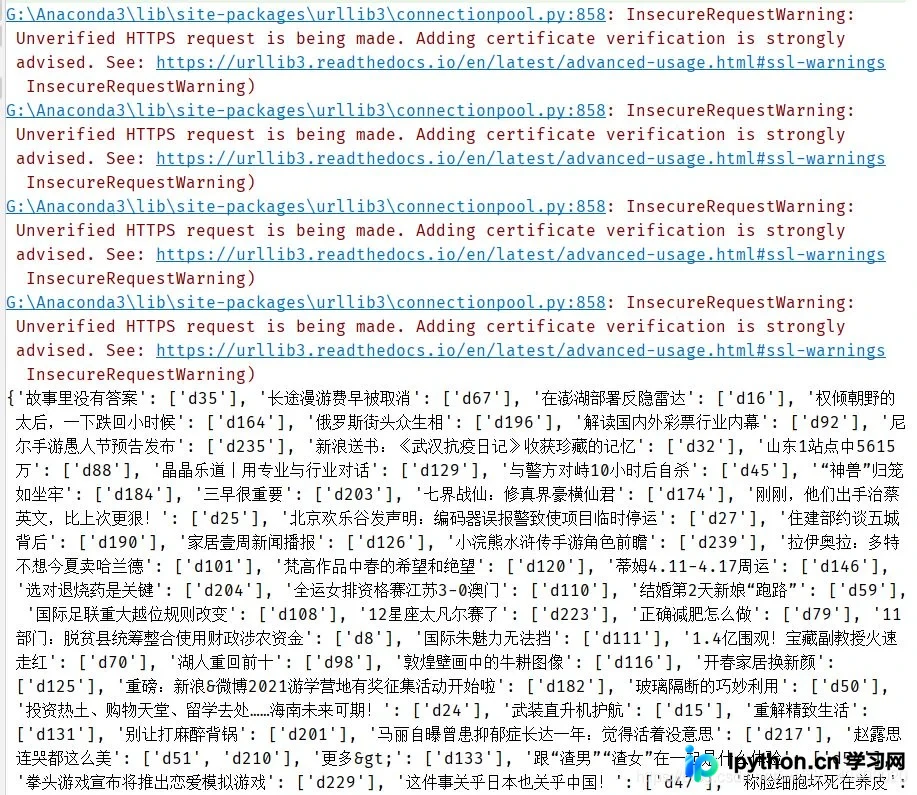
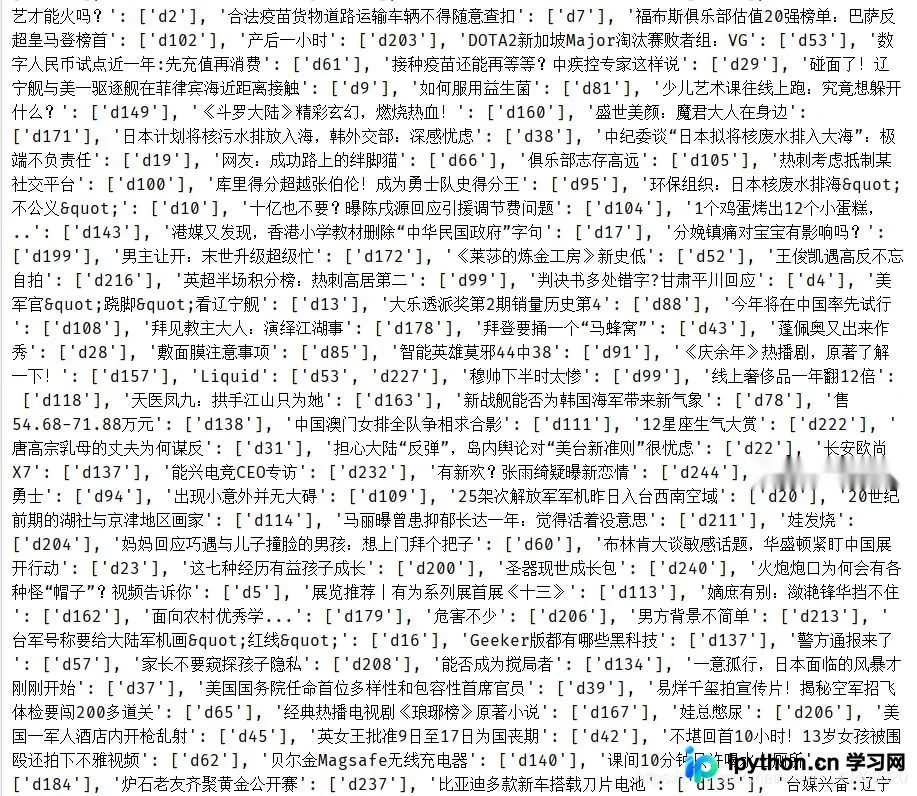
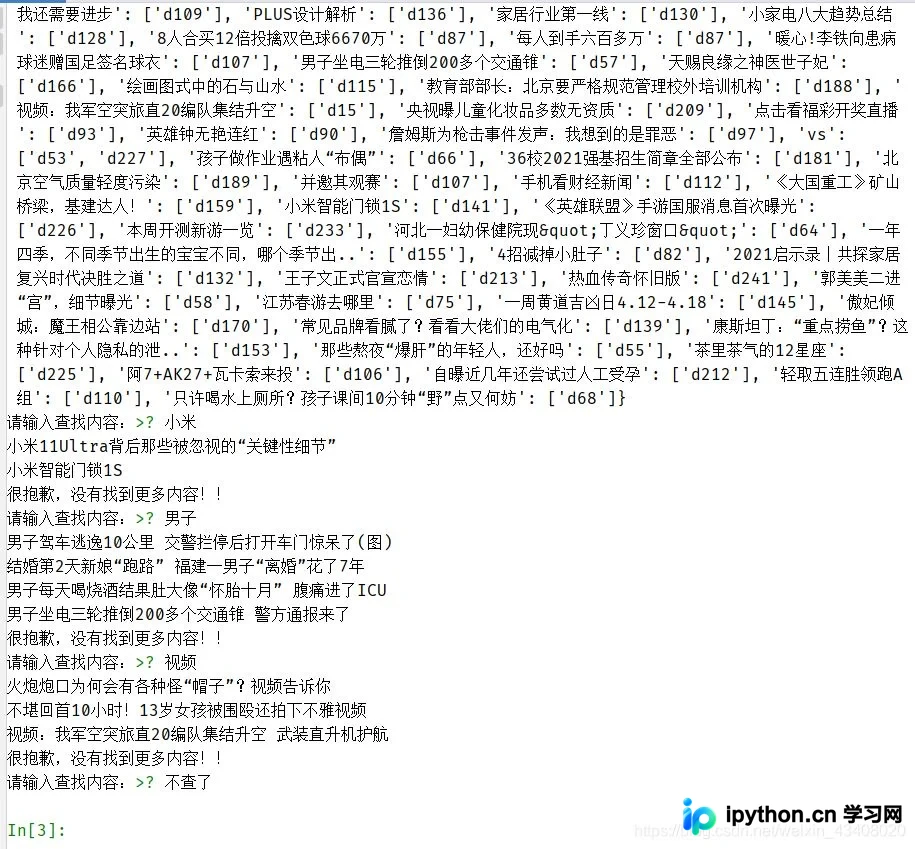
代码的具体逻辑与实现细节,我已经详细标注在代码注释中,供参考。
以上就是关于Python实现简单索引排序与搜索功能的介绍。如需了解更多相关内容,欢迎查阅本站过往文章或继续浏览后续内容,感谢大家的支持!
免责声明:本文内容仅供参考,不代表本站观点。转载或引用请注明出处。









