

Python基于tkinter canvas实现图片裁剪功能

发布时间:2026-10-14| 4人浏览过
本文介绍如何使用Python的tkinter库结合PIL模块,在Canvas画布上实现图片显示与鼠标拖拽截图功能。通过绑定鼠标按下、释放及移动事件,动态绘制选区并调用Image.crop方法完成图片裁剪,最终保存为指定格式文件。
tkinter Canvas图片裁剪功能实现
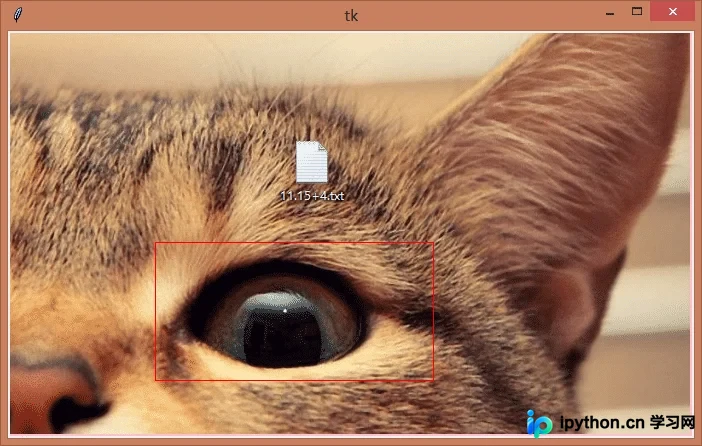
本示例旨在演示如何在tkinter的Canvas组件中加载图片,并通过鼠标左键按下与拖拽操作,实现可视化的图片区域选择与截图功能。
核心代码逻辑
具体实现逻辑如下:
# -*- encoding=utf-8 -*-
import os
import tkinter as tk

from PIL import Image
from PIL import ImageTk

left_mouse_down_x = 0
left_mouse_down_y = 0
left_mouse_up_x = 0
left_mouse_up_y = 0
sole_rectangle = None


def left_mouse_down(event):
  # print('鼠标左键按下')
  global left_mouse_down_x, left_mouse_down_y
  left_mouse_down_x = event.x
  left_mouse_down_y = event.y


def left_mouse_up(event):
  # print('鼠标左键释放')
  global left_mouse_up_x, left_mouse_up_y
  left_mouse_up_x = event.x
  left_mouse_up_y = event.y
  corp_img(img_path, 'img/one_corp.png', left_mouse_down_x, left_mouse_down_y,
       left_mouse_up_x, left_mouse_up_y)


def moving_mouse(event):
  # print('鼠标左键按下并移动')
  global sole_rectangle
  global left_mouse_down_x, left_mouse_down_y
  moving_mouse_x = event.x
  moving_mouse_y = event.y
  if sole_rectangle is not None:
    canvas.delete(sole_rectangle) # 删除前一个矩形
  sole_rectangle = canvas.create_rectangle(left_mouse_down_x, left_mouse_down_y, moving_mouse_x,
                       moving_mouse_y, outline='red')


def right_mouse_down(event):
  # print('鼠标右键按下')
  pass


def right_mouse_up(event):
  # print('鼠标右键释放')
  pass


def corp_img(source_path, save_path, x_begin, y_begin, x_end, y_end):
  if x_begin < x_end:
    min_x = x_begin
    max_x = x_end
  else:
    min_x = x_end
    max_x = x_begin
  if y_begin < y_end:
    min_y = y_begin
    max_y = y_end
  else:
    min_y = y_end
    max_y = y_begin
  save_path = os.path.abspath(save_path)
  if os.path.isfile(source_path):
    corp_image = Image.open(source_path)
    region = corp_image.crop((min_x, min_y, max_x, max_y))
    region.save(save_path)
    print('裁剪完成,保存于:{}'.format(save_path))
  else:
    print('未找到文件:{}'.format(source_path))


if __name__ == '__main__':
  pass
  win = tk.Tk()
  frame = tk.Frame()
  frame.pack()
  screenwidth = win.winfo_screenwidth()
  screenheight = win.winfo_screenheight()
  img_path = 'img/one.png'
  # img_path = 'img/bg.jpg'
  # img_path = 'img/test.jpg'
  # img_path = 'img/pic.gif'
  image = Image.open(img_path)
  image_x, image_y = image.size
  if image_x > screenwidth or image_y > screenheight:
    print('The picture size is too big,max should in:{}x{}, your:{}x{}'.format(screenwidth,
                                          screenheight,
                                          image_x,
                                          image_y))
  img = ImageTk.PhotoImage(image)
  canvas = tk.Canvas(frame, width=image_x, height=image_y, bg='pink')
  i = canvas.create_image(0, 0, anchor='nw', image=img)
  canvas.pack()
  canvas.bind('<Button-1>', left_mouse_down) # 鼠标左键按下
  canvas.bind('<ButtonRelease-1>', left_mouse_up) # 鼠标左键释放
  canvas.bind('<Button-3>', right_mouse_down) # 鼠标右键按下
  canvas.bind('<ButtonRelease-3>', right_mouse_up) # 鼠标右键释放
  canvas.bind('<B1-Motion>', moving_mouse) # 鼠标左键按下并移动
  win.mainloop()
测试素材与结果
使用的原始图片文件名为one.png。
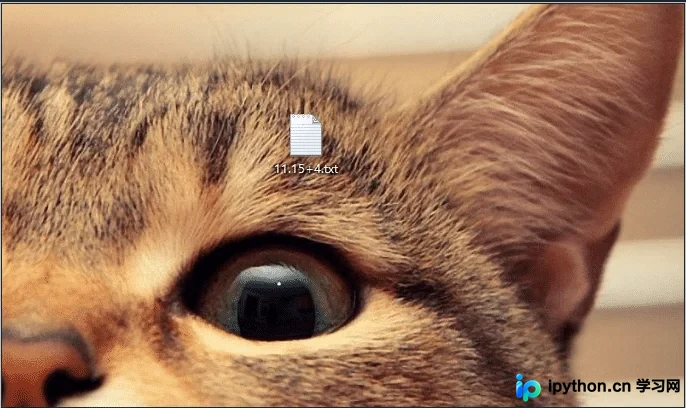
程序运行后,界面将显示图片,用户可通过鼠标操作进行裁剪。

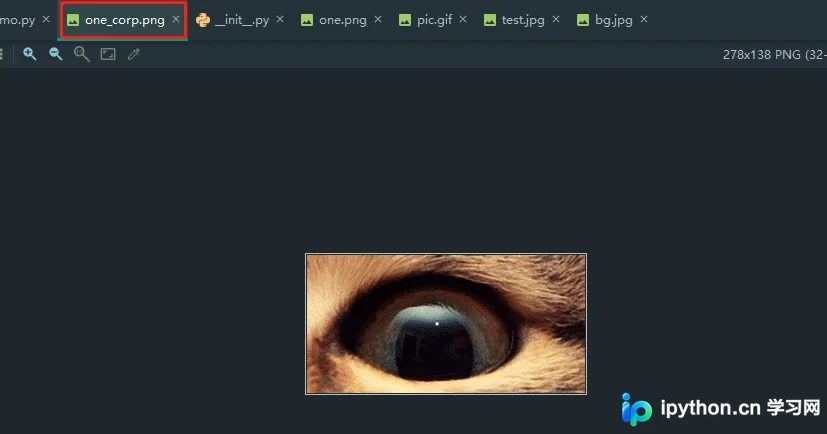
裁剪处理后的结果图片保存为one_corp.png。
源码获取
完整源代码可访问GitHub仓库:https://github.com/rainbow-tan/rainbow/tree/master/%E8%A3%81%E5%89%AA%E5%9B%BE%E7%89%87
以上内容即为本次Python tkinter图片裁剪功能的完整介绍,希望能为读者的学习提供有益参考,欢迎继续支持本站获取更多技术资源。
免责声明:本文内容仅供参考,不代表本站观点。转载或引用请注明出处。









