

Python OpenCV实现图像轮廓查找、多边形拟合与最小外接矩形计算

发布时间:2026-10-14| 2人浏览过
本文介绍使用Python和OpenCV库进行图像轮廓查找、多边形拟合及最小外接矩形计算的具体实现。通过示例代码展示如何从灰度图像中提取轮廓,利用approxPolyDP进行多边形逼近,并计算最小外接矩形及其长宽比。此外,还包含最小外接圆形的计算方法,帮助开发者掌握图像处理中的基础几何分析技术。
概述与测试说明
概述
在图像处理任务中,轮廓查找与多边形拟合是OpenCV常见操作,此处记录相关代码以便后续参考。需注意,文中示例所使用的阈值条件仅用于测试演示,不具备实际业务意义。
原始输入图片如下:

轮廓查找与多边形拟合代码实现
测试代码实现如下:
import cv2
import numpy as np

img = cv2.imread('/home/yasin/coffe.jpg')
img_gray = cv2.cvtColor(img, cv2.COLOR_BGR2GRAY)

_, contours, hierarchy = cv2.findContours(img_gray, cv2.RETR_TREE, cv2.CHAIN_APPROX_SIMPLE)

cv2.drawContours(img, contours, -1, (255, 0, 255), 1)
cv2.namedWindow('Result of drawContours', 0)
cv2.imshow('Result of drawContours', img)
cv2.waitKey()

cnt = 0
for i in range(len(contours)):
 arclen = cv2.arcLength(contours[i], True)
 epsilon = max(3, int(arclen * 0.02)) # 拟合出的多边形与原轮廓最大距离,可以自己设置,这里根据轮廓周长动态设置
 approx = cv2.approxPolyDP(contours[i], epsilon, False) # 轮廓的多边形拟合
 area = cv2.contourArea(contours[i]) # 计算面积
 rect = cv2.minAreaRect(contours[i])
 box = np.int0(cv2.boxPoints(rect)) # 计算最小外接矩形顶点
 h = int(rect[1][0])
 w = int(rect[1][1])
 if min(h, w) == 0:
 ration = 0
 else:
 ration = max(h,w) /min(h,w) # 长宽比

 # 对长宽比,轮廓面积,拟合出的多边形顶点数做筛选
 if ration < 10 and area > 20 and area < 4000 and approx.shape[0] > 3 :
 # 对满足条件的轮廓画出轮廓的拟合多边形
 cv2.polylines(img, [approx], True, (0, 255, 0), 1)

cv2.namedWindow('Result of filtered', 0)
cv2.imshow('Result of filtered', img)
cv2.waitKey()
绘制所有检测到的轮廓结果:

在原始轮廓基础上,筛选并绘制符合条件的轮廓(图中绿色部分,此处仅为测试展示,无实际业务含义):

最小外接圆形计算补充
补充知识:OpenCV Python中获取连通域最小外接圆形的方法
原始输入图片:[cc.jpg]
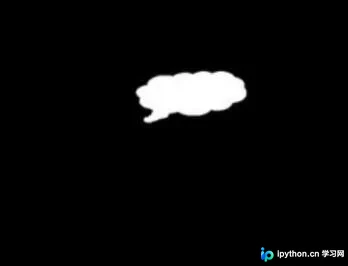
import cv2
import numpy as np

def main():

  # 1.导入图片
  img_src = cv2.imread("cc.jpg")

  # 2.灰度化,二值化
  img_gray = cv2.cvtColor(img_src, cv2.COLOR_BGR2GRAY)
  ret, img_bin = cv2.threshold(img_gray, 127, 255, cv2.THRESH_BINARY)

  # 3.连通域分析
  img_bin, contours, hierarchy = cv2.findContours(img_bin,
                 cv2.RETR_LIST,
                 cv2.CHAIN_APPROX_SIMPLE)

  # 4.获取最小外接圆 圆心 半径
  center, radius = cv2.minEnclosingCircle(contours[0])
  center = np.int0(center)

  # 5.绘制最小外接圆
  img_result = img_src.copy()
  cv2.circle(img_result, tuple(center), int(radius), (255, 255, 255), 2)

  # 6.显示结果图片
  cv2.imshow("img_src", img_src)
  cv2.imshow("img_result", img_result)

  cv2.waitKey()
  cv2.destroyAllWindows()

if __name__ == '__main__':
  main()
处理后的结果图片:[img_sult.jpg]
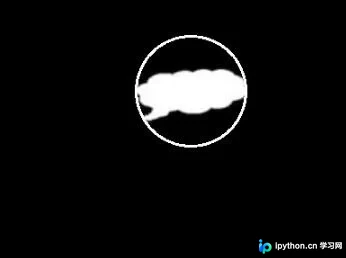
以上即为Python实现图像轮廓查找、多边形拟合及最小外接矩形计算的完整代码分享,供读者参考使用。
免责声明:本文内容仅供参考,不代表本站观点。转载或引用请注明出处。









