

Python实现图片转字符画:基于PIL与Matplotlib的完整代码解析

发布时间:2026-10-13| 6人浏览过
本文介绍如何使用Python将普通图片转换为字符画。通过PIL库读取图像像素,结合Matplotlib进行可视化展示,程序利用预设字符表在画布上绘制对应颜色的字符。代码包含缩放、采样步长等参数配置,并提供完整源码供参考学习。
简介
这是一个简单的Python程序,用于将图片转换为字符图片。为了简化代码逻辑,部分参数被硬编码处理,用户可根据实际需求自行调整。(←∀←)
正文
原图(侵删)

结果图
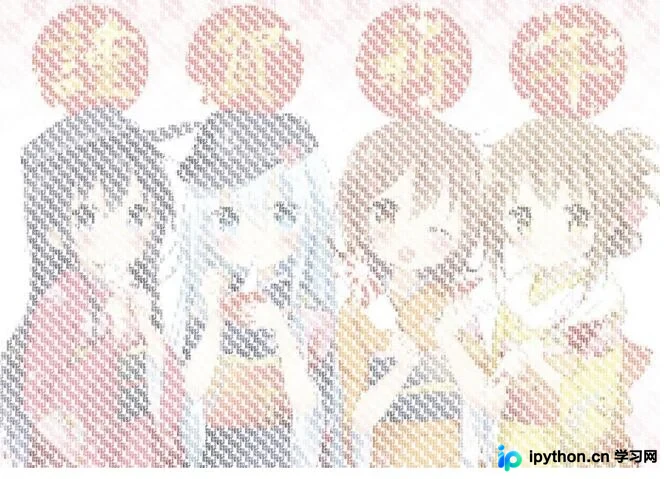
源码
[更多细节]——>戳这里
#-*- coding: UTF-8 -*-
from PIL import Image
from PIL import ImageDraw
from PIL import ImageFont
import matplotlib.pyplot as plt
import numpy as np
import time

def happyNewYear(srd_img_file_path, dst_img_file_path = None, scale = 2, sample_step = 3):
 start_time = int(time.time())

 #读取图片信息
 old_img = Image.open(srd_img_file_path)
 pix = old_img.load()
 width = old_img.size[0]
 height = old_img.size[1]
 print ("width:%d, height:%d" % (width, height))

 #创建新图片
 canvas = np.ndarray((height*scale, width*scale, 3), np.uint8)
 canvas[:, :, :] = 255
 new_image = Image.fromarray(canvas)
 draw = ImageDraw.Draw(new_image)

 #创建绘制对象
 font = ImageFont.truetype("consola.ttf", 10, encoding="unic")
 char_table = list('happy new year ')
 # font = ImageFont.truetype('simsun.ttc', 10)
 # char_table = list(u'新年快乐')

 #开始绘制
 pix_count = 0
 table_len = len(char_table)
 for y in range(height):
 for x in range(width):
  if x % sample_step == 0 and y % sample_step == 0:
  draw.text((x*scale, y*scale), char_table[pix_count % table_len], pix[x, y], font)
  pix_count += 1

 # 保存
 if dst_img_file_path is not None:
 new_image.save(dst_img_file_path)

 print("used time : %d second, pix_count : %d" % ((int(time.time()) - start_time), pix_count))
 print(pix_count)
 new_image.show()


happyNewYear("input.jpg", "output.jpg")
以上就是本文的全部内容,希望对大家的学习有所帮助,也希望大家多多支持本站。
免责声明:本文内容仅供参考,不代表本站观点。转载或引用请注明出处。









