

Python实现多张图片合成文字效果:从批量下载到马赛克拼图

本文详细介绍如何利用Python实现多张图片合成文字的效果。首先通过编写脚本从网络批量下载指定数量的图片资源,随后探讨两种生成文字马赛克的方法:一是使用photomosaic库进行基础拼接,二是通过计算颜色相似度优化拼图效果。文章包含完整的代码示例及参数调整说明,帮助读者掌握图片合成文字的核心技术。
前言
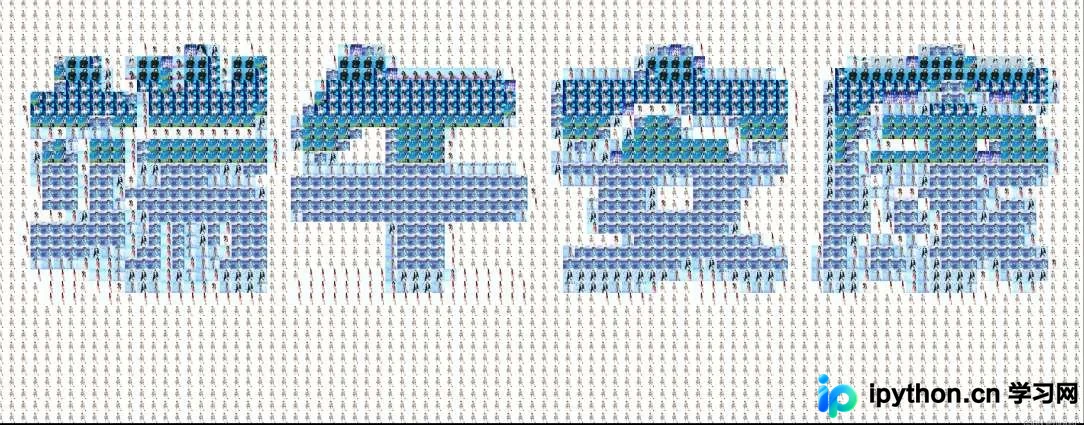
近期有读者咨询如何使用Python实现将多张小图片组合成特定文字图案的效果,该创意颇具趣味性。笔者尝试复现了这一过程,恰逢端午节期间,计划从网络获取1000张王心凌的照片,利用这些素材拼出“端午安康”四个大字,以此向读者致以节日问候。
一、图片批量下载
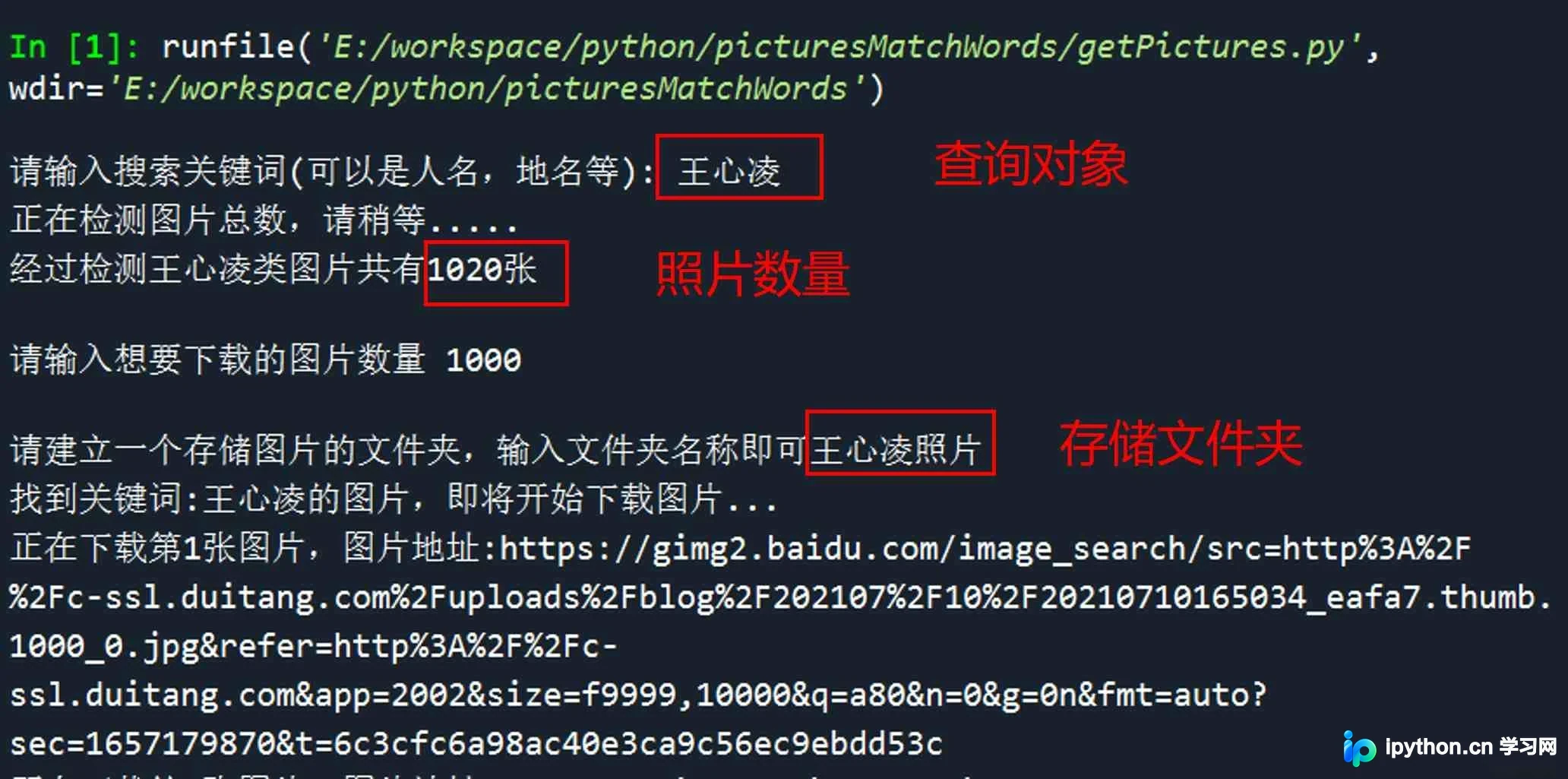
第一步是从网络获取大量王心凌的图片素材。若手动在百度图片中逐一右键保存,效率极低且繁琐。因此,笔者使用Python编写了一个批量下载脚本,只需输入搜索关键词及所需图片数量,即可自动完成下载任务。
该下载脚本主要包含三个核心功能模块:
- 下载图片
- 检测图片数量
- 查找相似图片
1.下载图片
def dowmloadPicture(html, keyword):
    global num
    # t =0
    pic_url = re.findall('"objURL":"(.*?)",', html, re.S)  # 先利用正则表达式找到图片url
    print('找到关键词:' + keyword + '的图片,即将开始下载图片...')
    for each in pic_url:
        print('正在下载第' + str(num + 1) + '张图片,图片地址:' + str(each))
        try:
            if each is not None:
                pic = requests.get(each, timeout=7)
            else:
                continue
        except BaseException:
            print('错误,当前图片无法下载')
            continue
        else:
            string = file + r'\\' + keyword + '_' + str(num) + '.jpg'
            fp = open(string, 'wb')
            fp.write(pic.content)
            fp.close()
            num += 1
        if num >= numPicture:
            return
2.检测图片数量
def Find(url, A):
    global List
    print('正在检测图片总数,请稍等.....')
    t = 0
    i = 1
    s = 0
    while t < 1000:
        Url = url + str(t)
        try:
            # 这里搞了下
            Result = A.get(Url, timeout=7, allow_redirects=False)
        except BaseException:
            t = t + 60
            continue
        else:
            result = Result.text
            pic_url = re.findall('"objURL":"(.*?)",', result, re.S)  # 先利用正则表达式找到图片url
            s += len(pic_url)
            if len(pic_url) == 0:
                break
            else:
                List.append(pic_url)
                t = t + 60
    return s
3.查找相似图片
def dowmloadPicture(html, keyword):
    global num
    # t =0
    pic_url = re.findall('"objURL":"(.*?)",', html, re.S)  # 先利用正则表达式找到图片url
    print('找到关键词:' + keyword + '的图片,即将开始下载图片...')
    for each in pic_url:
        print('正在下载第' + str(num + 1) + '张图片,图片地址:' + str(each))
        try:
            if each is not None:
                pic = requests.get(each, timeout=7)
            else:
                continue
        except BaseException:
            print('错误,当前图片无法下载')
            continue
        else:
            string = file + r'\\' + keyword + '_' + str(num) + '.jpg'
            fp = open(string, 'wb')
            fp.write(pic.content)
            fp.close()
            num += 1
        if num >= numPicture:
            return
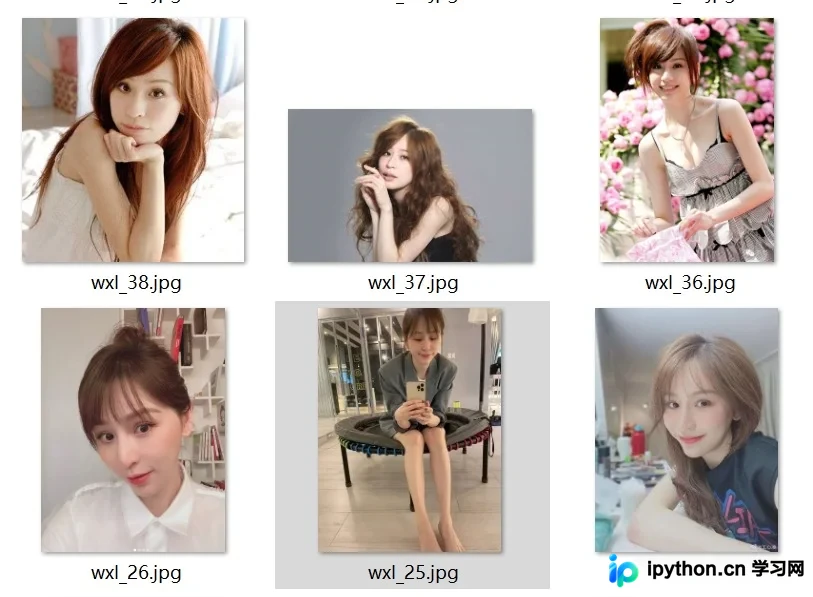
使用效果:
二、图片马赛克
获取足够的图片素材后,下一步是利用这些图片拼合出目标文字图案。
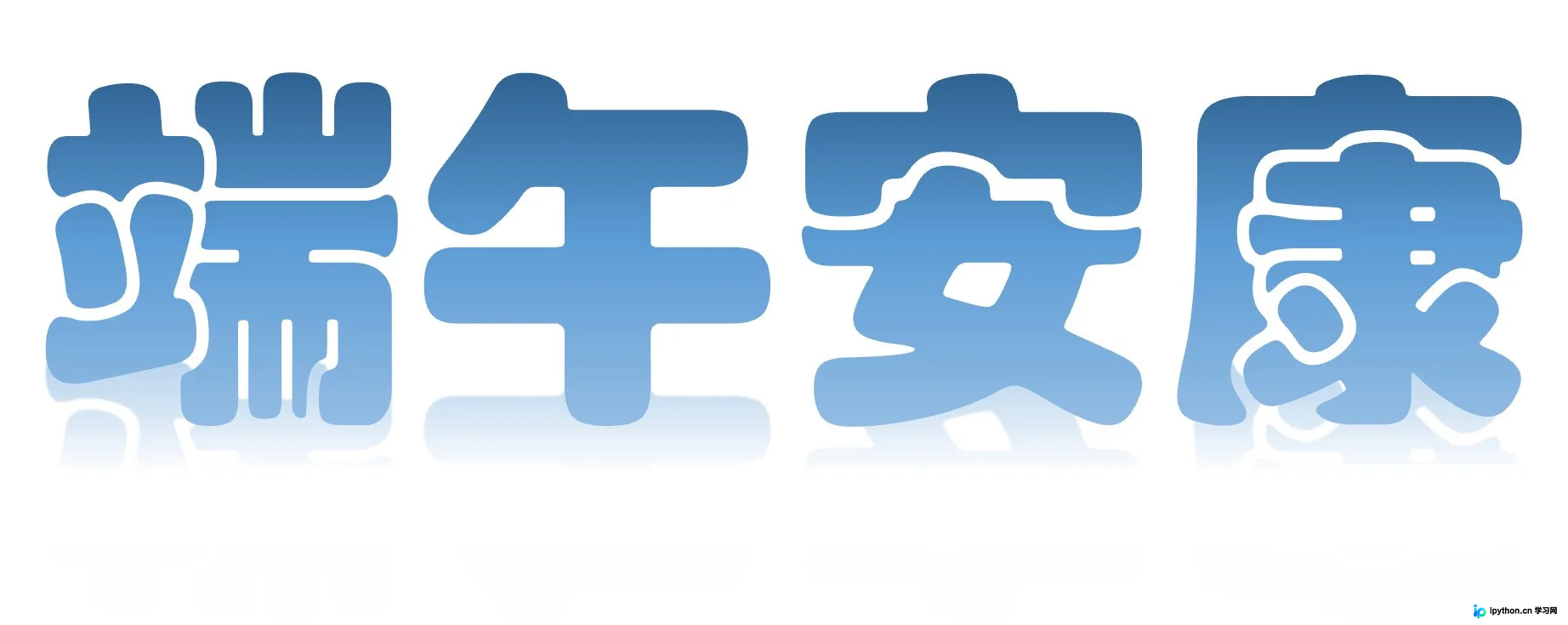
首先需准备一张目标底图,例如需要生成的文字“端午安康”。可以使用PowerPoint等工具设计喜欢的文字样式,并将其导出保存为jpg格式的图片文件。
1.使用photomosaic库实现图片马赛克
具体实现代码如下所示:
import photomosaic as pm

# 加载要拼成的图片image(jpg 格式,图片越大,得到的拼图的每个小图分辨率越高)
image = pm.imread("1.jpg", as_gray=False)
# 从指定文件夹加载图片库(需要比较多的图片才能获得较好的效果)
pool = pm.make_pool("wxl/*.jpg")
# 制作 50*50 的拼图马赛克
mosaic = pm.basic_mosaic(image, pool, (200, 200))
# 保存拼图
pm.imsave("mosaic.jpg", mosaic)
需要注意的是,由于该库的版本兼容性问题,直接运行可能会报错,需要对库函数内部进行少量修改才能正常运行。
def crop_to_fit(image, shape):
    """
    Return a copy of image resized and cropped to precisely fill a shape.
    To resize a colored 2D image, pass in a shape with two entries. When
    ``len(shape) < image.ndim``, higher dimensions are ignored.
    Parameters
    ----------
    image : array
    shape : tuple
        e.g., ``(height, width)`` but any length <= ``image.ndim`` is allowed
    Returns
    -------
    cropped_image : array
    """
    # Resize smallest dimension (width or height) to fit.
    d = np.argmin(np.array(image.shape)[:2] / np.array(shape))
    enlarged_shape = (tuple(np.ceil(np.array(image.shape[:len(shape)]) *
                                    shape[d]/image.shape[d])) +
                      image.shape[len(shape):])
    resized = resize(image, enlarged_shape,
                     mode='constant', anti_aliasing=False)
    # Now the image is as large or larger than the shape along all dimensions.
    # Crop any overhang in the other dimension.
    crop_width = []
    for actual, target in zip(resized.shape, shape):
        overflow = actual - target
        # Center the image and crop, biasing left if overflow is odd.
        left_margin = int(np.floor(overflow / 2))
        right_margin = int(np.ceil(overflow / 2))
        crop_width.append((left_margin, right_margin))
    # Do not crop any additional dimensions beyond those given in shape.
    for _ in range(resized.ndim - len(shape)):
        crop_width.append((0, 0))
    cropped = crop(resized, crop_width)
    return cropped
在裁剪图片的环节,参数要求为int类型,因此需要将left_margin和right_margin强制转换为int型。
实现效果:
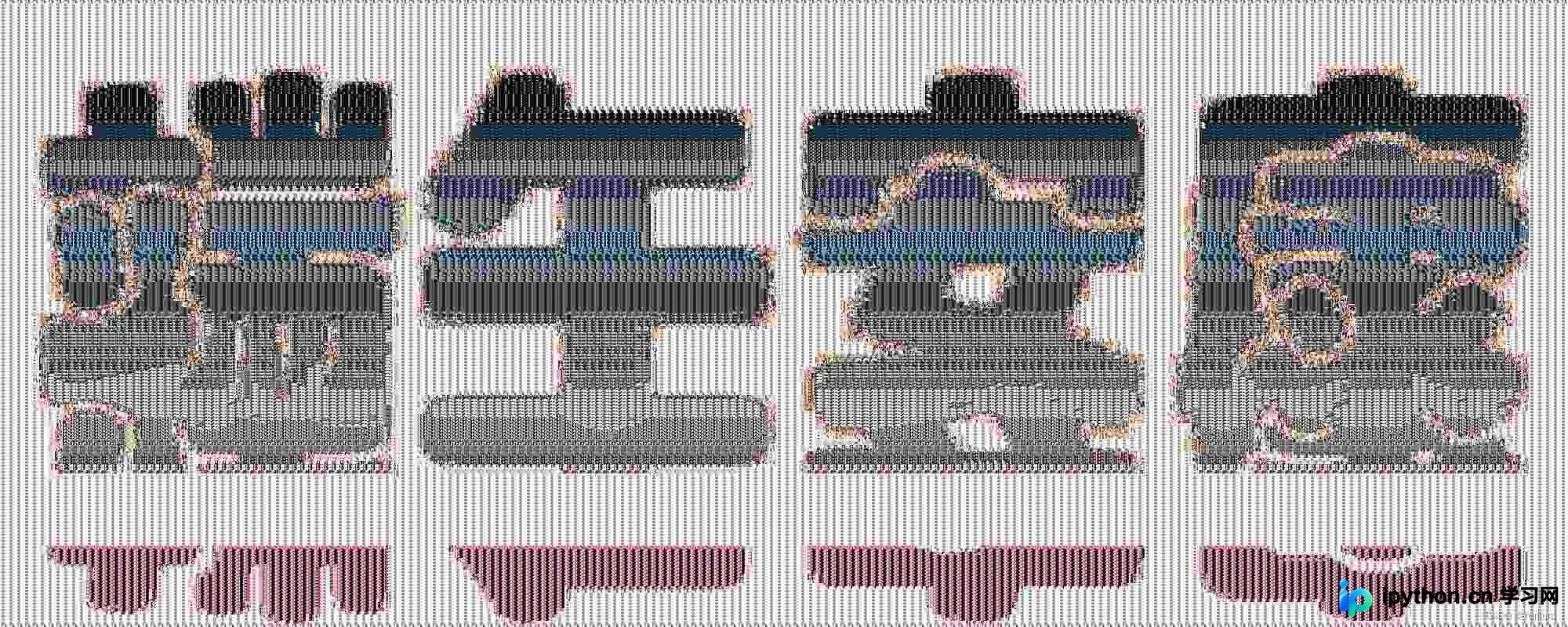
初步效果一般。放大观察局部细节可见,生成图确实由照片拼接而成。整体大图的清晰度受限于小照片的数量,同时也可能与图片分辨率及组成图片尺寸不一致有关。因此,笔者尝试了另一种改进方法。
2.计算颜色相似度实现图片马赛克
def readSourceImages(sourcepath,blocksize):
    print('开始读取图像')
    # 合法图像列表
    sourceimages = []
    # 平均颜色列表
    avgcolors = []
    for path in tqdm(glob.glob("{}/*.jpg".format(sourcepath))):
        image = cv2.imread(path, cv2.IMREAD_COLOR)
        if image.shape[-1] != 3:
            continue
        image = cv2.resize(image, (blocksize, blocksize))
        avgcolor = np.sum(np.sum(image, axis=0), axis=0) / (blocksize * blocksize)
        sourceimages.append(image)
        avgcolors.append(avgcolor)
    print('结束读取')
    return sourceimages,np.array(avgcolors)
该方法通过计算照片集中每张照片与目标大图之间的颜色相似度,将相似度最高的照片放置到对应位置,从而提升拼图质量。
实现效果:
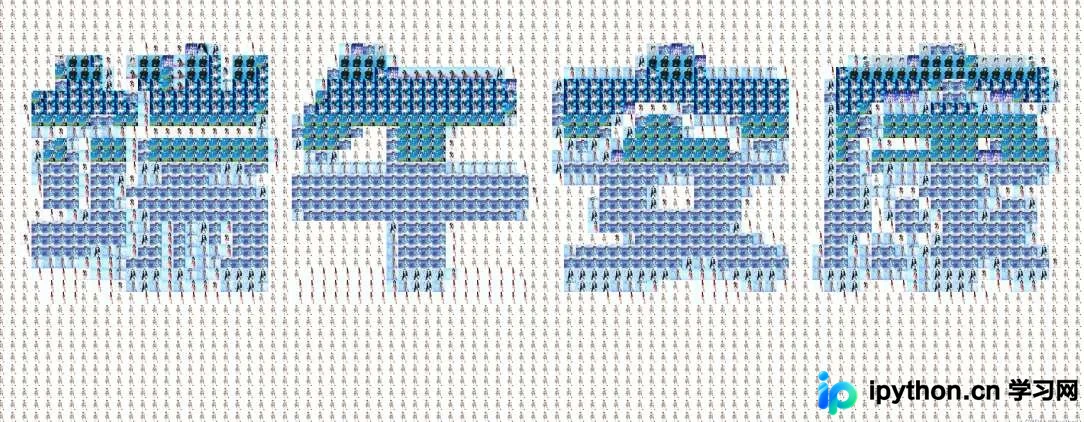
相比前一种方法,效果有所改善,但清晰度仍不够理想。
到此这篇关于Python实现多张图片合成文字的效果的文章就介绍到这了,更多相关Python多张图片合成文字内容请搜索本站以前的文章或继续浏览下面的相关文章希望大家以后多多支持本站!
免责声明:本文内容仅供参考,不代表本站观点。转载或引用请注明出处。









