

520 Python 表白代码实战:爱心、玫瑰与动态特效详解

发布时间:2026-10-15| 5人浏览过
本文精选三段 Python 表白代码,利用 turtle 库实现不同视觉效果。第一段绘制带文字的红玫瑰,第二段生成粉色爱心配箭头,第三段展示动态爱心雨与树木生长特效。代码完整可直接运行,适合 Python 初学者在 520 等特殊节日进行创意编程实践。
520 临近,这里分享几段专为节日设计的 Python 代码。不再多言,直接展示具体实现。
示例一
运行效果:
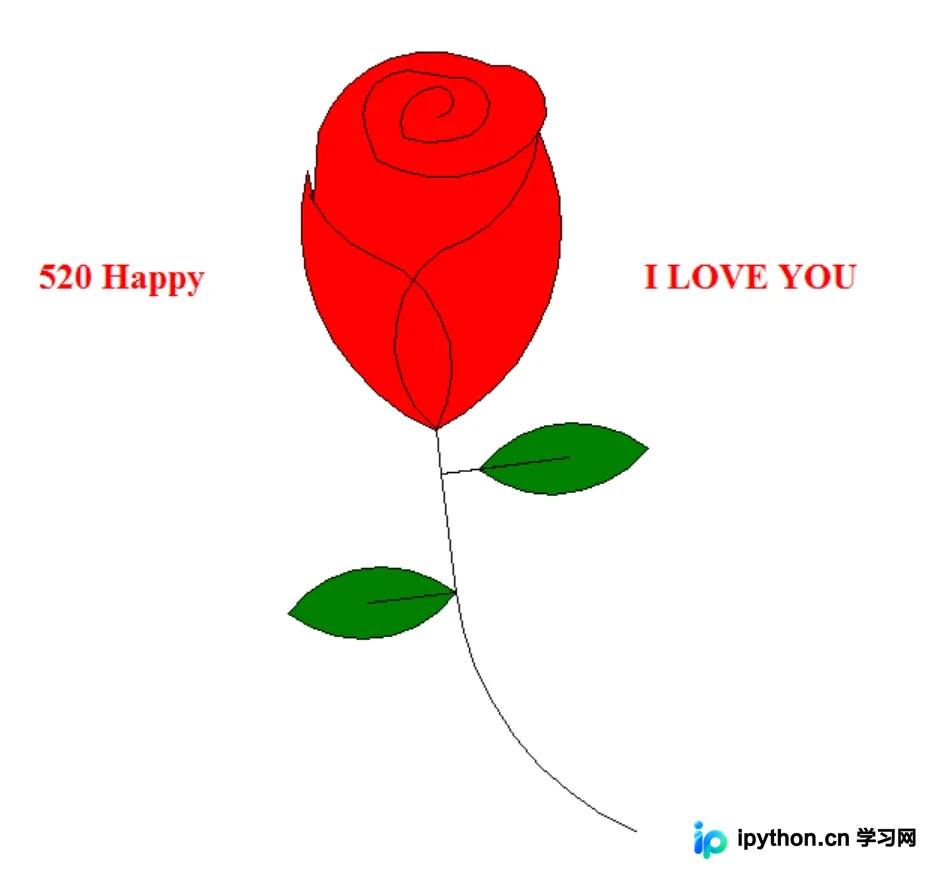
核心代码逻辑:
import turtle

turtle.speed(0)
turtle.delay(10)
turtle.penup()
turtle.left(90)
turtle.fd(200)
turtle.pendown()
turtle.right(90)
turtle.fillcolor('red')
turtle.begin_fill()
turtle.circle(10, 180)
turtle.circle(25, 110)
turtle.left(50)
turtle.circle(60, 45)
turtle.circle(20, 170)
turtle.right(24)
turtle.fd(30)
turtle.left(10)
# 花瓣
turtle.left(150)
turtle.circle(-90, 70)
turtle.left(20)
turtle.circle(75, 105)
turtle.setheading(60)
turtle.circle(80, 98)
turtle.circle(-90, 40)
# 文字
turtle.color('red')
turtle.pu()
turtle.goto(-210,80)
turtle.pd()
turtle.write('520 Happy', move=False, align='center',font=("Times", 18, "bold"))
turtle.pu()
turtle.goto(210,80)
turtle.pd()
turtle.write('I LOVE YOU', move=False, align='center',font=("Times", 18, "bold"))
turtle.pu()
turtle.pu()
turtle.hideturtle()
turtle.done()
示例二
运行效果:
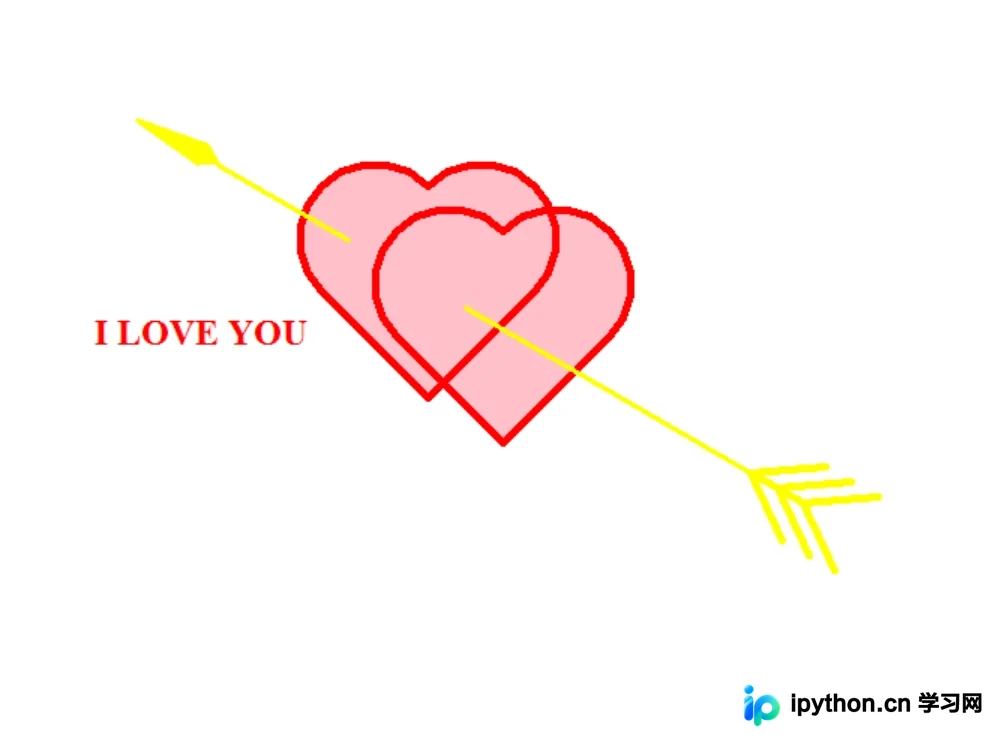
核心代码逻辑:
import turtle as t

t.speed(0)
t.delay(10)
t.color('red','pink')
t.begin_fill()
t.width(5)
t.left(135)
t.fd(100)
t.right(180)
t.circle(50,-180)
t.left(90)
t.circle(50,-180)
t.right(180)
t.fd(100)
t.pu()
t.goto(50,-30)
# 箭头
t.begin_fill()
t.left(-30)
t.fd(-15)
t.right(-40)
t.fd(-50)
t.right(-165)
t.fd(-50)
t.end_fill()
# 文字
t.color('red')
t.pu()
t.goto(-150,30)
t.pd()
t.write('I LOVE YOU',
move=False, align='center',
font=("Times", 18, "bold"))
t.hideturtle()
t.done()
示例三
运行效果:

核心代码逻辑:
import turtle
import random

# 画爱心
def love(x, y):
    lv = turtle.Turtle()
    lv.hideturtle()
    lv.up()
    # 定位
    lv.goto(x, y)
    # 画圆弧
    def curvemove():
        for i in range(20):
            lv.right(10)
            lv.forward(2)

    lv.color('red', 'pink')
    lv.speed(10000000)
    lv.pensize(1)
    lv.down()
    lv.begin_fill()
    lv.left(140)
    lv.forward(22)
    curvemove()
    lv.left(120)
    curvemove()
    lv.forward(22)
    # 画完复位
    lv.left(140)
    lv.end_fill()
myWin = turtle.Screen()
myWin.setup(width=700, height=700)
t = turtle.Turtle()
t.speed(0)
turtle.delay(0)
t.hideturtle()
t.left(90)
t.up()
t.backward(200)
t.down()
t.color("brown")
t.pensize(32)
t.forward(60)
tree(100, t)
myWin.exitonclick()
以上就是三个 520 专属 Python 表白代码的完整介绍。如需获取更多相关 Python 表白代码资源,建议搜索本站历史文章或继续浏览后续内容,感谢大家的支持!
免责声明:本文内容仅供参考,不代表本站观点。转载或引用请注明出处。









