

基于OpenCV与KNN的定制化OCR实现:针对固定场景的高精度识别方案

本文介绍一种针对固定窗口字符的定制化OCR方案。通过OpenCV进行灰度化、二值化及纵向膨胀处理,结合轮廓查找与外接矩形过滤,实现字符精准分割。利用KNeighborsClassifier构建向量分类模型,无需复杂深度学习即可在特定场景下实现极高识别率。
前言
文中提到的“百分百”识别率或许略显夸张,但在特定场景下是可行的。例如游戏窗口内的固定字符,其样式和位置通常保持不变,且所需识别的字符集有限。中文常用字虽多,但若仅关注几十个特定字符及符号,则无需覆盖全量字库。
该方案适用的场景主要具备以下特征:
- 字符集规模小:仅需识别数十个常用字符,包括26个英文字母、数字及部分中文。
- 背景与字体统一:不同于验证码识别,此处处理的字符清晰可见,背景一致,字体固定。
- 字符与背景对比度高:图像经灰度处理后,呈现明显的黑底白字或白底黑字效果,易于分割。
技术栈
本方案主要依赖Python语言及OpenCV计算机视觉库。
- Python 3
- opencv-python
运行环境需安装以下依赖库:
pip install opencv-python
pip install imutils
pip install matplotlib
实现思路
首先观察输入图片的灰度分布情况。
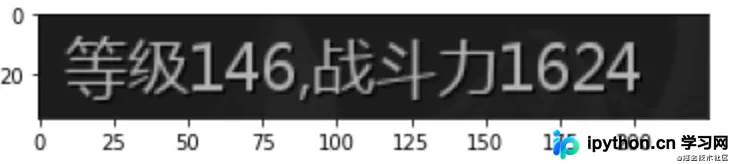
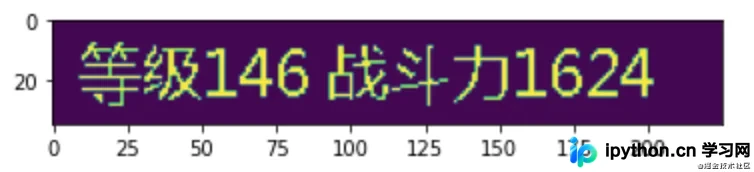
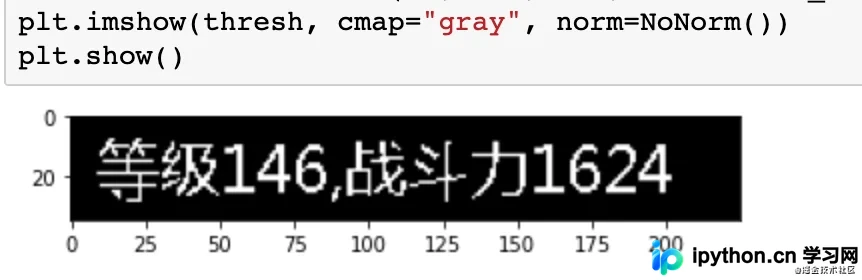
第一步:二值化处理,将灰度图像转换为仅包含黑白两色的图像。
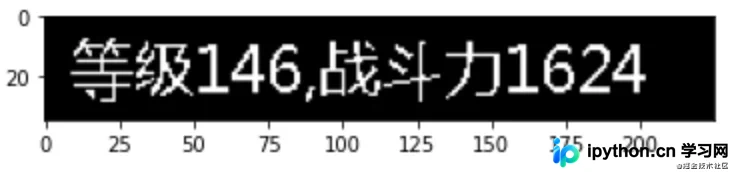
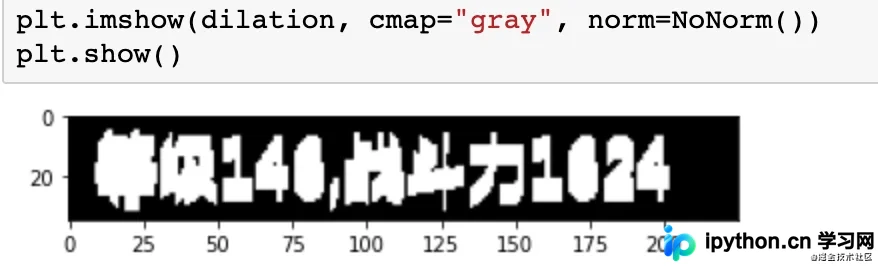
第二步:图像膨胀操作。由于后续需通过轮廓算法分割字符,对于中文等包含左右偏旁(如三点水)的字,直接分割可能导致整体破碎。通过膨胀操作使字符内部粘连,保持整体性。
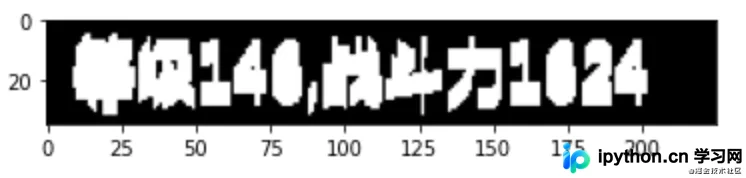
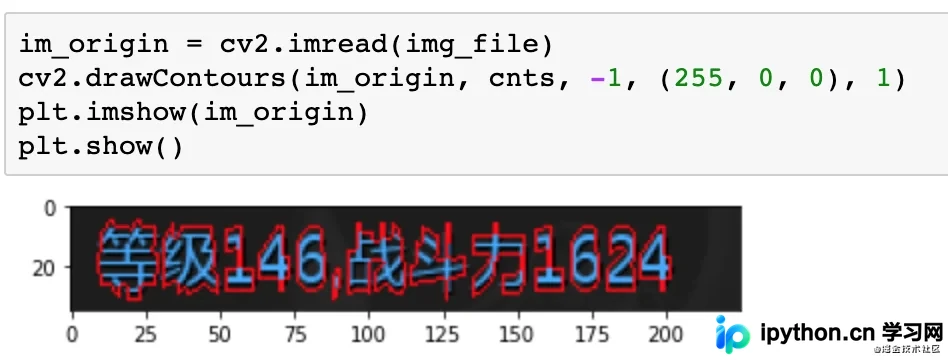
第三步:查找轮廓。
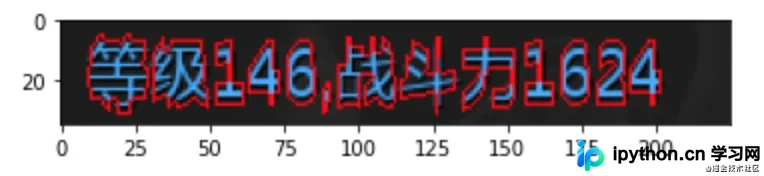
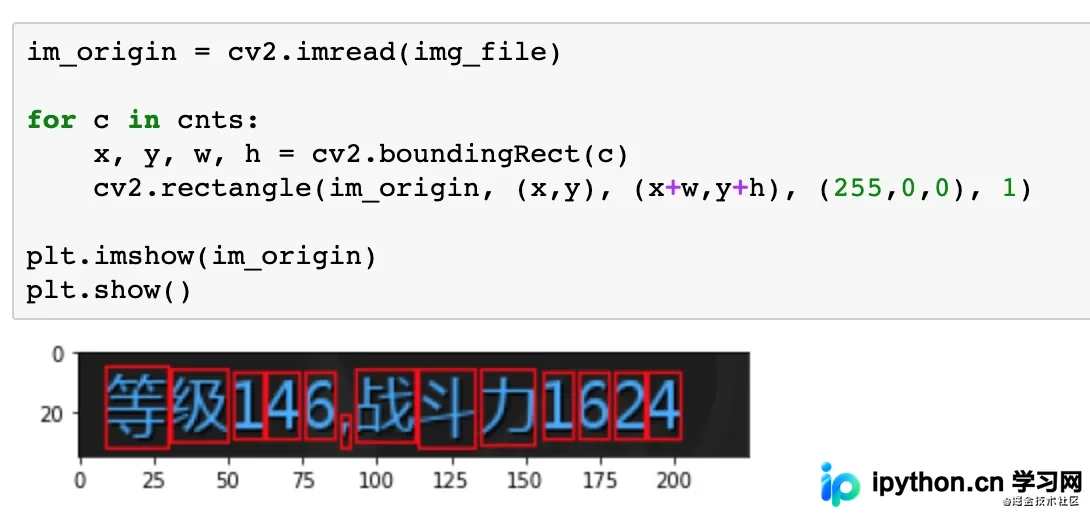
第四步:计算外接矩形。目标字符应呈现为规则矩形框,而非不规则形状。
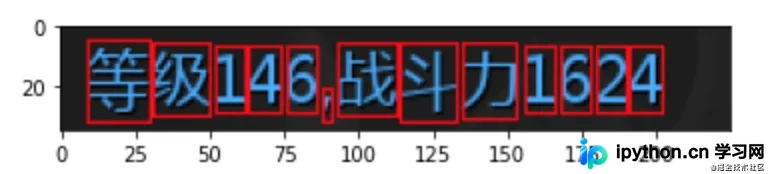
第五步:过滤无效字符。例如标点符号可能不符合矩形框大小特征,可通过尺寸阈值将其过滤。
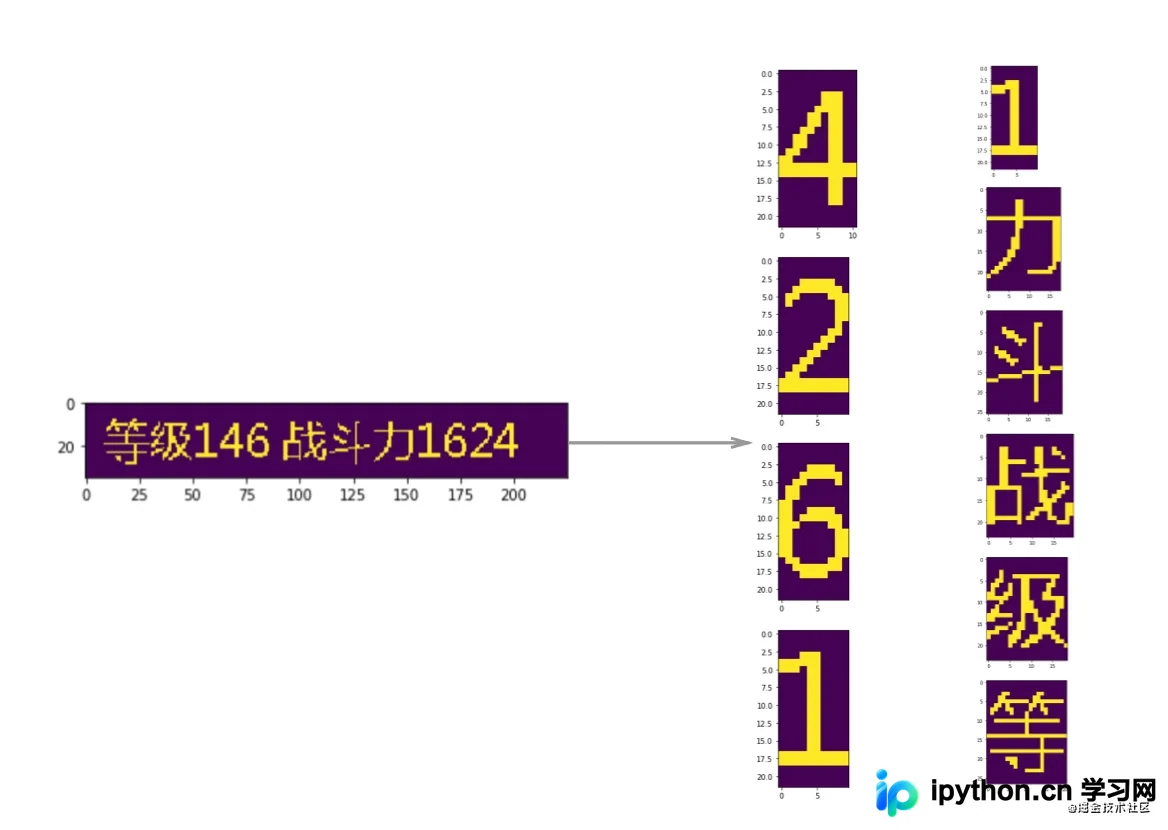
第六步:字符分割。依据矩形框对图像进行切片分割。
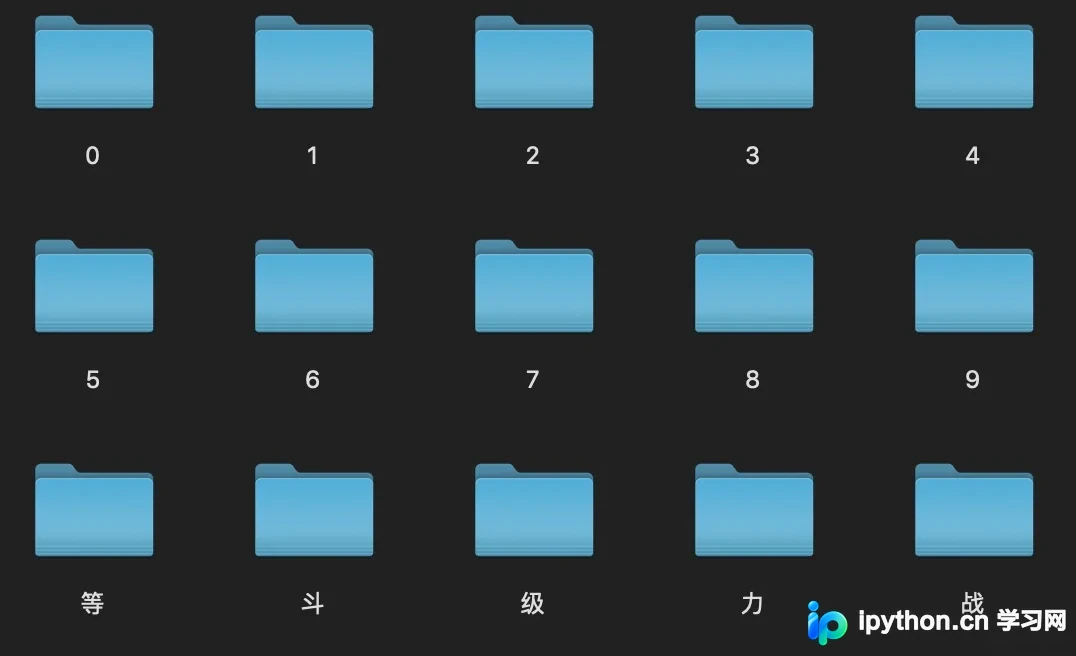
第七步:构建数据集。每个字符类别仅需少量(1-2张)样本图片即可。
第八步:向量搜索与结果生成。基于数据集进行向量相似度搜索获取标签,并根据分割位置对识别结果排序,最终输出完整文本。
具体实现
读取图片
首先加载待识别的图像文件。
import cv2
import numpy as np
from matplotlib import pyplot as plt
from matplotlib.colors import NoNorm
import imutils
from PIL import Image


img_file = "test.png"
im = cv2.imread(img_file, 0)
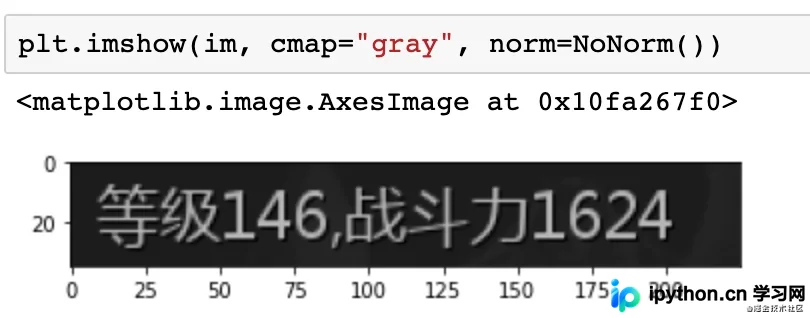
使用matplotlib展示处理结果,效果如下:
二值化
在进行二值化前,需先分析灰度分布。
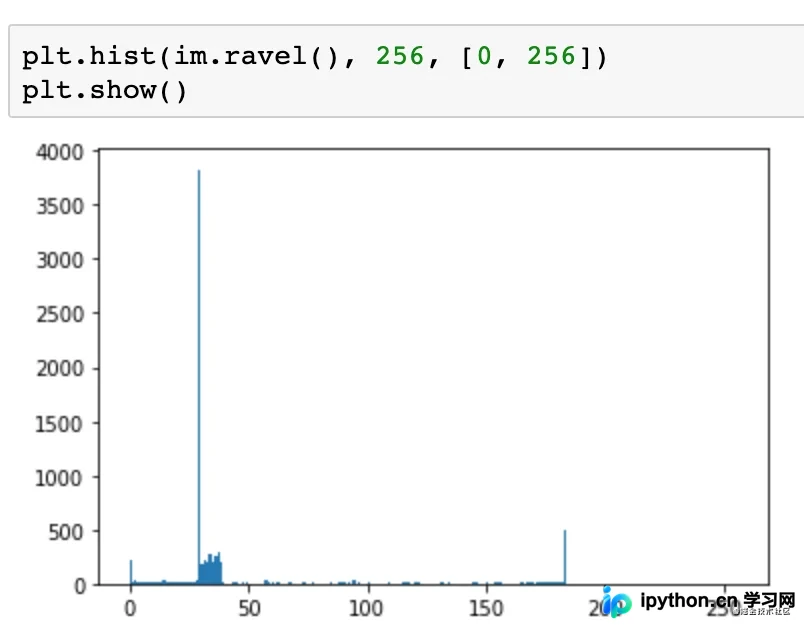
灰度值范围0至255,0代表黑色,255代表白色。观察发现背景色偏黑,灰度值集中在30至40附近;字符偏白,灰度值约为180。
据此选择100作为二值化分割阈值。
thresh = cv2.threshold(im, 100, 255, cv2.THRESH_BINARY)[1]
二值化后的效果如下:
图像膨胀
接下来执行纵向膨胀操作,选择膨胀核维度为7。
kernel = np.ones((7,1),np.uint8)
dilation = cv2.dilate(thresh, kernel, iterations=1)
找轮廓
调用OpenCV函数查找图像轮廓。
# 找轮廓
cnts = cv2.findContours(dilation.copy(), cv2.RETR_EXTERNAL, cv2.CHAIN_APPROX_SIMPLE)
cnts = imutils.grab_contours(cnts)
随后读取原图并绘制轮廓,以检查轮廓提取效果。
外接矩形
对提取的轮廓计算外接矩形,可查看矩形框效果。
过滤字符
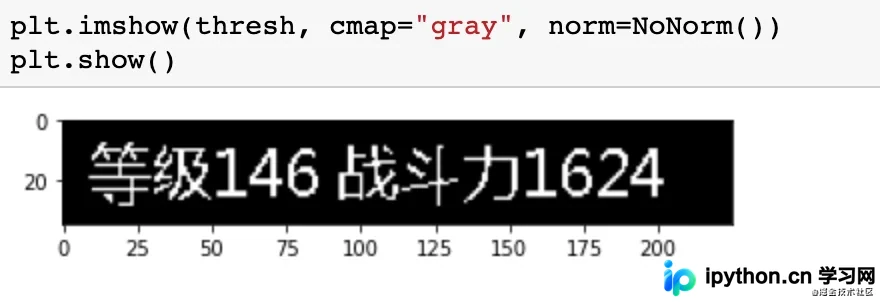
过滤原理是将不符合条件的轮廓区域填充为黑色。示例代码中,高度小于15的轮廓将被填充为黑色。
for i, c in enumerate(cnts):
    x, y, w, h = cv2.boundingRect(c)
    if (h < 15):
        cv2.fillPoly(thresh, pts=[c], color=(0))
填充后,标点符号等无效字符将被去除。
字符分割
由于图像本质为矩阵,字符分割可通过数组切片操作完成。
for c in cnts:
    x, y, w, h = cv2.boundingRect(c)
    if (h < 15):
        continue
    cropImg = thresh[y:y+h, x:x+w]
    plt.imshow(cropImg)
    plt.show()
构造数据集
最后创建数据集进行标注,将上述处理流程串联,把分割后的图片保存至文件夹并生成对应标签。
import cv2
import numpy as np
import imutils
from matplotlib import pyplot as plt
import uuid


def split_letters(im):
    # 2值化
    thresh = cv2.threshold(im, 100, 255, cv2.THRESH_BINARY)[1]
    # 纵向膨胀
    kernel = np.ones((7, 1), np.uint8)
    dilation = cv2.dilate(thresh, kernel, iterations=1)
    # 找轮廓
    cnts = cv2.findContours(dilation.copy(), cv2.RETR_EXTERNAL, cv2.CHAIN_APPROX_SIMPLE)
    cnts = imutils.grab_contours(cnts)

    # 过滤太小的
    for i, c in enumerate(cnts):
        x, y, w, h = cv2.boundingRect(c)
        if h < 15:
            cv2.fillPoly(thresh, pts=[c], color=(0))

    # 分割
    char_list = []
    for c in cnts:
        x, y, w, h = cv2.boundingRect(c)
        if h < 15:
            continue
        cropImg = thresh[y:y + h, x:x + w]
        char_list.append((x, cropImg))
    return char_list


for i in range(1, 10):
    im = cv2.imread(f"test{i}.png", 0)

    for ch in split_letters(im):
        print(ch[0])
        filename = f"ocr_datas/{str(uuid.uuid4())}.png"
        cv2.imwrite(filename, ch[1])
向量搜索(分类)
向量搜索本质是最近邻搜索问题,可使用sklearn库中的KNeighborsClassifier实现。
训练模型的代码如下:
import os
import numpy as np
from sklearn.neighbors import KNeighborsClassifier
import cv2
import pickle
import json

max_height = 30
max_width = 30


def make_im_template(im):
    template = np.zeros((max_height, max_width))
    offset_height = int((max_height - im.shape[0]) / 2)
    offset_width = int((max_width - im.shape[1]) / 2)
    template[offset_height:offset_height + im.shape[0], offset_width:offset_width + im.shape[1]] = im
    return template

label2index = {}
index2label = {}
X = []
y = []
index = 0
for _dir in os.listdir("ocr_datas"):
    new_dir = "ocr_datas/" + _dir
    if os.path.isdir(new_dir):
        label2index[_dir] = index
        index2label[index] = _dir
        for filename in os.listdir(new_dir):
            if filename.endswith("png"):
                im = cv2.imread(new_dir + "/" + filename, 0)
                tpl = make_im_template(im)  # 生成固定模板
                tpl = tpl / 255  # 归一化
                X.append(tpl.reshape(max_height*max_width))
                y.append(index)
        index += 1

print(label2index)
print(index2label)

model = KNeighborsClassifier(n_neighbors=1)
model.fit(X, y)

with open("simple_ocr.pickle", "wb") as f:
    pickle.dump(model, f)


with open("simple_index2label.json", "w") as f:
    json.dump(index2label, f)
需注意图片向量的构建方式。由于分割后图片长宽不固定,需先将图片置于固定尺寸的模板中央,再展平为一维向量,并可进行归一化处理。
生成结果
最终生成结果时,先对图像进行分割并转换为向量,调用KNeighborsClassifier模型找到最匹配的标签。由于这是单个字符的识别结果,还需根据分割位置进行排序,才能得到最终的完整识别结果。
import cv2
import numpy as np
import imutils
from sklearn.neighbors import KNeighborsClassifier
import pickle
import json


with open("simple_ocr.pickle", "rb") as f:
    model = pickle.load(f)

with open("simple_ocr_index2label.json", "r") as f:
    index2label = json.load(f)

max_height = 30
max_width = 30


def make_im_template(im):
    template = np.zeros((max_height, max_width))
    offset_height = int((max_height - im.shape[0]) / 2)
    offset_width = int((max_width - im.shape[1]) / 2)
    template[offset_height:offset_height + im.shape[0], offset_width:offset_width + im.shape[1]] = im
    return template.reshape(max_height*max_width)


def split_letters(im):
    # 2值化
    thresh = cv2.threshold(im, 100, 255, cv2.THRESH_BINARY)[1]
    # 纵向膨胀
    kernel = np.ones((7, 1), np.uint8)
    dilation = cv2.dilate(thresh, kernel, iterations=1)
    # 找轮廓
    cnts = cv2.findContours(dilation.copy(), cv2.RETR_EXTERNAL, cv2.CHAIN_APPROX_SIMPLE)
    cnts = imutils.grab_contours(cnts)

    # 过滤太小的
    for i, c in enumerate(cnts):
        x, y, w, h = cv2.boundingRect(c)
        if h < 15:
            cv2.fillPoly(thresh, pts=[c], color=(0))

    # 分割
    char_list = []
    for c in cnts:
        x, y, w, h = cv2.boundingRect(c)
        if h < 15:
            continue
        cropImg = thresh[y:y + h, x:x + w]
        char_list.append((x, cropImg))
    return char_list


def ocr_recognize(fname):
    im = cv2.imread(fname, 0)
    char_list = split_letters(im)

    result = []
    for ch in char_list:
        res = model.predict([make_im_template(ch[1])])[0]  # 识别单个结果
        result.append({
            "x": ch[0],
            "label": index2label[str(res)]
        })
    result.sort(key=lambda k: (k.get('x', 0)), reverse=False) # 因为是单行的,所以只需要通过x坐标进行排序。

    return "".join([it["label"] for it in result])


print(ocr_recognize("test1.png"))
以上为基于Python实现高精度定制化OCR的详细内容,更多相关技术资讯请关注本站其他文章。
免责声明:本文内容仅供参考,不代表本站观点。转载或引用请注明出处。









