

OpenCV实现回形线像素遍历算法详解

发布时间:2026-10-14| 6人浏览过
本文介绍使用OpenCV和Python实现回形线方式遍历图像像素的算法。代码从灰度图像中心向外螺旋扩展,按回形路径访问每个像素并标记。算法目前仅支持行列数相等的奇数方阵,通过循环控制方向与步长完成遍历,并实时显示处理过程。
回形线像素遍历算法概述
本文分享使用OpenCV实现回形线遍历像素的具体代码示例,供读者参考学习。
以下是完整的代码实现部分。
核心代码实现
# -*- coding:utf-8 -*-
import cv2
import numpy as np

cv2.namedWindow('img', 0)


def traversePixelByCycloidLine(image):
 """
 从一副灰度图像的中心开始向边缘按回形线的方式遍历所有像素,每个像素只能访问一次。
 我目前实现了基本的算法, 但存在以下问题:
 1) 只支持方阵, 且行列为奇数
 2) 只实现, 代码没整理
 """

 h, w = image.shape[:2]

 assert h == w and h % 2 == 1, '只支持方阵, 且行列为奇数'

 center_x, center_y = [w // 2, h // 2]

 traverse_num = h * w

 cycloid_num = 0
 value = 1
 while True:

  for i in range(cycloid_num * 2 + 1):
   if value >= traverse_num:
    return image
   center_x = center_x + 1
   image[center_y, center_x] = 255
   value += 1
   cv2.imshow('img', image)
   cv2.waitKey(33)

  for i in range(cycloid_num * 2 + 1):
   if value >= traverse_num:
    return image
   center_y = center_y + 1
   image[center_y, center_x] = 255
   value += 1
   cv2.imshow('img', image)
   cv2.waitKey(33)

  for i in range(cycloid_num * 2 + 2):
   if value >= traverse_num:
    return image
   center_x = center_x - 1
   image[center_y, center_x] = 255
   value += 1
   cv2.imshow('img', image)
   cv2.waitKey(33)

  for i in range(cycloid_num * 2 + 2):
   if value >= traverse_num:
    return image
   center_y = center_y - 1
   image[center_y, center_x] = 255
   value += 1
   cv2.imshow('img', image)
   cv2.waitKey(33)
  cycloid_num += 1


image_wh = 11

while True:
 image = np.zeros((image_wh, image_wh, 3), dtype=np.uint8)
 traversePixelByCycloidLine(image)
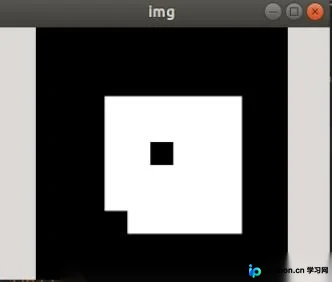
算法效果展示
运行上述代码后的视觉效果展示如下。
以上内容为本文的全部介绍,希望能为读者的学习提供一定帮助,同时也欢迎大家继续支持本站。
免责声明:本文内容仅供参考,不代表本站观点。转载或引用请注明出处。









