

Jupyter Notebook 更换皮肤主题的实现

本文介绍如何通过 jupyterthemes 库自定义 Jupyter Notebook 界面。涵盖 pip 安装与更新命令,详解 jt 命令参数及代码字体、页面布局等设置,并展示包括 monokai、solarized 在内的多种主题效果与切换方法。
Jupyter Notebook 更换皮肤主题
视频地址:https://www.bilibili.com/video/BV1Et4y1D7ru/
你是否已经对 Jupyter Notebook 的默认主题感到厌倦?
你是否希望让 Jupyter Notebook 的界面看起来更加专业和高大上?
你是否想要每天更换一次 Jupyter Notebook 的主题?

借助 jupyterthemes 库,这些需求都可以轻松实现。

下载 jupyterthemes
我们可以通过 pip 工具来安装 jupyterthemes。
pip install jupyterthemes也可以通过以下命令将 jupyterthemes 更新到最新版本。
pip install --upgrade jupyterthemes使用 jupyterthemes
下载完成后,我们可以在终端使用 jupyter-theme 命令来更改 Notebook 主题。
jupyter-theme -h # 查看jupyter-theme的帮助手册你也可以通过 jupyter-theme 的简写命令 jt 来使用。
jt -h # 查看jupyter-theme的帮助手册强烈推荐第二种方式,因为懒惰是程序员的基本美德。
jupyter-theme 参数详解
| 功能介绍 | 选项参数 | 默认值 |
|---|---|---|
| 查看帮助文档 | -h | -- |
| 展示所有的皮肤主题 | -l | -- |
| 设置安装的主题 | -t | -- |
| 设置代码字体样式 | -f | -- |
| 设置代码字体大小 | -fs | 11 |
| 设置notebook的字体样式 | -nf | -- |
| 设置notebook的字体大小 | -nfs | 13 |
| 设置text/md的cell字体样式 | -tf | -- |
| 设置text/md的cell字体大小 | -tfs | 13 |
| 设置Pandas的DataFrame字体大小 | -dfs | 9 |
| 设置输出区域的字体大小 | -ofs | 8.5 |
| 设置Mathjax的字体大小(%) | -mathfs | 100 |
| 设置页面的margin外边距 | -m | auto |
| 设置Cell的宽度 | -cellw | 980 |
| 设置行高 | -lineh | 170 |
| 设置光标的宽度 | -cursw | 2 |
| 设置光标的颜色 | -cursc | -- |
| Alt Prompt Layout | -altp | -- |
| Alt Markdown BG Color | -altmd | -- |
| Alt Output BG Color | -altout | -- |
| Style Vim NBExt* | -vim | -- |
| Toolbar是否可见 | -T | -- |
| 文件名和Logo是否可见 | -N | -- |
| 内核的Logo是否可见 | -kl | -- |
| 重置为默认的notebook主题 | -r | -- |
| 重置为默认的字体 | -dfonts | -- |
代码单元格(code cells)的可选字体样式
| -f arg | Monospace Font |
|---|---|
| anka | Anka/Coder |
| anonymous | Anonymous Pro |
| aurulent | Aurulent Sans Mono |
| bitstream | Bitstream Vera Sans Mono |
| bpmono | BPmono |
| code | Code New Roman |
| consolamono | Consolamono |
| cousine | Cousine |
| dejavu | DejaVu Sans Mono |
| droidmono | Droid Sans Mono |
| fira | Fira Mono |
| firacode | Fira Code |
| generic | Generic Mono |
| hack | Hack |
| hasklig | Hasklig |
| inconsolata | Inconsolata-g |
| inputmono | Input Mono |
| iosevka | Iosevka |
| liberation | Liberation Mono |
| meslo | Meslo |
| office | Office Code Pro |
| oxygen | Oxygen Mono |
| roboto | Roboto Mono |
| saxmono | saxMono |
| source | Source Code Pro |
| sourcemed | Source Code Pro Medium |
| ptmono | PT Mono |
| ubuntu | Ubuntu Mono |
Notebook 与文本/Markdown 单元格(text/md cells)的可选字体样式
无衬线字体(Sans-Serif Fonts)
| -nf/-tf arg | Sans-Serif Font |
|---|---|
| opensans | Open Sans |
| droidsans | Droid Sans |
| exosans | Exo_2 |
| latosans | Lato |
| ptsans | PT Sans |
| robotosans | Roboto |
| sourcesans | Source Sans Pro |
衬线字体(Serif Fonts)
| -nf/-tf arg | Serif Font |
|---|---|
| loraserif | Lora |
| ptserif | PT Serif |
| georgiaserif | Georgia |
| cardoserif | Cardo |
| crimsonserif | Crimson Text |
| ebserif | EB Garamond |
| merriserif | Merriweather |
| neutonserif | Neuton |
| goudyserif | Sorts Mill Goudy |
jupyter-theme 使用示例
# 查看所有可选主题
# chesterish | grade3 | gruvboxd | gruvboxl | monokai | oceans16 | onedork | solarizedd | solarizedl
jt -l

# 切换使用grade3主题
# 一般刷新notebook页面就可以看到效果,如果没起作用的话,可能需要删除一下浏览器的缓存
jt -t grade3

# 重置notebook的主题,回到解放前
jt -r

# 默认展示工具箱以及文件名
jt -t monokai -T -N

# 设置notebook界面和text/md cells的字体样式,并且设置字体大小
# 字体大小的单位为pt
jt -t oceans16 -tf merriserif -tfs 10 -nf ptsans -nfs 13

# 设置cell的宽度与行高
# 可以通过百分比来设置宽度
jt -t chesterish -cellw 90% -lineh 170

# 通过像素px来设置cell的宽度,设置为860px
jt -t solarizedd -cellw 860

# 设置光标变成红色,并且将其大小变为5px
# 可选的颜色 b (blue), o (orange), r (red), p (purple), g (green), x (font color)
jt -t solarizedl -cursc r -cursw 5
jupyter-theme 可用主题一览
默认主题
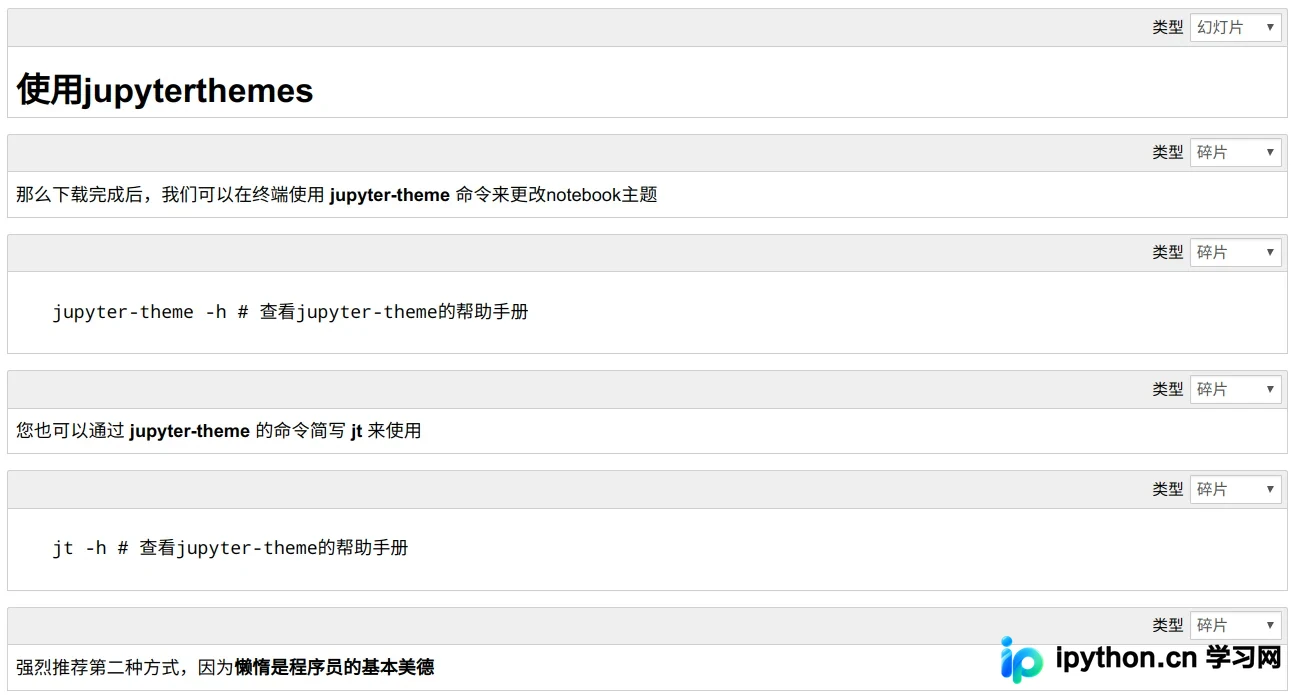
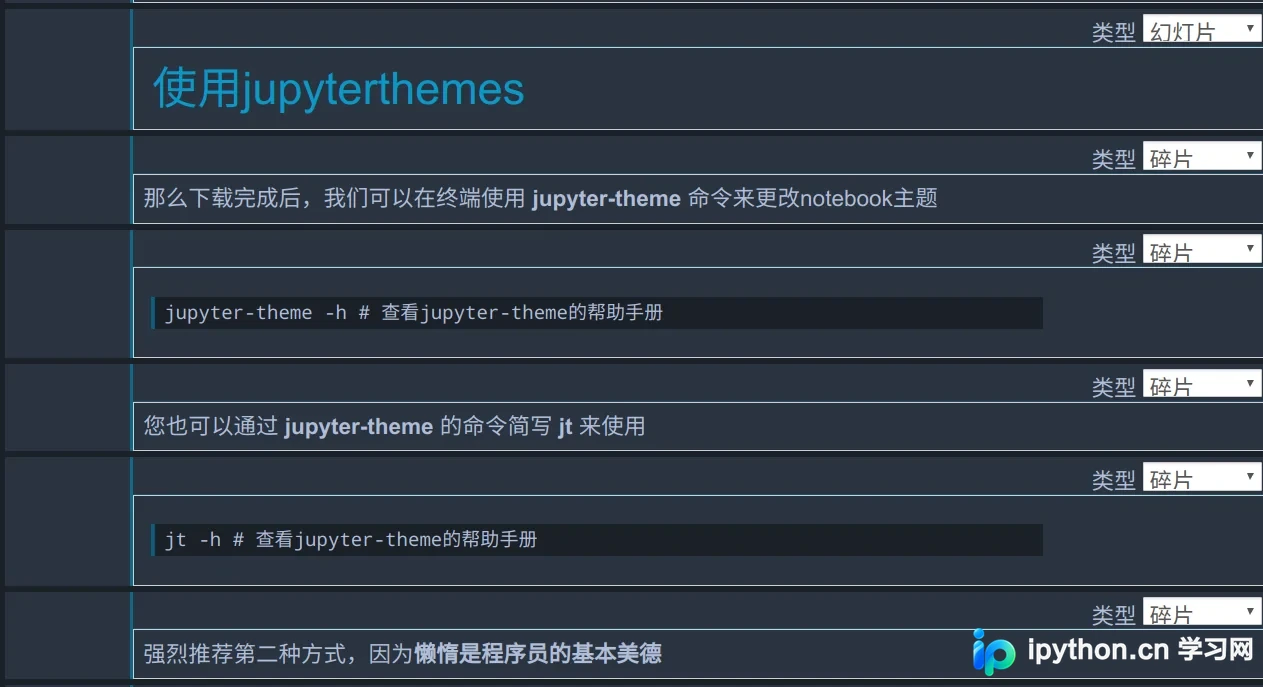
chesterish
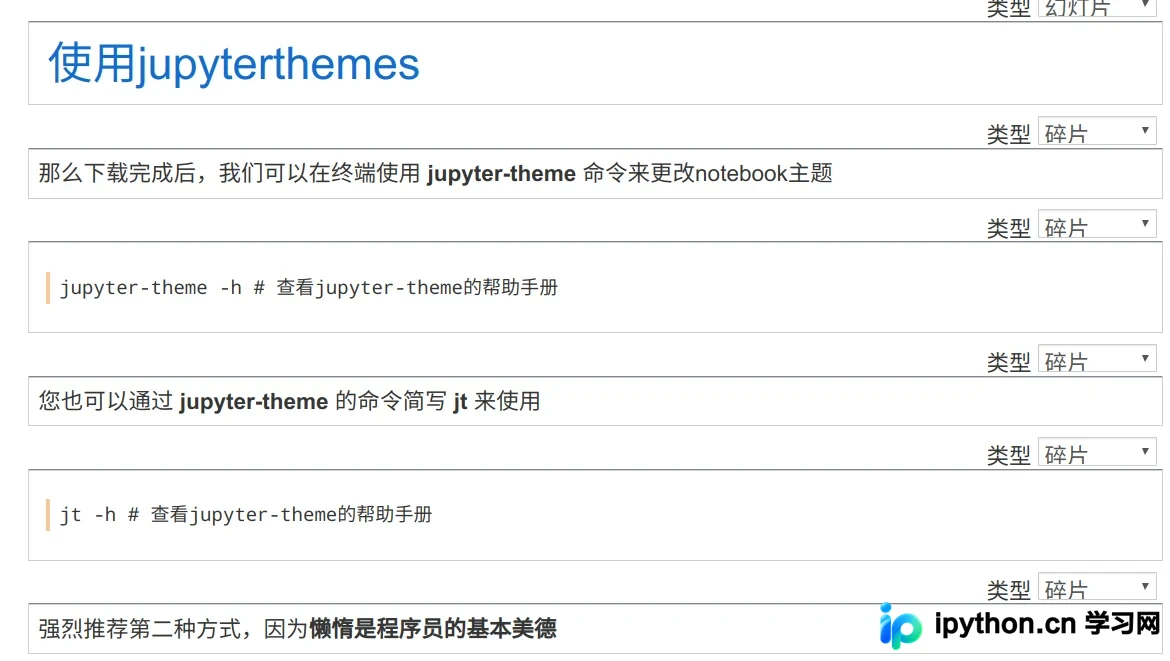
grade3
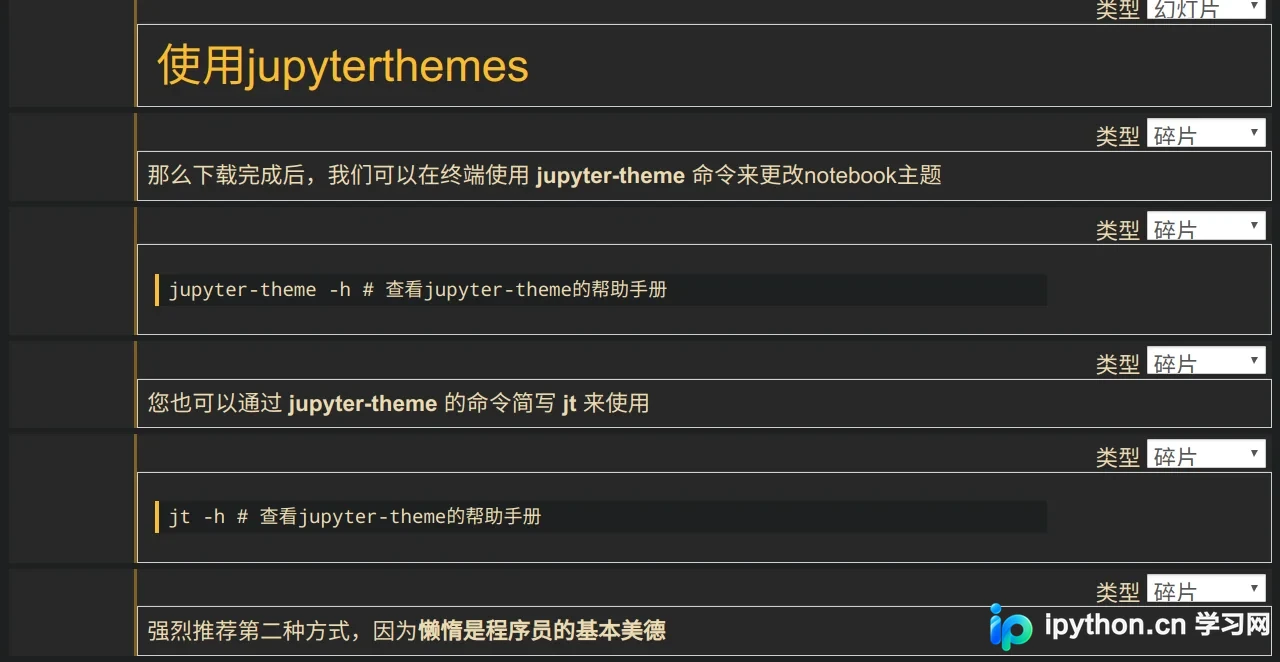
gruvboxd
gruvboxl
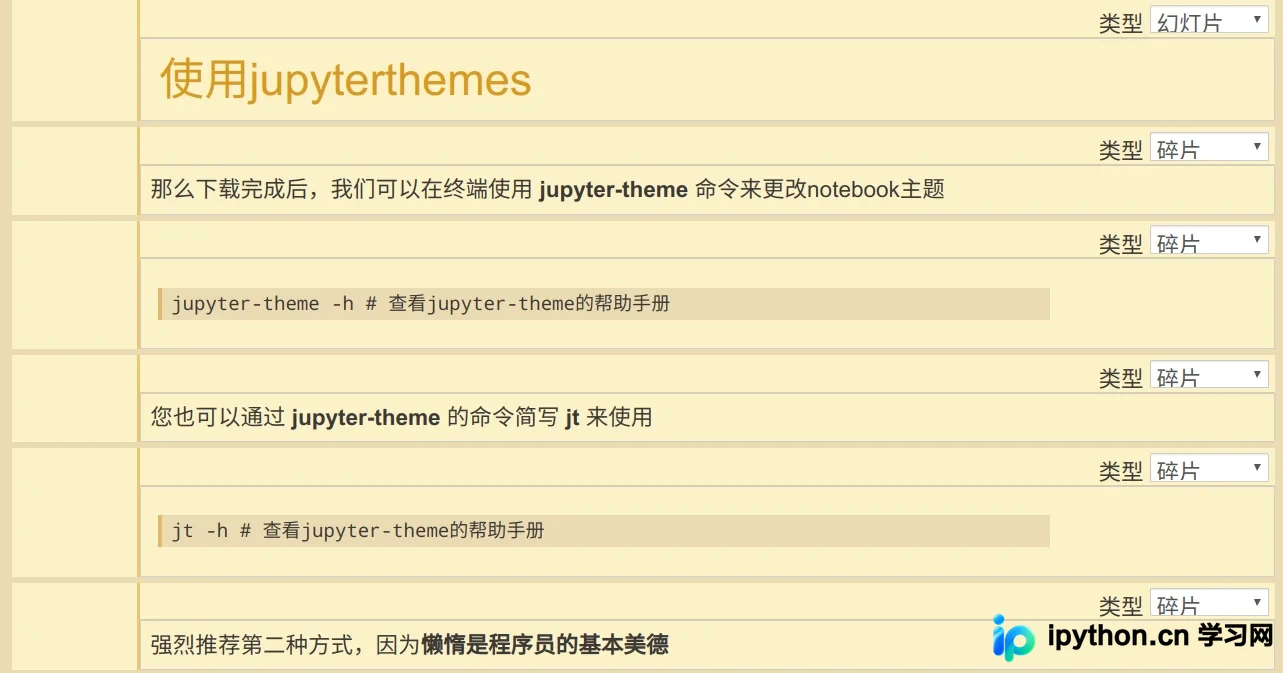
monokai
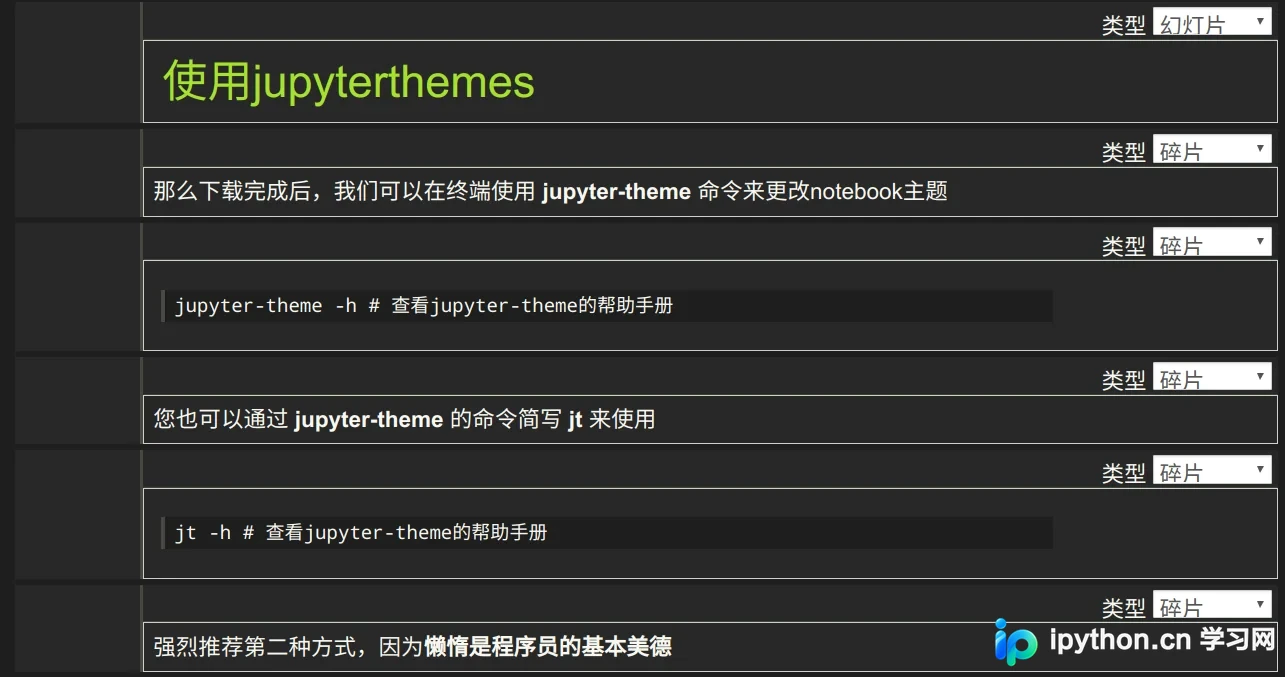
oceans16
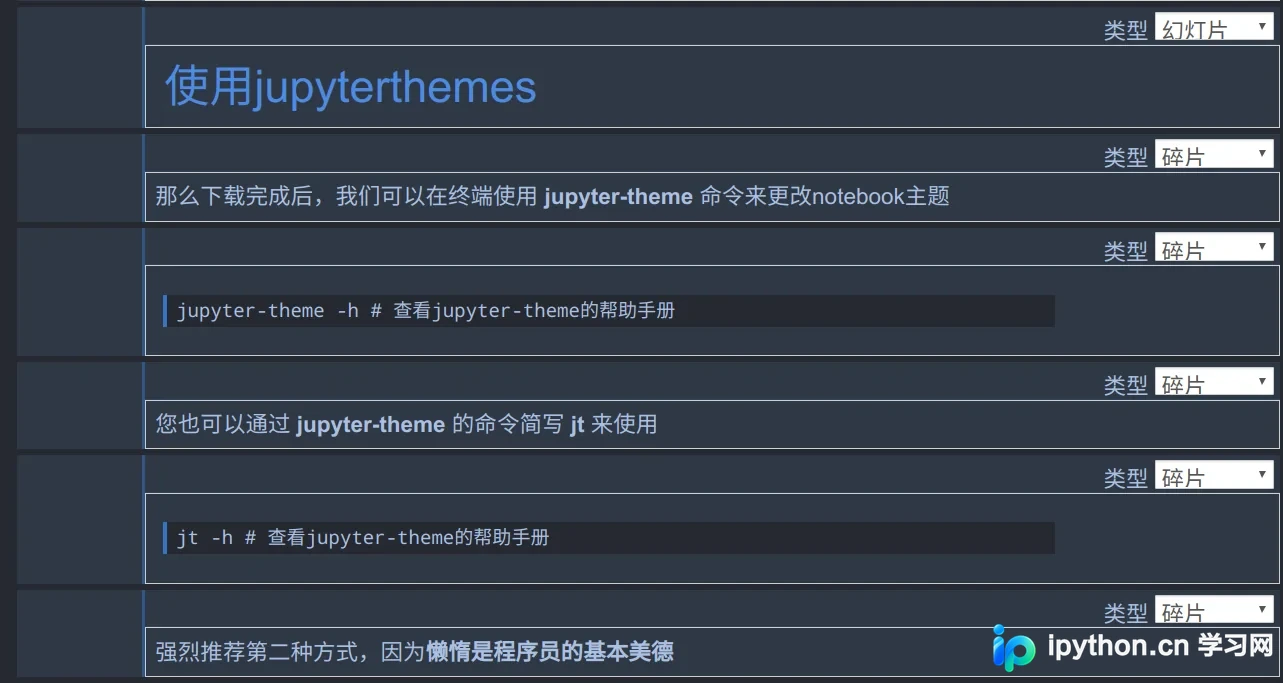
onedork
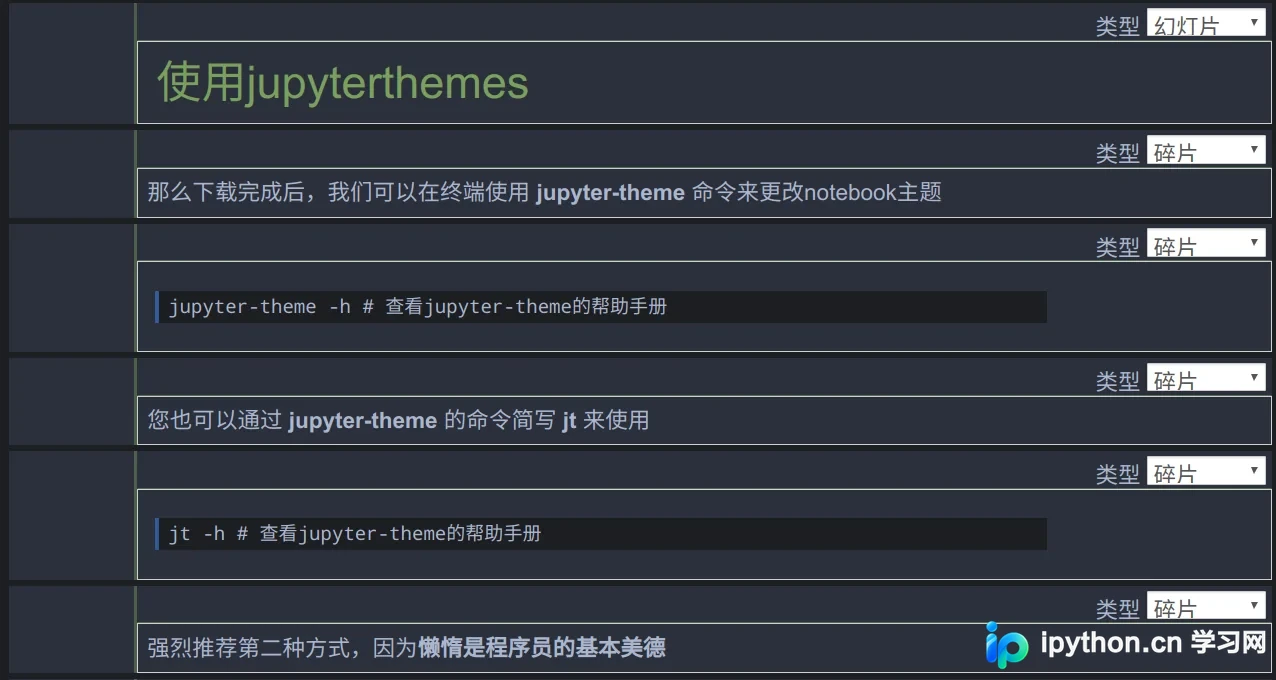
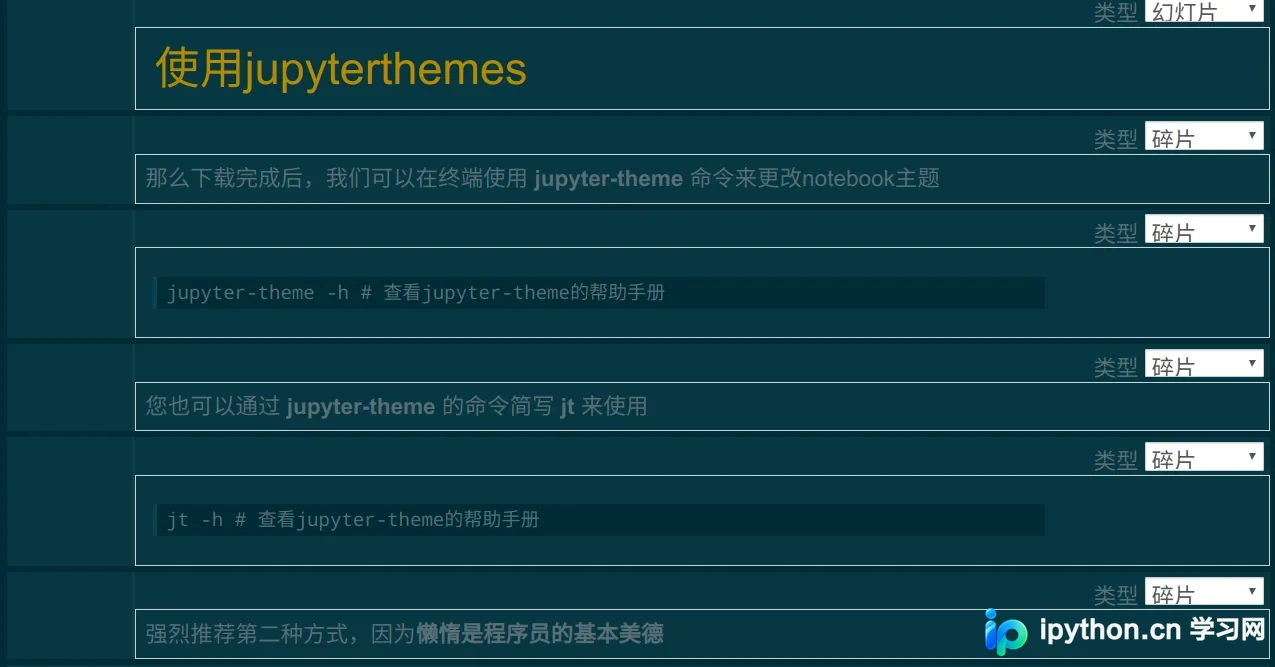
solarizedd
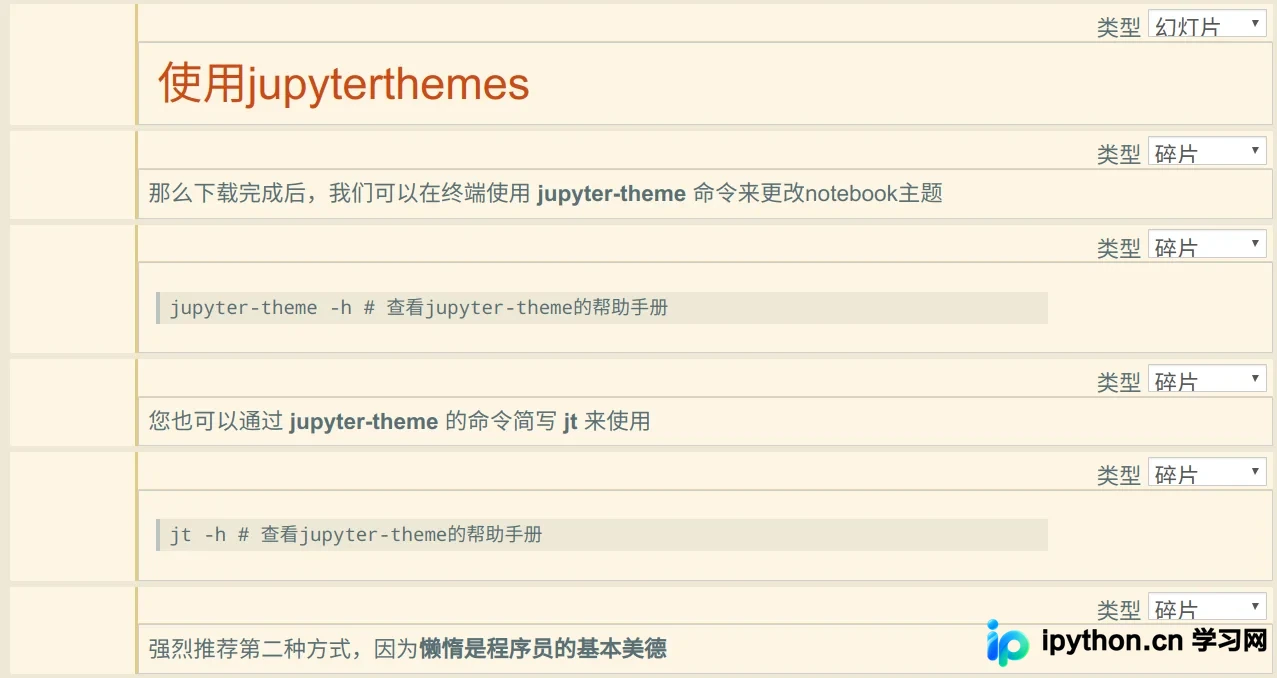
solarizedl
到此这篇关于 Jupyter Notebook 更换皮肤主题的实现的文章就介绍到这了,更多相关 Jupyter Notebook 更换皮肤内容请搜索本站以前的文章或继续浏览下面的相关文章,希望大家以后多多支持本站!
免责声明:本文内容仅供参考,不代表本站观点。转载或引用请注明出处。









