

TensorFlow 2.0模型转为TF 1.x PB格式的方法

本文介绍在TensorFlow 2.0环境下训练模型后,如何将其转换为适用于TF 1.x的.pb模型文件。针对TF 2.0不再保存.meta文件的情况,提供了一种通过Keras中间层进行转换的方法。该方法要求模型结构完全基于tf.keras构建,且仅保存权重文件(.h5)。通过定义模型结构并加载权重,在TF 1.x环境中冻结计算图,生成可直接用于推理或进一步转换的.pb文件。
TF 2.0转TF 1.x PB模型转换方法
升级到TensorFlow 2.0后,若希望将训练好的模型转换为TF 1.x版本的.pb模型,以往通过ckpt转换的方法已不再适用,因为TF 2.0保存的ckpt不再包含.meta文件。经过多次尝试,找到了一种迂回转换至TF 1.x版本.pb模型的有效方法。
注意:本方法需满足以下前提条件:
能够获取模型的网络结构定义源码。
网络结构中所有操作必须通过tf.keras实现,不得混用如tf.nn等底层TensorFlow操作符。
在TF 2.0下保存的模型格式为.h5,且仅保存了权重文件,即通过model.save_weights()保存的模型。
TF 1.x环境下的转换步骤
在TF 1.x环境中,将TF 2.0保存的权重转换为.pb模型:
若TF 2.0下保存的模型符合上述三个定义,则该.h5文件在TF 1.x环境中可直接使用。由于两者均通过tf.keras高级封装,版本间差异不大,我的模型经测试可直接兼容。
核心转换代码实现
import tensorflow as tf
import os
from nets.efficientNet import *
os.environ['CUDA_VISIBLE_DEVICES'] = '-1'
# 这个代码网上说需要加上, 如果模型里有dropout , bn层的话, 我测试过加不加结果都一样, 保险起见还是加上吧
tf.keras.backend.set_learning_phase(0)

# 首先是定义你的模型, 这个需要和tf2.0下一毛一样
inputs = tf.keras.Input(shape=(224, 224, 3), name='modelInput')
outputs = yourModel(inputs, training=False)
model = tf.keras.Model(inputs=inputs, outputs=outputs)
model.load_weights('save_weights.h5')
def freeze_session(session, keep_var_names=None, output_names=None, clear_devices=True):
  """
  Freezes the state of a session into a pruned computation graph.

  Creates a new computation graph where variable nodes are replaced by
  constants taking their current value in the session. The new graph will be
  pruned so subgraphs that are not necessary to compute the requested
  outputs are removed.
  @param session The TensorFlow session to be frozen.
  @param keep_var_names A list of variable names that should not be frozen,
             or None to freeze all the variables in the graph.
  @param output_names Names of the relevant graph outputs.
  @param clear_devices Remove the device directives from the graph for better portability.
  @return The frozen graph definition.
  """
  from tensorflow.python.framework.graph_util import convert_variables_to_constants
  graph = session.graph
  with graph.as_default():
    freeze_var_names = list(set(v.op.name for v in tf.global_variables()).difference(keep_var_names or []))
    output_names = output_names or []
    output_names += [v.op.name for v in tf.global_variables()]
    # Graph -> GraphDef ProtoBuf
    input_graph_def = graph.as_graph_def(add_shapes=True)
    if clear_devices:
      for node in input_graph_def.node:
        node.device = ""
    frozen_graph = convert_variables_to_constants(session, input_graph_def,
                           output_names, freeze_var_names)
    return frozen_graph

frozen_graph = freeze_session(tf.keras.backend.get_session(), output_names=[out.op.name for out in model.outputs])
tf.train.write_graph(frozen_graph, "model", "tf_model.pb", as_text=False)
运行成功后,当前目录下将生成一个model文件夹,其中包含生成的tf_model.pb文件。至此,我们完成了将TF 2.0下训练的模型转换至TF 1.x下的.pb模型,随后可利用该.pb模型进行推理或转换为TVM、NCNN等其他模型格式。
此转换的核心在于利用Keras作为中间桥梁,因此所定义的模型必须满足Keras定义的相关条件。
TensorFlow版本降级与升级指南
补充知识:TensorFlow 2.0降级及从其他版本升级至2.0的方法
降级至TF 1.4.0的操作
在实践《TensorFlow实战GOOGLE深度学习框架》代码时,由于本机安装的TensorFlow为2.0版本,与书籍配套的1.4版本API不兼容,因此需要将TensorFlow降级至1.4.0版本。具体降级步骤如下:
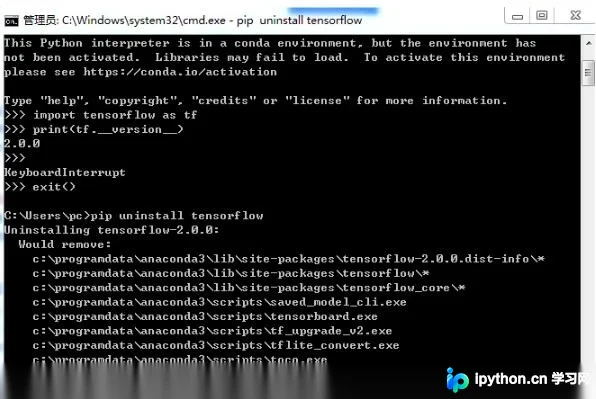
1 pip uninstall tensorflow
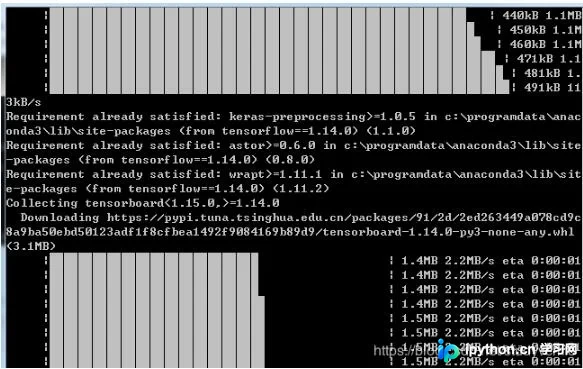
2 pip install tensorflow==1.14.0 -i https://pypi.tuna.tsinghua.edu.cn/simple
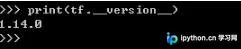
验证
import tensorflow as tf print(tf.version)
升级至TF 2.0的操作
二 从其他版本升级至2.0
自动卸载相关包
pip uninstall tensorflow
安装指定版本
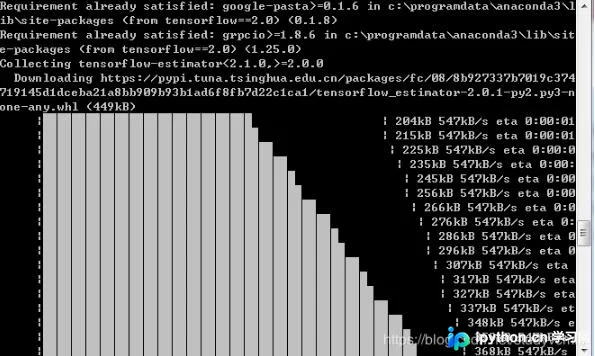
pip install --no-cache-dir tensorflow==x.xx (此处填写2.0)
验证

以上关于TensorFlow 2.0模式下训练的模型转换为TF 1.x版本.pb模型的实例即为分享的全部内容,希望能对大家有所帮助,也希望大家多多支持本站。
免责声明:本文内容仅供参考,不代表本站观点。转载或引用请注明出处。









