

Python 脚本的三种执行方式详解

本文总结 Python 脚本的三种主要执行方式:交互模式、脚本文件执行以及指定解释器的可执行文件运行。详细讲解了在 Windows 和 Linux 环境下进入交互模式、退出方法及 Hello World 输出示例。对比了交互模式与脚本文件在结果打印和语句保存上的差异,并强调了使用正确文本编辑器避免 UTF-8 BOM 格式错误的重要性。
Python 交互模式执行方法
1. 交互模式下执行 Python,这种模式下,无需创建脚本文件,直接在 Python解释器的交互模式下编写对应的 Python 语句即可。
1)打开交互模式的方式:
Windows下:
在开始菜单找到“命令提示符”,打开,就进入到命令行模式:
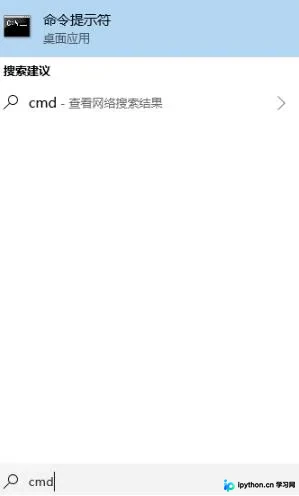
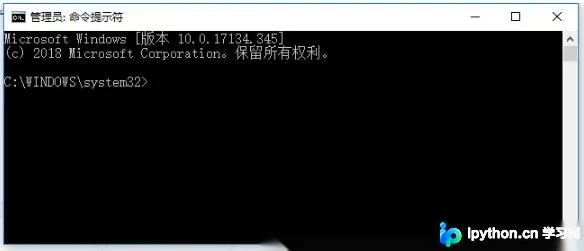
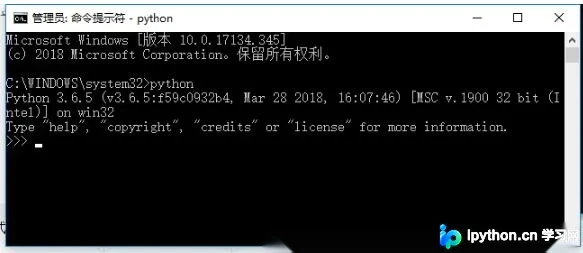
在命令行模式输入: python 即可进入 Python 的交互模式
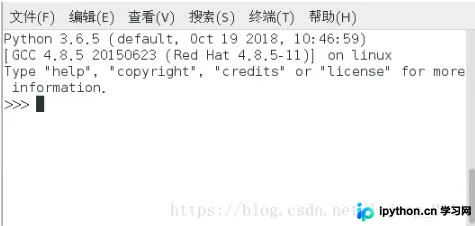
Linux 下:
直接在终端输入 python,如果是按装了 python3 ,则根据自己建的软连接的名字进入对应版本的 Python 交互环境,例如我建立软连接使用的 python3,这输入 python3。
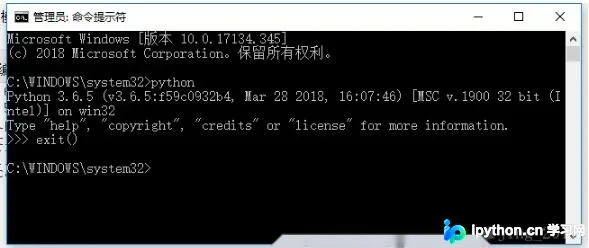
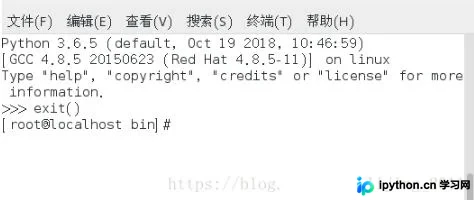
2)退出交互模式,直接输入 exit() 即可。
Windows下:
Linux 下:
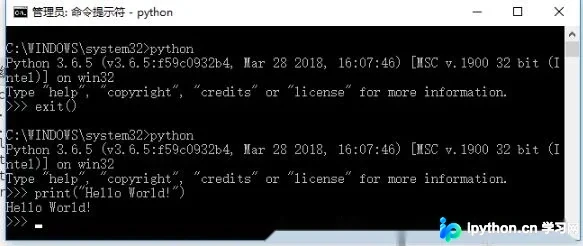
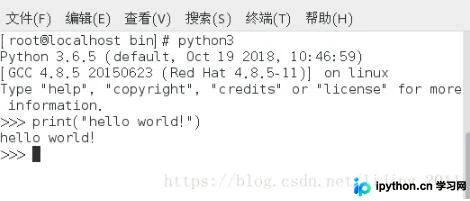
3)在交互模式下输出: Hello World!
Windows:
Linux:
通过脚本文件执行 Python
2.通过脚本输出
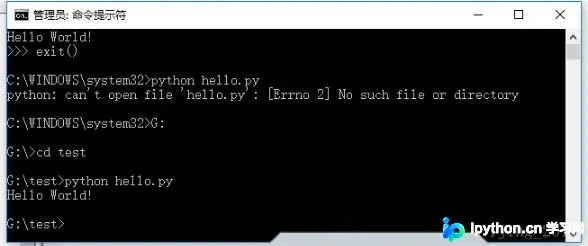
通过文本编辑器,编写脚本文件,命名为 hello.py,在命令行模式下输入 python hello.py 即可
Windows:
Linux:
[Vicky@localhost code]$ touch hello.py
[Vicky@localhost code]$ vi hello.py
[Vicky@localhost code]$ python3 hello.py
Hello World!
这种方式,要注意脚本文件所在路径,如果当前工作路径和脚本文件不在同一路径下,则要进入 脚本文件所在路径,或者给出脚本文件的完整路径。
1)进入脚本文件所在路径下执行
C:\Windows\System32>G:
G:\test>python hello.py
Hello World!
2)给出脚本文件的完整路径
C:\Windows\System32>python G:\test\hello.py
Hello World!
指定解释器运行可执行脚本
3.在脚本文件中指定 python 程序所在路径,修改文件为可执行文件,然后直接运行文件
Linux下:
1)修改文件,添加 #!/usr/bin/python3
[Vicky@localhost code]$ vi hello.py
[Vicky@localhost code]$ cat hello.py
#!/usr/bin/python3
print("Hello World!")
2)修改文件权限,添加可执行权限
[Vicky@localhost code]$ chmod u+x hello.py
[Vicky@localhost code]$ ls -la hello.py
-rwxrw-r--. 1 Vicky Vicky 41 10月 19 15:40 hello.py
3)运行
[Vicky@localhost code]$ ./hello.py
Hello World!
此种方式执行的时候,一定要在脚本文件中指定解释器,否则无法直接运行脚本文件
[Vicky@localhost code]$ cat hello.py
print("Hello World!")
[Vicky@localhost code]$ ls -la hello.py
-rwxrw-r--. 1 Vicky Vicky 22 10月 19 15:40 hello.py
[Vicky@localhost code]$ ./hello.py
./hello.py:行1: 未预期的符号 `"Hello World!"' 附近有语法错误
./hello.py:行1: `print("Hello World!")'
交互模式与脚本文件对比
4.交互模式和脚本文件方式的比较
1)在交互模式下,会自动打印出运算结果,而通过脚本文件的方式不会
交互模式:
[fanya@localhost code]$ python3
Python 3.6.5 (default, Oct 19 2018, 10:46:59)
[GCC 4.8.5 20150623 (Red Hat 4.8.5-11)] on linux
Type "help", "copyright", "credits" or "license" for more information.
>>> 100+200
300
>>> exit()
脚本文件:
[fanya@localhost code]$ vi cal.py
[fanya@localhost code]$ cat cal.py
100+200
[fanya@localhost code]$ python3 cal.py
[fanya@localhost code]$
可见没有任何输出,此时要想输出,必须使用 print 函数进行打印。
[fanya@localhost code]$ vi cal.py
[fanya@localhost code]$ cat cal.py
print(100+200)
[fanya@localhost code]$ python3 cal.py
300
[fanya@localhost code]$
2)在交互模式下,每次输入的语句不会被保存,退出交互环境之后即消失,但是通过脚本文件我们可以保存我们写过的所有语句。所以通常都是通过编写 脚本文件的方式来编写 Python 代码。
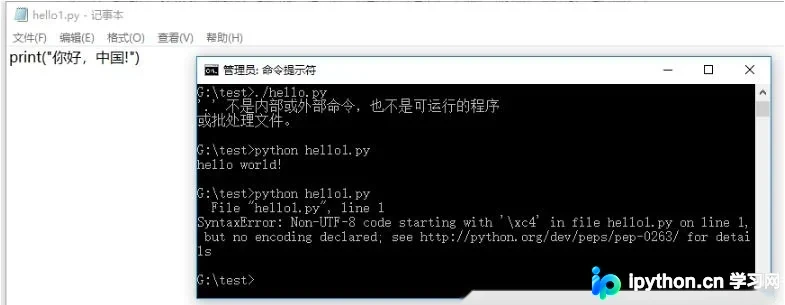
注意:在编写脚本文件的时候不要使用 word 和 windows 自带的笔记本,因为他们在保存的时候会保存为 utf-8 BOM 格式,这会导致脚本执行错误。可以使用 sublime,editplus,notepad++
以上这篇Python 脚本的三种执行方式小结就是小编分享给大家的全部内容了,希望能给大家一个参考,也希望大家多多支持本站。
免责声明:本文内容仅供参考,不代表本站观点。转载或引用请注明出处。









