

利用Python OpenCV实现滑动验证码缺口定位

发布时间:2026-10-13| 6人浏览过
本文介绍如何使用Python的OpenCV模块定位滑动验证码中的缺口。通过读取目标图与模板图,利用cv2.matchTemplate进行模板匹配,并结合abs(255 - target)处理反色图像,最终通过np.unravel_index获取缺口坐标并绘制矩形框。
OpenCV识别滑动验证码缺口方案
近期发现一种有效方案,借助Python的OpenCV模块即可精准识别滑动验证码中的缺口位置。
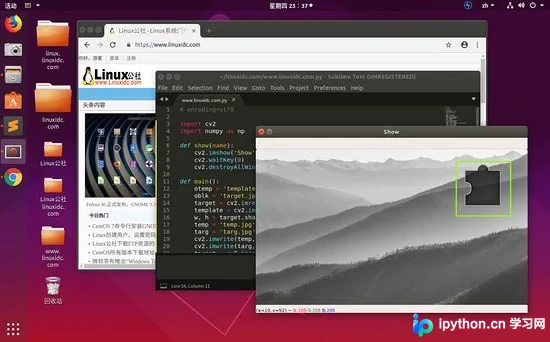
本次测试采用以下两张图片作为输入:

target.jpg
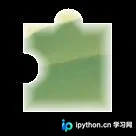
template.png
接下来演示如何通过“template.png”在“target.jpg”中定位对应的缺口,具体代码实现如下:
Python代码实现与结果分析
# encoding=utf8

import cv2
import numpy as np

def show(name):
 cv2.imshow('Show', name)
 cv2.waitKey(0)
 cv2.destroyAllWindows()

def main():
 otemp = 'template.png'
 oblk = 'target.jpg'
 target = cv2.imread(otemp, 0)
 template = cv2.imread(oblk, 0)
 w, h = target.shape[::-1]
 temp = 'temp.jpg'
 targ = 'targ.jpg'
 cv2.imwrite(temp, template)
 cv2.imwrite(targ, target)
 target = cv2.imread(targ)
 target = cv2.cvtColor(target, cv2.COLOR_BGR2GRAY)
 target = abs(255 - target)
 cv2.imwrite(targ, target)
 target = cv2.imread(targ)
 template = cv2.imread(temp)
 result = cv2.matchTemplate(target, template, cv2.TM_CCOEFF_NORMED)
 x, y = np.unravel_index(result.argmax(), result.shape)
 # 展示圈出来的区域
 cv2.rectangle(template, (y, x), (y + w, x + h), (7, 249, 151), 2)
 show(template)
if __name__ == '__main__':
main()函数的运行结果展示在文章顶部,从输出可见,缺口位置已被准确识别。
总结
以上介绍了使用Python OpenCV模块识别滑动验证码缺口的方法,希望能为读者提供帮助。如有任何疑问,欢迎留言,小编将及时回复!
免责声明:本文内容仅供参考,不代表本站观点。转载或引用请注明出处。









