

Pygame实战:实现游戏障碍物的生成与重置逻辑

发布时间:2026-10-13| 5人浏览过
本文介绍如何使用Pygame制作游戏障碍物,涵盖障碍物绘制函数的定义、在游戏主循环中调用及位置重置逻辑。通过示例代码展示如何生成随机位置的障碍物并处理其消失后的坐标更新,帮助开发者快速掌握基础游戏机制的实现。
本节内容属于Pygame游戏开发系列的第六部分,旨在为读者提供具体的实践参考。
首先,我们需要定义一个用于绘制障碍物的函数。该函数接收障碍物的x坐标、y坐标、宽度、高度以及颜色作为参数,并利用pygame的绘图功能在屏幕上绘制出相应的矩形区域。
def things(thingx, thingy, thingw, thingh, color):
 pygame.draw.rect(gameDisplay, color, [thingx, thingy, thingw, thingh])
接下来,在游戏的主循环中调用上述定义的障碍物绘制函数。每次循环时,更新障碍物的y坐标以模拟其向下移动的效果,从而在视觉上实现障碍物的运动。
things(thing_startx, thing_starty, thing_width, thing_height, black)
thing_starty += thing_speed
当障碍物完全移出屏幕底部后,需要对其位置进行重置。具体操作是将障碍物的y坐标设置为负值(即屏幕高度之外),并随机生成一个新的x坐标,以便让障碍物从屏幕顶部的随机位置重新出现,确保持续的游戏体验。
if thing_starty > display_height:
 thing_starty = 0 - thing_height
 thing_startx = random.randrange(0, display_width)
以下是完整的示例代码,包含了Pygame的初始化、颜色定义、显示窗口设置、图像加载以及障碍物和车辆的控制逻辑。代码中详细展示了如何整合障碍物生成、移动、重置以及碰撞检测等核心功能。
import pygame
import time
import random

pygame.init()

white = (255,255,255)
black = (0,0,0)
gray = (128,128,128)
red = (255,0,0)
green = (0,255,0)
blue = (0,0,255)

car_width = 100

display_width = 800
display_height = 600


gameDisplay = pygame.display.set_mode( (display_width,display_height) )
pygame.display.set_caption('A bit Racey')
clock = pygame.time.Clock()

carImg = pygame.image.load('car.png')

def things(thingx, thingy, thingw, thingh, color):
 pygame.draw.rect(gameDisplay, color, [thingx, thingy, thingw, thingh])


def car(x, y):
 gameDisplay.blit(carImg, (x,y))


def text_objects(text, font):
 textSurface = font.render(text, True, white)
 return textSurface, textSurface.get_rect()

def message_diaplay(text):
 largeText = pygame.font.Font('freesansbold.ttf',115)
 TextSurf, TextRect = text_objects(text, largeText)
 TextRect.center = ((display_width/2),(display_height/2))
 gameDisplay.blit(TextSurf, TextRect)
 pygame.display.update()
 time.sleep(2)
 game_loop()

def crash():
 message_diaplay('You Crashed')


def game_loop():
 x = display_width * 0.45
 y = display_height * 0.8
 x_change = 0

 gameExit = False

 thing_startx = random.randrange(0, display_width)
 thing_starty = -600
 thing_speed = 7
 thing_width = 100
 thing_height = 100

 while not gameExit:
 for event in pygame.event.get():
  if event.type == pygame.QUIT:
  gameExit = True
  if event.type == pygame.KEYDOWN:
  if event.key == pygame.K_LEFT:
   x_change = -5
  elif event.key == pygame.K_RIGHT:
   x_change = 5
  if event.type == pygame.KEYUP:
  if event.key == pygame.K_LEFT or event.key == pygame.K_RIGHT:
   x_change = 0
  print(event)
 x += x_change
 gameDisplay.fill(white)

 things(thing_startx, thing_starty, thing_width, thing_height, black)
 thing_starty += thing_speed

 car(x,y)
 if x > display_width - car_width or x < 0:
  gameExit = True
 if thing_starty > display_height:
  thing_starty = 0 - thing_height
  thing_startx = random.randrange(0, display_width)
 pygame.display.update()
 clock.tick(60)
crash()
#game_loop()
pygame.quit()
quit()
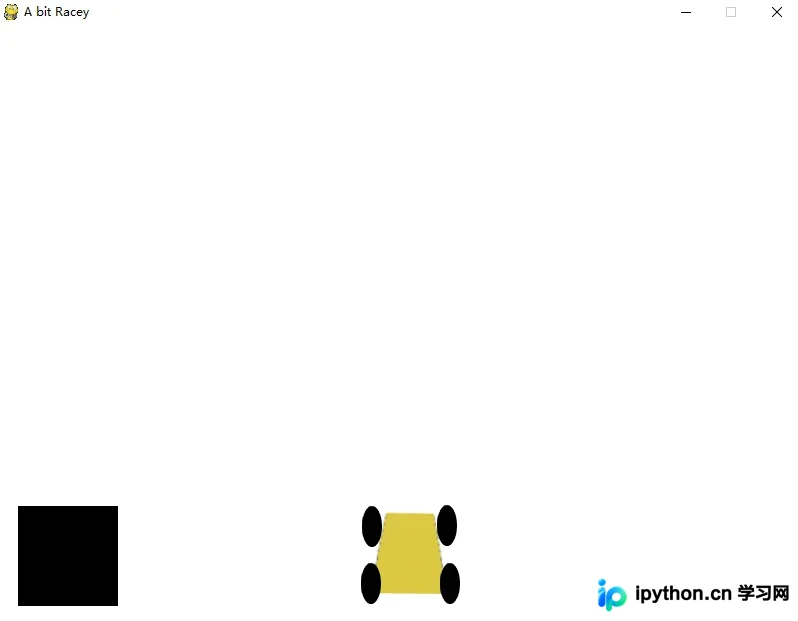
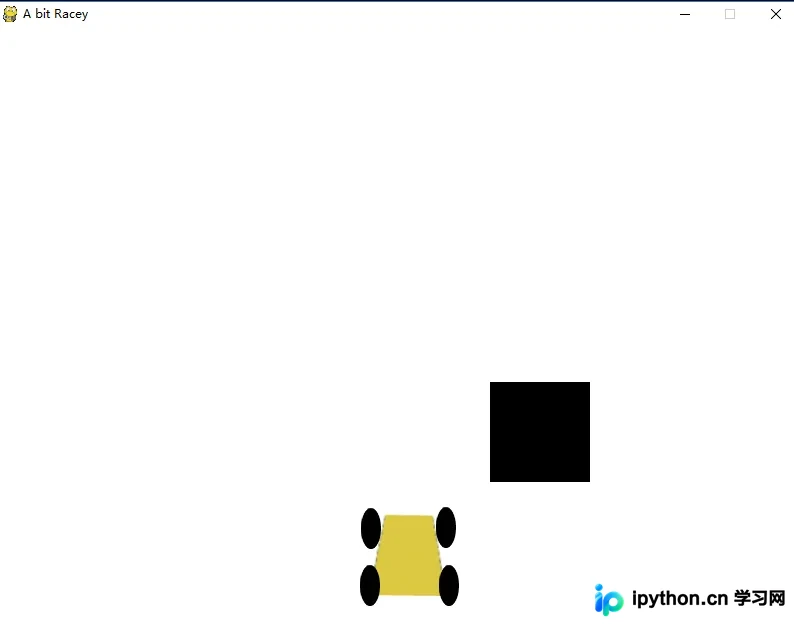
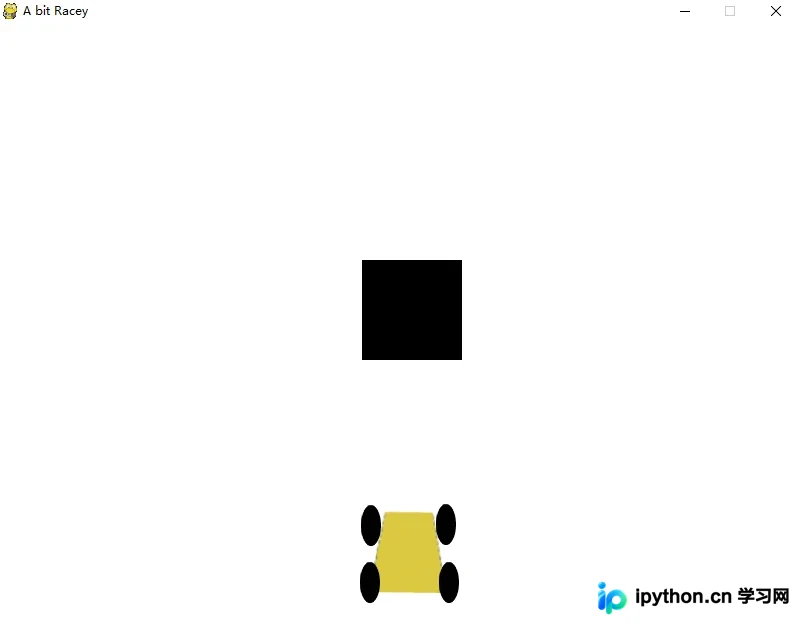
运行上述代码后,可以看到游戏窗口中障碍物按照设定逻辑生成、移动并重置的效果。图片展示了游戏运行时的实际画面,包括车辆和障碍物的显示状态。
以上就是关于Pygame中制作游戏障碍物的完整介绍,希望这些内容能对您的学习有所帮助。如果您觉得有用,欢迎继续支持本站,获取更多技术分享。
免责声明:本文内容仅供参考,不代表本站观点。转载或引用请注明出处。









