

C#异常处理实战:try-catch-finally、自定义与抛出

C#应用程序在运行中难免遭遇用户操作或系统环境引发的异常,良好的异常处理是保证程序稳定性的关键。本文将深入解析C#的异常处理核心机制,包括如何通过 try...catch 捕获运行时错误,利用 finally 确保资源清理,以及如何主动抛出和处理自定义异常。
掌握C#标准异常处理结构
C#提供了三种主要的异常处理结构来应对不同的场景:
try...catch:用于捕获并处理特定的异常,防止程序崩溃。try...finally:主要用于执行清理工作(如关闭文件句柄),无论是否发生异常都会执行。try...catch...finally:兼顾错误处理与资源清理的最完整方案。
第1步:使用 try...catch 捕获异常
目的:预测可能出错的代码块,并在出错时给出提示或采取补救措施。
操作逻辑将易产生异常的代码放入 try 块中;在 catch 块中指定具体的异常类型(如索引越界)并进行处理。
以下示例展示了当访问整型数组 nums 时,因循环条件“小于或等于”导致多遍历一次从而引发索引越界异常的处理过程:
using System;
namespace Text
{
    class Program
    {
        static void Main(string[] args)
        {
            int[] nums = { 1, 2, 3, 4, 5, 6, 7, 8, 9 };
            try // 捕获异常区域
            {
                // 注意:此处 i <= nums.Length 会导致索引越界
                for (int i = 0; i <= nums.Length; i++)
                {
                    Console.Write(nums[i] + " ");
                }
            }
            catch (Exception a) // 捕获所有异常对象
            {
                Console.Write(a.Message); // 输出异常错误信息
            }
            Console.WriteLine();
            Console.ReadLine();
        }
    }
}
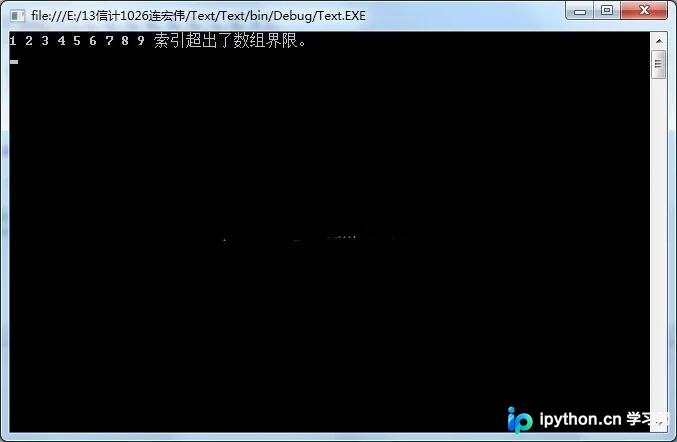
运行结果证实了 IndexOutOfRangeException 被成功捕获,程序并未中断,而是输出了错误详情。
第2步:结合 finally 清除资源
目的:在发生错误时也能执行必要的收尾工作(如释放内存、断开连接)
入口:在 try/catch 之后添加 finally 块。
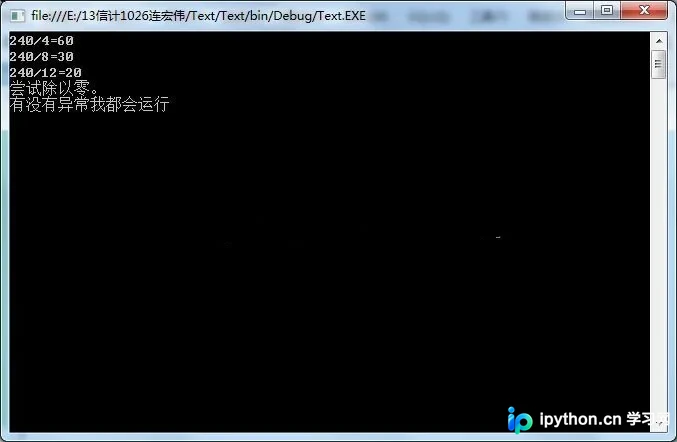
以下示例尝试用 240 除以数组元素,其中包含 0 将导致“除数为零”异常。程序演示了如何在捕获异常的同时,确保最后一段代码必定执行:
using System;
namespace Text
{
    class Program
    {
        static void Main(string[] args)
        {
            int[] nums = { 4, 8, 12, 0, 10 };
            try
            {
                for (int i = 0; i < nums.Length; i++)
                {
                    int valude = 0;
                    valude = 240 / nums[i]; // 遇到 nums[3]=0 时触发异常
                    Console.WriteLine("240/{0}={1}", nums[i], valude);
                }
            }
            catch (Exception a)
            {
                Console.WriteLine(a.Message); // 输出异常错误
            }
            finally
            {
                // 无论是否发生异常,此段代码均会运行
                Console.WriteLine("有没有异常我都会运行");
            }
            Console.WriteLine();
            Console.ReadLine();
        }
    }
}
主动引发与自定义异常
第3步:使用 throw 语句主动抛出异常
目的:在业务逻辑验证失败时,向调用者传递明确的错误状态。
参数格式:throw new 异常类(异常描述);
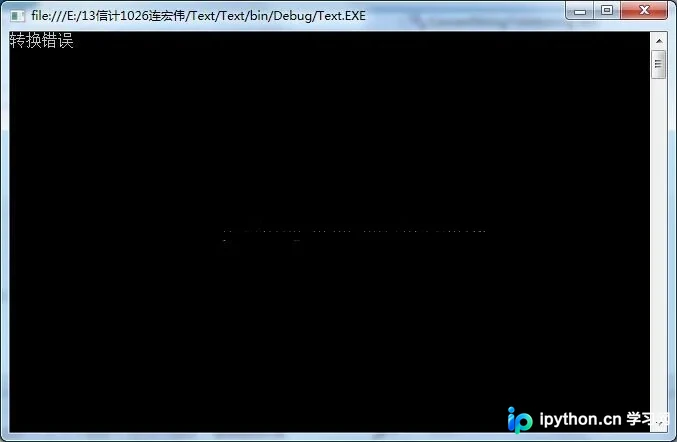
以下示例演示了将字符串转换为整数时的异常处理。如果转换失败,函数内部不直接处理,而是 throw 一个新的 FormatException 交由上层处理:
using System;
namespace Text
{
    class Program
    {
        static void Main(string[] args)
        {
            string str = "string";
            try
            {
                int returnInt = ConvertStringToInt(str); // 调用转换方法
                Console.Write(returnInt);
            }
            catch (FormatException a)
            {
                Console.WriteLine(a.Message);
            }
            Console.ReadLine();
        }

        private static int ConvertStringToInt(string str)
        {
            int intNum = 0;
            try
            {
                intNum = Convert.ToInt32(str);
                return intNum;
            }
            catch
            {
                // 主动抛出自定义描述的 FormatException
                throw new FormatException("转换错误");
            }
        }
    }
}
第4步:创建自定义异常类
目的:为特定业务模块定义专属的错误标识。
操作步骤:
- 声明一个新类,使其继承
System.Exception基类。 - 在使用时通过
throw new 自定义异常类()进行实例化抛出。
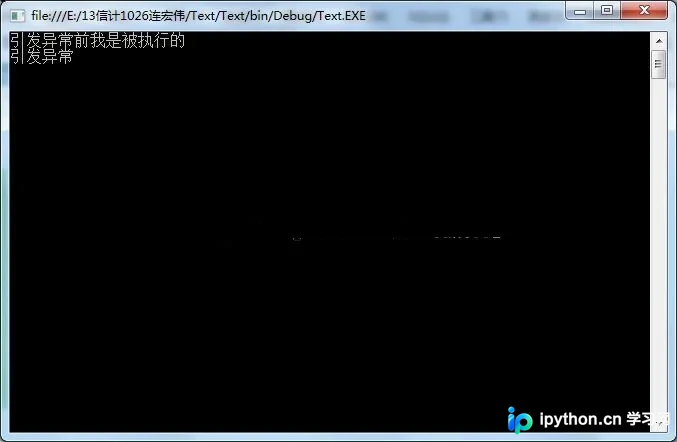
以下示例定义了 MyException 类,演示其在控制流中的行为——一旦抛出,后续未受保护的代码将不再执行:
using System;
namespace Text
{
    class MyException : SystemException { } // 声明自定义异常类

    class Program
    {
        static void Main(string[] args)
        {
            try
            {
                Console.WriteLine("引发异常前我是被执行的");
                throw new MyException(); // 引发异常
                Console.WriteLine("因为已经引发异常,所以我不能被执行"); // 此行不会显示
            }
            catch (MyException)
            {
                Console.WriteLine("引发了自定义异常");
            }
            Console.ReadLine();
        }
    }
}
以上就是C#异常处理的详细内容,更多关于C#开发技巧的资料请关注本站其它相关文章!
免责声明:本文内容仅供参考,不代表本站观点。转载或引用请注明出处。









