

Python利用Template类创建文件模板及批量生成示例

发布时间:2026-10-14| 4人浏览过
本文介绍如何使用Python标准库中的Template类创建文件模板并批量生成代码文件。通过定义包含占位符的模板,利用substitute方法替换变量,实现快速生成具有统一格式和基础结构的类文件,适用于Android或Visual Studio等开发场景下的自动化文件创建。
写作思路
1、模板的定义 2、如何利用模板生成多个文件
在许多开发场景中,我们需要创建大量样式相似甚至完全相同的类文件。例如在Android开发中(因Android Studio已卸载,无法实体演示)或使用Visual Studio创建继承自虚方法的类时,生成的文件通常已包含基础格式和基础方法。基于此类需求,利用模板类创建文件的功能应运而生。
1、模板的定义
"""
    create in ${now}
    @author ${author}
"""
import sys
class ${ClassName}Class(object):
    def __init(self):
        pass
    def ${ClassName}GetData(self):
        pass
    def ${ClassName}SetData(self):
        pass
    def ${ClassName}Print(self, msg):
        print("${ClassName}", " print:", msg)
"""
    you can modify template from BaseClassTemplate.tpl
"""
观察上述代码中的 ${now}、${author}、${ClassName},这些即为模板中需要被替换的对象。
2、如何利用模板生成多个文件
import datetime
from string import Template
tplFilePath = r'F:\PythonXSLWorkSpace\TemplateGeneratePython\PythonTemplate\BaseClassTemplate.tpl'
path = r'F:\PythonXSLWorkSpace\TemplateGeneratePython\GenerateFloder\\'
ClassNameList = ["Game", "Music", "Live"]
for className in ClassNameList:
    now = datetime.datetime.now().strftime('%Y-%m-%d %H:%M:%S')
    filename = className + 'Class.py'
    author = '在逆境中蜕变'
    tplFile = open(tplFilePath)
    gFile = open(path + filename, "w")
    lines = []
    tpl = Template(tplFile.read())
    lines.append(tpl.substitute(
        author=author,
        now=now,
        ClassName=className))
    gFile.writelines(lines)
    tplFile.close()
    gFile.close()
    print('%s文件创建完成' % filename)
其原理简述为一种字符串匹配及替换机制。你甚至可以自行编写匹配逻辑,并使用str.replace('${author}', author)来替换模板内容。
运行结果
初始文件状态如下

运行后的结果如下
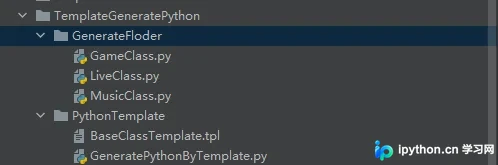
接下来查看内部生成结果。
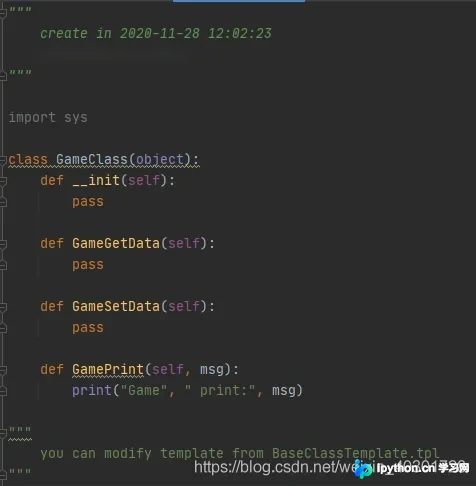
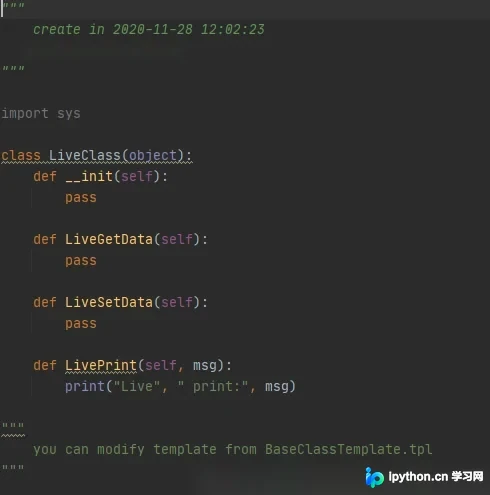
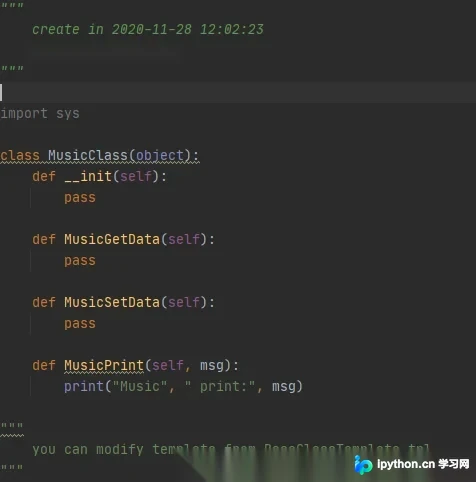
效果显著。当然,你可以根据需求定义更复杂的模板内容。
以上为Python创建模板文件及使用教程示例的详细内容,更多关于Python模板文件创建使用的资料请关注本站其它相关文章!
免责声明:本文内容仅供参考,不代表本站观点。转载或引用请注明出处。









