

OpenCV图片编解码实战:DCT变换与Numpy对数函数解析

发布时间:2026-10-14| 3人浏览过
本文通过OpenCV与Numpy实现图片的离散余弦变换(DCT)编解码实践。详细解析了如何提取不同尺寸的DCT系数以控制图像重建质量,并深入探讨了Numpy中log函数默认以自然常数e为底数的特性及其在图像处理中的应用。
OpenCV图片编解码实战:DCT变换与Numpy对数函数解析
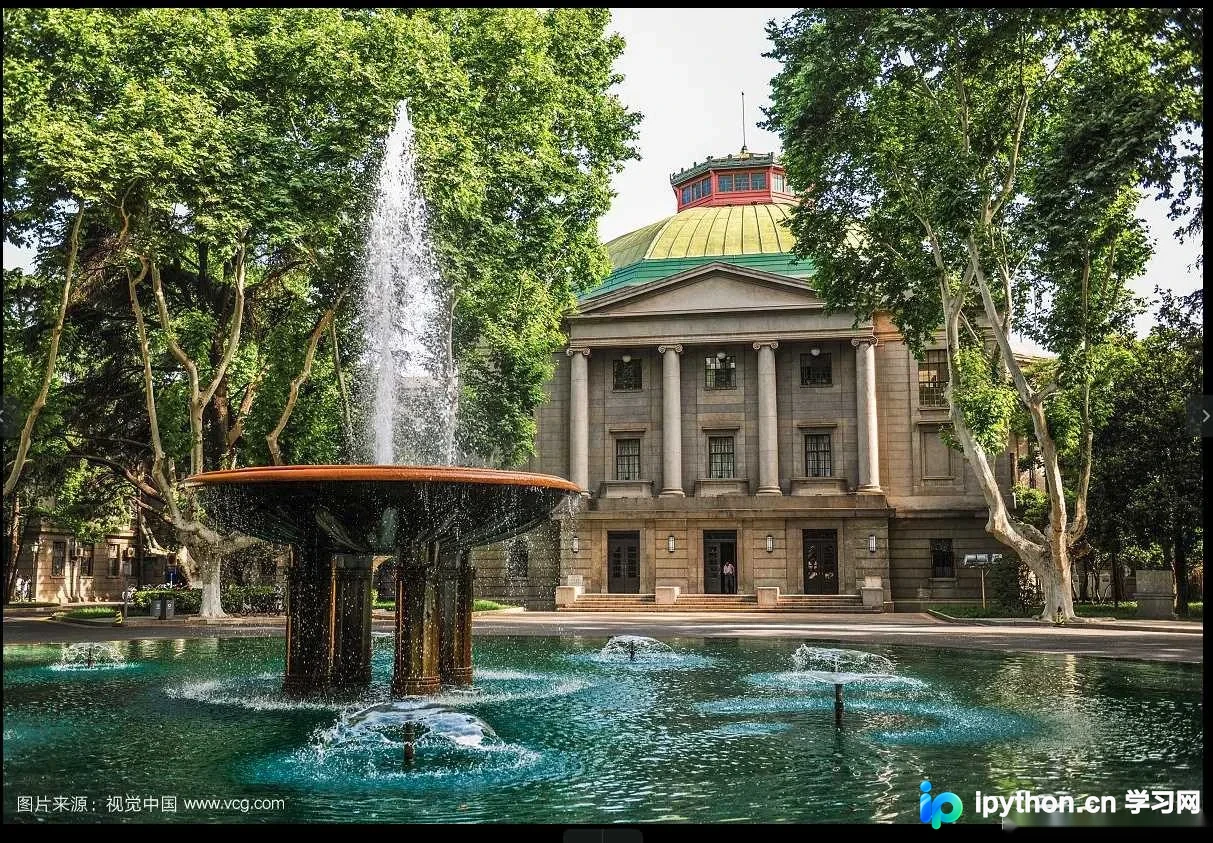
原始图像如下所示:
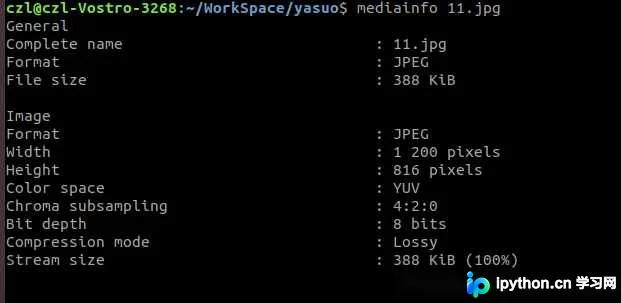
查看图像属性可知,该图片尺寸为816×2100像素:
DCT系数提取与图像重建效果
对应的Python实现代码如下:
import cv2
import numpy as np
import matplotlib.pyplot as plt

img = cv2.imread('11.jpg', 0)
img1 = img.astype('float')
img_dct = cv2.dct(img1)
img_dct_log = np.log(abs(img_dct))
img_recor = cv2.idct(img_dct)
recor_temp = img_dct[0:100,0:100]
recor_temp2 = np.zeros(img.shape)
recor_temp2[0:100,0:100] = recor_temp
print recor_temp.shape
print recor_temp2.shape
img_recor1 = cv2.idct(recor_temp2)
plt.subplot(221)
plt.imshow(img)
plt.title('original')
plt.subplot(222)
plt.imshow(img_dct_log)
plt.title('dct transformed')
plt.subplot(223)
plt.imshow(img_recor)
plt.title('idct transformed')
plt.subplot(224)
plt.imshow(img_recor1)
plt.title('idct transformed2')

plt.show()
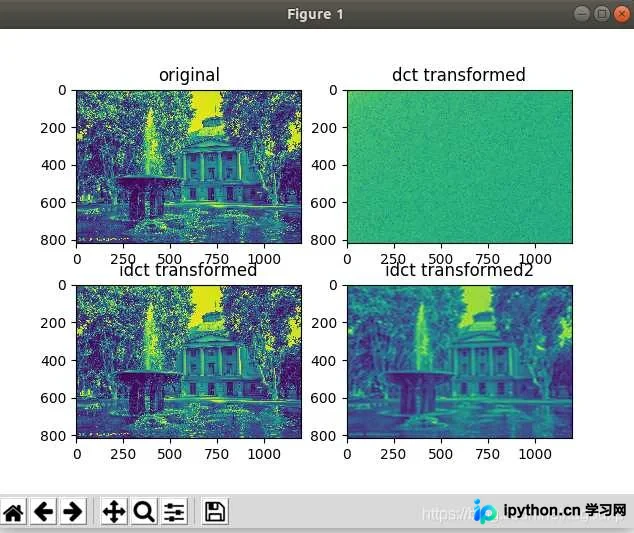
仅保留100×100的DCT系数进行重构,效果如下:

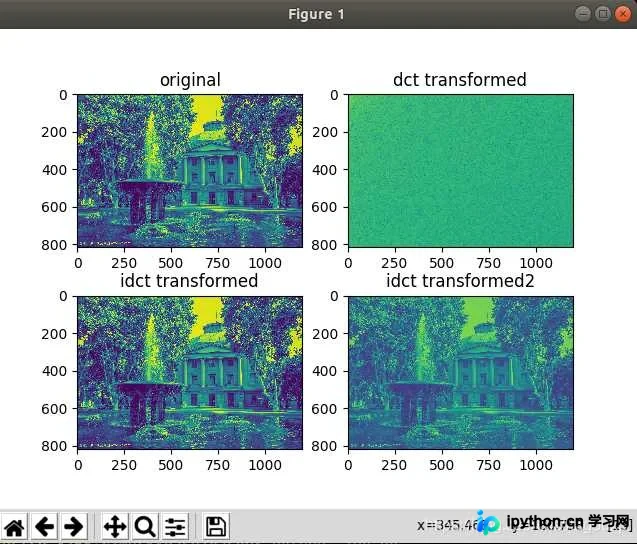
若使用800×1000的DCT系数进行重构:

此时图像细节有所恢复,质量略有提升:
import cv2
import numpy as np
import matplotlib.pyplot as plt

img = cv2.imread('11.jpg', 0)
img1 = img.astype('float')
img_dct = cv2.dct(img1)
img_dct_log = np.log(abs(img_dct))
img_recor = cv2.idct(img_dct)
recor_temp = img_dct[0:800,0:1000]
recor_temp2 = np.zeros(img.shape)
recor_temp2[0:800,0:1000] = recor_temp
print recor_temp.shape
print recor_temp2.shape
img_recor1 = cv2.idct(recor_temp2)
plt.subplot(221)
plt.imshow(img)
plt.title('original')
plt.subplot(222)
plt.imshow(img_dct_log)
plt.title('dct transformed')
plt.subplot(223)
plt.imshow(img_recor)
plt.title('idct transformed')
plt.subplot(224)
plt.imshow(img_recor1)
plt.title('idct transformed2')

plt.show()
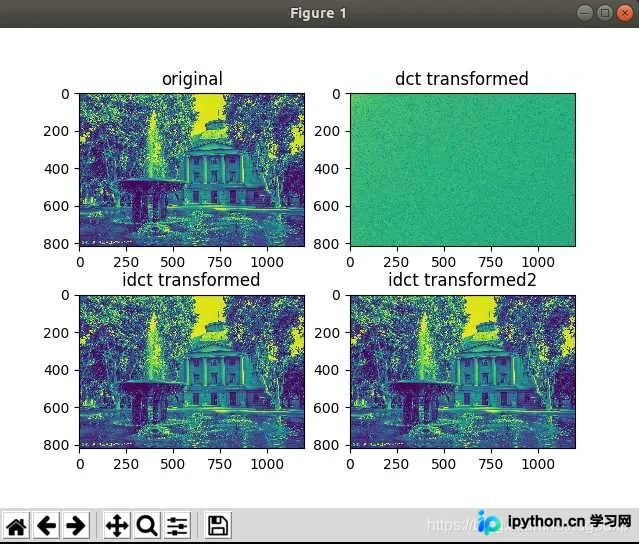
当使用816×1200的DCT系数进行重构时:

可以看出图像质量已恢复至接近原始水平。
代码逻辑与Numpy.log函数底数分析
对代码逻辑进行分析:
变量img_dct存储的是DCT变换后的矩阵,而img_d_log则是先对矩阵元素取绝对值,再计算对数得到的矩阵。
具体代码为:img_dct_log = np.log(abs(img_dct))
这里涉及一个关键问题:对数的底数是多少?
通过打印输出img_dct_log与abs(img_dct)进行对比验证:
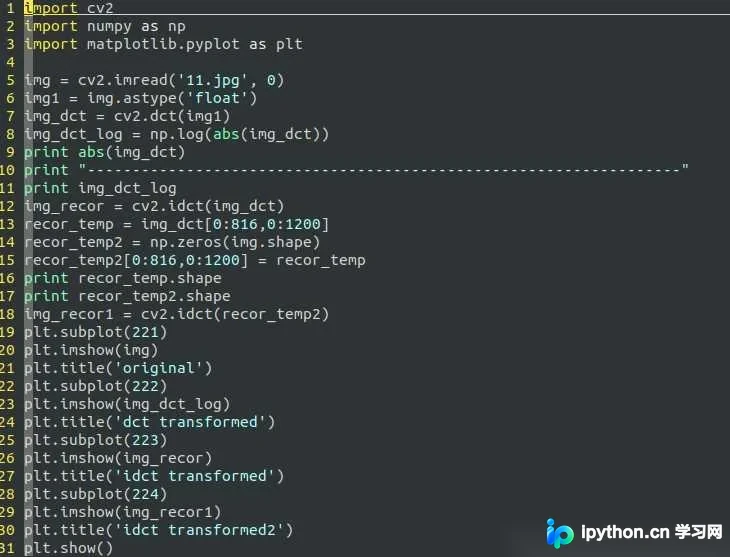
打印结果如下:
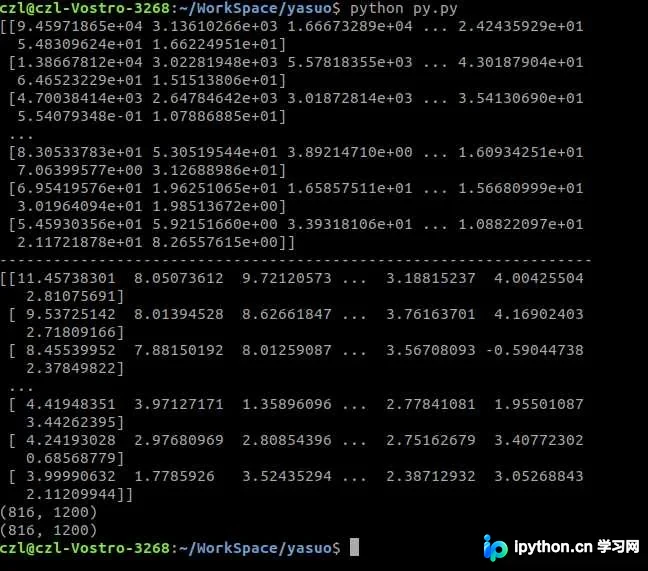
其中9.45971865e+04表示科学计数法,即9.45971865 × 10^4,换算后为94597.1865。
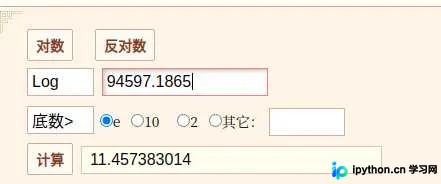
通过对比可知,只有当底数取自然常数e时,计算结果才符合题目输出的对数值,因此Python中Numpy的log函数默认以自然常数e为底数。
至此,关于利用OpenCV实现图片编解码的实践介绍完毕,更多相关OpenCV图片编解码内容可参考本站往期文章或继续浏览后续章节,感谢支持!
免责声明:本文内容仅供参考,不代表本站观点。转载或引用请注明出处。









